


Why You Shouldn't Change a Thing in Your Holiday Search Strategy
This is a guest post from Laura Stiles, Manager of Digital Advertising at Wheelhouse DMG.
Did You Know
According to the National Retail Federation, by October, 55% of consumers will have already begun researching their holiday purchases. So, if you’ve been scouring the internet looking for new strategies to adopt this holiday season, look no further—now is not the time to change your SEM strategy.
The most successful clients during holiday are the ones who do the same thing they’ve been doing all year, only bigger. Spend more money, get more clicks, see more orders and higher revenue, but do it the same way you’ve been doing all year.
If you’re not sure you can plan and execute a mobile-only PPC strategy this season, then don’t! If you don’t think you have time to flesh out a new shopping campaign structure before Cyber Week, don’t! Save testing for Q1, when the stakes aren’t so high (more on that in the coming months). Use your tried-and-true methods on a larger scale, and I’m willing to bet money you’ll see great results.
Holiday Prep List
All this is not to say you shouldn’t be investing time now to prep for the holidays. Even though I’m suggesting you shouldn’t change your strategy, here are a few steps to ensure this holiday will be your most effective yet.
Check Your Keyword List Twice
- Ask yourself, is there any new merchandise coming in for the holidays or gifting this season? If so, do we have keyword coverage for these brands or products?
- Secondly, what key products were popular this time last year? Do you have expansive coverage around them?
- Finally, once your keyword coverage is in place, are the keywords above first-page minimums so they’re eligible to show ads?
- Pro-tip: Avoid generic gift keywords (gifts for mom, Christmas present, etc.) unless you have significant budget to spend with low ROAS goals. These terms get very expensive (high CPCs) around the holidays and don’t have specific intent (low conversion rate).
Shopping Campaign ‘Til You Drop
- As you bid up on your product groups this holiday season, do you know what kinds of search queries you’re receiving? Scan Search Query Logs, and add negatives for any irrelevant traffic that may spike when you increase bids on your popular product targets.
- Make sure you’re separating your trademark traffic utilizing engine priority settings. Need a refresher on how this works? Check out our Shopping structure post.
- Pro-tip: Optimize your feed with relevant titles and descriptions. Is your “Gingerbread Birdhouse” a great gift for bird watchers? Add “Bird Watcher Gift” to your product title to help the engines match a user’s intent to your perfect product.
Make Your Message Jolly and Bright
- There are lots of ways to make your copy stand out. Experiment with countdown copy and IF statements that target user device or audience segments to make your message super-targeted.
- If you’re using the new AdWords UI, then you have access to Promotion Extensions. This feature allows you to add Black Friday and Cyber Monday specific extensions to your ads.

- Pro-tip: If you have physical locations, use ad copy or extensions to promote extended hours to help drive users in-store this season.
Invest Early
- Shoppers start researching early for purchases they plan to make on Black Friday or Cyber Monday. Make sure you’re allocating budget to days based on click date revenue per click, as opposed to purchase date.
- Don’t rely on your existing time of day or day of week rules through Cyber Week. Keep in mind shoppers may be searching at odd times (like 3am on Black Friday while they’re in line at Best Buy) and your current bid pullbacks may cause you to miss good opportunities.
- Pro-tip: Use the custom holiday audiences you hopefully created from converters this time last year to retarget as they shop this holiday season.

As you prepare, ensure the best practices you’ve been refining all year are in place, and don’t change your overall approach. Happy (almost) holidays!

When Search Marketing Meets Influencer Disruption
This is a guest post from Ashley Aptt, Account Director at 3Q Digital.
Influencer marketing is a powerful tactic for increasing brand awareness. Influencers typically have a loyal following and their audience base trusts what they say. When influencers promote or endorse a brand’s product, that brand can expect an increase not only in exposure, but also in conversion rates.
By coordinating your influencer marketing strategy across other channels, you’ll be able to further capitalize on the increased brand awareness. Here are four practical and effective strategies to help you support an influencer campaign via paid search.
1. Adjust Bids and Budgets
When you run an influencer campaign, prepare for instant results. It’s typical to see a large spike in branded search queries as new users become aware of your brand and begin searching to learn more about your products.
If this is your first time running an influencer campaign, you may be surprised to see how much branded search volume can increase after the campaign. Avoid missing out on this traffic by expanding your campaign budgets to account for higher search volume, and set up automated alerts to send an email if you’re nearing budget caps. It’s important to make sure you own top placement for brand terms throughout the duration of the campaign.
2. Tailor Ad Copy and Extensions
Incorporating the influencer into your branded ad copy is a great way to reiterate that a respected personage has endorsed your product. If a user didn’t see the campaign (or doesn’t know who the influencer is), then this is still a great strategy to make your ad stand out and create intrigue. If the influencer is widely known, then it could be worthwhile to test new ad copy for non-brand or competitor search queries, too.
Promoting the influencer campaign in your ad extensions is another great way to maximize exposure of the influencer via paid search. To entice these site visitors to convert, consider offering a discount or promotion. And before creating new ads and ad extensions, keep in mind that you may need permission from the influencer to use their name in your ad copy.
Since an influencer campaign can take off quickly, be sure to create the ad copy and extensions in advance and schedule them to go live immediately after the influencer makes their announcement. It’s extremely important that you coordinate strategy and timing across channels.
3. Expand Keyword Coverage
Influencer campaigns are a great way to increase brand awareness, but users don’t always remember the name of the brand that was promoted. If your brand or product was promoted on TV or radio, then you could be at a greater disadvantage because these users may not be near a computer during the moment they hear the endorsement. The good news is that if the user was really intrigued, they may turn to search engines to find the product that was mentioned by the influencer. So, you’ll need to make sure you expand keyword coverage to account for search queries they may perform.
For instance, if a well-known home designer named Jane Jones promotes a line of bedding for Brand XYZ, the user may only remember that Jane promoted a line of bedding. In this case, you would want to add keywords related to “Jane Jones bedding.”
Put yourself in the shoes of the audience and think about the search queries they may perform to find your brand. Use this as a guide when creating new keywords.
4. Implement Complimentary Ads on the Display
Network and YouTube
Influencer campaigns can drive increased traffic to your site, so you’ll need to incorporate a strong remarketing strategy to maximize conversions. Before getting started, you should decide if you’re going to create a unique landing page for these visitors or if you’ll use URL tracking parameters.
Whatever you do, it’s just important that you’re able to segment the users who visited your site via the influencer campaign. Create a remarketing audience for this specific segment and remarket them with tailored banner ads that feature the influencer (if you have permission to do so). This is a great way to keep your new audience engaged and convert them to customers. If you have video assets, consider remarketing these users on YouTube, too.
To take further advantage of the increased brand exposure, consider allocating a portion of your budget towards an acquisition campaign on the Google Display Network. The network has many targeting options, but one method that may work well in this situation is to target users who are similar to the influencer’s audience (using Google’s Similar Audiences feature). You can also target ads specifically to show on the influencer’s website, blog, or YouTube channel.
Conclusion
Influencer campaigns have the power to reach a niche, targeted audience and drive new site visitors. Take necessary steps to ensure your ad copy’s relevant, you’ve added the proper keywords, and you’ve adjusted bids and budgets. Once these visitors come to your site, keep them engaged with related remarketing ads to drive conversion rates. Boost the likelihood of a conversion by planning ahead and coordinating your strategy across all channels.

How to Perfect Your Conversion Ad Campaign
Brand awareness campaigns on Facebook are great—they allow you to improve the visibility of your brand and products, and enlarge your fan base.
But, when it comes to driving users to perform specific actions on your website or app, conversion campaigns are your best allies!
Unlike branding campaigns, conversion campaigns usually need not only a more detailed plan and sophisticated structure—they also require a more specific and timely optimization, along with an impeccable bidding strategy.
Every situation and project has its own peculiar characteristics, and needs to be considered carefully in developing the right strategy. But, you can follow some basic steps that serve as a mini-guide on how to master conversion campaigns on Facebook.
Tracking
Before you launch a conversion campaign, always make sure you’re able to properly track your conversions. You should only have one Main KPI—which we’ll discuss in the next section—but you should also have perfect visibility of the whole conversion funnel, in order to be able to answers questions like:
- How many users left the website right after viewing a product without converting?
- How many “add to cart” events did your campaign generate?
- What’s your bounce rate on each step?
You can answer these questions with intermediate, specific events that you track along with your main KPI.
Main KPI
Choosing the right Main KPI enables you to accurately evaluate your campaigns, and optimize them towards your central objective.
Pick the Pixel or In-App event wisely. Main KPIs that generate poor volume—like the purchase of a very expensive product—or metrics that will most certainly be performed outside of the attribution time frame, may complicate campaign optimization. If you don’t achieve enough conversion volume, you won’t be able to analyze your campaign results properly and take the right course of action to optimize them.
CPA Goal
Make sure your desired cost per conversion is achievable, and that it ensures a transparent analysis of your campaign.
If you’re new to the publisher or launching in a new market—or simply unsure of the best cost per conversion you can get with your campaign—start by optimizing on CPC or other delivery metrics.
It’s easy to estimate the average CPC and CPM, so use this as a good starting point for your new digital advertising activity.
Bidding
Conversion-focused optimization is the most precise way of bidding in conversion campaigns. But, you may want to start with a CPC or CPM optimised bidding model, especially with small audiences.
Once you get your first conversions and a decent volume (and your audience is ample enough), you can switch to oCPM and let Facebook’s algorithm optimize your bidding towards your Main KPI.
For More Information
If you’d like more information on setting up the best conversion ad campaigns for your business, just get in touch.

5 Big Trends that Dominated DMEXCO 2017
With over 1,000 businesses exhibiting and more than 55,000 digital marketing professionals roaming the halls, DMEXCO has indeed secured its spot as the digital marketing spectacle of the year. For many, not only it is the first chance to uncover the latest trends and innovations in digital, it is a mega launchpad for ad tech players (and an opportunity for some serious parties.)

Among the many discussions and presentations, five DMEXCO feats rose to the top of the highlights list:
1. The Rise of Influencer Disruption and Killer Millennials
Influencer marketing—arguably defined as a hybrid of affiliate marketing and celebrity-endorsed infomercials—had a prominent seat at the table, with brands and agencies recognizing the growing role of influencers in their social advertising strategy. As consumers continue to adopt online and offline ad blockers, influencer value will run parallel and disrupt how brands go to market. Millennials, also known as the ‘I need it yesterday’ generation, are key protagonists of the influencer disruption movement.
2. All About Attribution
A digital revolution is upon us. Marketing attribution has become more complex than ever before as the concept of the Internet of things (IoT) becomes reality and advanced algorithmic-based adtech continue to dominate the digital marketing industry. DMEXCO was all about examining the importance of using audience data and leveraging cross-channel transparency when measuring digital marketing performance KPIs.
3. Data-Driven Search and Social Advertising
Overlaying user search intent with audience data is all the rave as the concept of machine learning continues to gain momentum. Marketers were keen to learn how to better convert their ad spend into profits. Although Google led the conversation, Marin Software’s Google + Facebook: A Playbook for Cross-Channel Success was one of the most highly sought-out pieces of content available at the conference. This playbook demonstrates the importance of combining search and social advertising channels to deliver above and beyond on performance KPIs.
4. Catching the Moment
DMEXCO is all about the experience—humanizing digital and understanding how artificial intelligence can advance society and empower brands to leverage advertising technologies to ‘capture the moment’. This boils down to connecting with customers wherever they are.
5. Cutting Through the Noise
Sheryl Sandberg, Chief Operating Officer of Facebook delivered a keynote, Building Community and Discovering Growth in a Mobile World, which championed building meaningful connections to achieve growth through mobile. It’s a new take on how brands can leverage traditional marketing techniques in their digital strategy. As we previously noted in our 2017 State of Digital Advertising Report earlier this year, mobile surpassed desktop for the first time, confirming a shift in how people consume information. It therefore makes sense for brands to rethink how they engage with consumers via mobile, differentiate, and break through the clutter.

Marin Masters 2017: Your Ticket to the Future of Digital Advertising
Marin Masters is our annual customer and partner summit that offers attendees a deep dive into the latest digital marketing trends, including cross-channel advertising, audience targeting, multi-touch attribution, and brand safety. We’re hosting Masters at the Terra Gallery in San Francisco on September 21st and The Standard High Line in New York on September 28th.
We’ve compiled a full-day agenda of thought leadership, deep learning, and networking with top advertisers on the Marin platform. Attendees will enjoy presentations from an exciting lineup of expert speakers, each offering a unique perspective on the state of digital advertising today:

A Sneak Peek at Our Latest Cross-Channel Innovations
At Marin Masters this year, we’ll also be showcasing our next-generation platform that combines the best of search and social advertising. We’ll reveal the how and why of managing campaigns in a single place, including:
- Viewing performance across search and social campaigns in a single UI
- Aligning creative and messaging across channels, saving countless hours
- Planning budgets across new and existing customer audience segments
- Automatically pushing campaign changes out to multiple publishers
A big shout-out to our key sponsors for adding their insights to our overall agenda for the day:

Marin Masters is an exclusive, invite-only event and space is limited this year. If you’d like to join our waitlist, please use the appropriate button below.
Join the Waitlist for San Francisco
Join the Waitlist for New York

The Value of Optimizing Ad Set Budget Allocation
Digital marketers continually pursue optimal performance. This is especially true for ad budgets—the foundation on which audiences and creatives are built.
The more efficiently marketers can allocate budget towards performing audiences, the more likely they’ll see positive returns on investment. That said, monitoring and managing audience budgets is a manual task that can quickly grow to drain valuable marketing time and resources—especially considering the volume of campaigns that are typically created and active at any given time.
How can digital marketers improve their ability to efficiently identify and scale opportunities for optimizing budgets?
We designed Marin Budget Allocation (MBA) to solve this dilemma.
What is Marin Budget Allocation?
MBA is a proprietary algorithm that automatically adjusts budgets within your campaigns based on top-performing audiences.
How MBA Helps Advertisers
When activated for a campaign, MBA:
- Saves time
- Drives efficient performance of your main KPI
- Maximizes conversions
- Rewards the lowest CPA
Typically, marketers build ad sets in campaigns around a number of different target audiences. Performance for each target audience can vary depending on demographics, interests, and engagements with a brand, and products or services.
As a common best practice, advertisers will often look to monitor ad sets and their performance, checking them multiple times a day, and manually reallocating budget towards the best-performing main KPI.
This practice can be very time-consuming for advertisers managing a large number of campaigns at scale, and across business objectives that can span both branding and direct response goals.
Marketers have a finite amount of time and attention they can devote to active campaigns, which can potentially lead to missing out on key budget reallocation decisions.
To solve this, MBA improves the performance review and budget allocation practice by continuously monitoring ad set performance, and automatically reallocating the campaign budget towards ad sets driving efficiencies in main KPI performance. Data drives the process.

With automatic budget reallocation, a marketer can more comprehensively account for performance of multiple campaigns at the same time. Missed opportunities for optimization? MBA minimizes these moments or eliminates them altogether. Main KPI performance improves, as does return on ad spend.
MBA Best Practices
Use Lifetime Budgets
When used in conjunction with MBA, the Lifetime Budgets option provides for more even pacing of the available campaign and ad set budgets. For example, with the Daily Budget option on Facebook, you can have spend variance, as ad sets can spend up to 125% of the allocation for a particular day in the campaign flight. If you spend more than 100% of the Daily Budget, on the next day you could see a scaling down of the total budget allocated towards serving impressions.
When you use the Lifetime Budget option, a calculation based on the remaining budget and remaining campaign schedule more evenly controls the spending limit and pacing of each day.
We’ve also observed efficiency gains in Lifetime Budgets and recommend pairing them with MBA. If you commonly use Daily Budgets and would like to activate MBA, simply multiply the number of days you expect to run the campaign by your typical Daily Budget, and set that total budget for the campaign with the Lifetime Budget option selected.
A/B Test Studies
We encourage you to set up Ad Studies to help understand performance gains, using a scientific approach to A/B testing.
For example, activate MBA in one campaign, allowing it to make budget allocation decisions for the campaign. In the other campaign, continue budget allocations manually. Be sure to keep only one variable—budget allocation actions—as the differentiator.
Alternatively, you can run a campaign without MBA, comparing performance versus a campaign with MBA active.
We recommend creating at least three rounds of A/B tests. Our account managers can collaborate with you to recommend best practices for modeling Ad Studies, reporting on results, and incorporating effective tactics.
Summary
MBA is designed to help advertisers address common pain points, including:
- Yielding the most efficient results from budgets allocated to an audience
- Minimizing missed opportunities for optimizing budgets
- Supporting enterprise marketing efforts at scale
To get started with MBA today, just ask your account manager. Or, if you’re new to Marin and have additional questions around improving your marketing strategy and identifying opportunities for optimization, get in touch with us.

Why You Should Be Advertising on Bing
With Google’s dominance in the search marketplace firmly held since many of us can remember, it’s not surprising that PPC managers often neglect Bing from their digital advertising programs. And while Google’s influence still remains comfortably unchallenged (Google currently accounts for 81% of desktop searches and 96% of searches on mobile devices), there are compelling reasons that digital marketers should also be advertising on Bing.
1. Easily synchronize with your AdWords account
One of the most important features Bing Ads has implemented in recent years is the ability to import existing campaigns directly from Google AdWords, making the platform’s adoption by new—and returning—advertisers a painless process. And to make cross-publisher management even easier, Bing Ads now offers Automated Imports to enable advertisers to synchronize their Google campaigns with their Bing counterparts on a recurring basis.

Which brings me to my next point....
2. Bing Ads has continued to improve as a platform
Search marketers who ended up moving away from Bing in the past may be pleasantly surprised to discover that the platform has aged very well in keeping up with the expectations of AdWords users. The current UI is a lot more seamless and intuitive compared to previous versions, and many important features in AdWords are also found in Bing Ads, including ad extensions and the Expanded Text Ad format. This means that most—though not all—of what you want to import from your AdWords campaigns will translate into your Bing account with little or no issue.
3. Less competition
If you’re not already advertising on Bing, chances are your competitors aren’t either. The relatively low competition on Bing offers the opportunity for you to accrue incremental traffic with the same level of search intent as your Google campaigns at a discount.
4. It’s still the second-most widely used search engine
Given the ease of adoption and campaign migration for current AdWords users and the additional audience there is to be reached, there’s no reason not to explore the opportunities Bing has to offer. It is, after all, the second-most used search engine in the market today (with recent share estimates as high as 33% in the US).

Infographic: 7 Advanced Tactics for Writing the Highest-Performing Expanded Text Ads
Since Google launched them as part of its extensive set of updates in July 2016, Expanded Text Ads have provided a new opportunity for advertisers to improve their search marketing performance. Clicteq’s Wesley Parker illustrates seven of the most effective tactics for writing high-performing Expanded Text Ads and dominating your competition.


Tips for Creative Mobile Ads on Facebook and Instagram
With Facebook now supporting over 2 billion monthly users and Instagram quickly becoming a social network force to reckon with, marketers must be more creative than ever to attract attention. And, not only that—we have to constantly make sure our messages are clear, and that we’re driving consideration, clicks, and conversions. If pictures were worth a thousand words before, now they’ve hit double-digital annual growth.
This is even more important on mobile. Smartphones have become the device of choice for today’s users on the go. Advertisers need to devote attention to refining the user experience for people who are constantly “plugged in.”
Here are a few tips for making sure your Facebook and Instagram ads are going the extra mile for today’s consumer.
Who’s Your Audience?
A first step is to determine your target audiences, and to keep them in mind as your create your ads. Avoid using the same creatives for all of your markets and audiences. Adapt your creatives to fit different user wants and needs.
Focus on the Product
Try using images that feature a close-up of your app, in a mock-up on a device adapted to the mobile OS you’re targeting (Apple iPhones on an iOS target, for instance).
Also experiment with short videos showing a demo of the main features of the app. We’ll discuss video ads in a later section.

Focus on the People
You should also try images featuring people using your app. For example, a music streaming mobile app could feature a person listening to music on their headphones. Basically, any action symbolizing or suggesting the nature of the app you’re promoting is a great way to make your message clear at first glance.

Optimize Your Text and Logo
Your logo should always be visible. This is especially important when you’re targeting markets where your brand awareness is strong.
Note that Facebook, Instagram, and the Audience Network place limits on the amount of text you can have on your ad image. You’ll have to follow the rules, but be sure to get as close to the limit as possible to make sure your message stands out.
Get Creative on Instagram
Instagram is a heavily image-based network, so creativity is crucial. Draw inspiration from the main influencers in your field—look at what they’re doing and make sure you’re targeting your audience as efficiently and inventively as possible.
Use filters, image composites, and videos—all the while making your ads as natural and seamless as possible to users.
Get in the Video Game
With six-second videos poised to become a standard, you’ll have even less time to immediately make a splash with video. Make yours as brief and clear as possible—six seconds can be a challenge, but be sure not to exceed 30 seconds, and make sure you feature your product in a clear and recognizable way.
Note that many people don’t activate sound on an ad. So, ensure your message comes across, even on mute. It is still considered best practice however to have some backing music or a voiceover for those who see ads with audio engaged. Consider using royalty-free music to spice things up in an easy way. Ensure your message is understood by including captions and featuring your logo in the first few moments.
A/B Test Everything
Don’t just assume one solution will work better than another. Always test two versions of an image—they need to differ only on a specific element, so that you can compare results and consider insights once the A/B test is over.

versus...

Blue or green? A/B test both to identify the best version.
Be sure to A/B test different kinds of videos, too—is a generic one showing a product overview more effective than one with a specific and unique feature?
An Exciting Time for Mobile Advertisers
The Greek philosopher Heraclitus said, “Everything changes and nothing stands still.” When it comes to the evolution of digital advertising and the active routines of today’s mobile user, the philosopher’s words ring true. Stay ahead with awesome mobile ads on Facebook and Instagram. Clicks and conversions await!

How to Use Customer Match & Similar Audiences to Drive Holiday Sales
This is a guest post from Ashley Aptt, Account Director at 3Q Digital.
With Q4 right around the corner, the big question is, “How can I drive more sales this holiday season?” Everyone wants to increase revenue, plus look for new and efficient ways to do so. Today we’ll focus on how you can leverage AdWords Customer Match and Similar Audiences to meet your holiday goals.
Brief Descriptions
Customer Match is an AdWords advertising tool that utilizes your customer email file. By uploading a file with your customer emails, you can target these users when they’re signed into their Google account.
If your Customer Match audience meets eligibility criteria, Google automatically creates Similar Audiences. Similar Audiences allow you to reach people who share characteristics with the users in your Customer Match file.
Customer Match is currently available for Search, Shopping, YouTube, and Gmail campaigns (not the Google Display Network). Similar Audiences for Customer Match is available for YouTube and Gmail only.
There are several strategies and use cases for Customer Match and Similar Audiences to boost brand awareness and increase revenue. Here are several things you can do to get started.
Create Customer Segments
To maximize the benefits of Customer Match, create customer segments based on user behaviors. Depending on how much information you collect from users when they provide their email address, the segmenting possibilities are endless. A few list segmentation examples include:
- Prospects versus customers
- Customer purchase frequency
- Product or category affinities
Increase Bids for Past Purchasers
Use Customer Match as a remarketing list for search ads (RLSA) audience in search campaigns to adjust bids for users who’ve previously purchased from your site. Experiment with higher bids when your customers perform non-brand or competitor searches to stay top of mind and drive more sales during the holiday season.
Since past purchasers are familiar with your brand, it’s less risky to aggressively bid on non-brand search queries, because these users are more likely to convert compared to users who haven’t previously visited your site.
Target Broad/General Keywords
Explore targeting very broad or general non-brand keywords with your Customer Match list. This can be done with the RLSA Target and bid feature.
For example, a department store could test targeting general keywords such as ‘shoes’. This may be a risky move under normal situations, but using Target and bid limits the reach to people familiar with your brand. This lets you get in front of your customers again (when they may not be thinking of your brand) and potentially drive more revenue.
[caption id="attachment_10021" align="alignnone" width="500"]

(Click image to enlarge.)[/caption]
Develop New Ad Copy
Use Customer Match to implement unique ad copy that makes use of what you know about the people on your email list via RLSA Target and bid, Gmail Sponsored Promotions, or YouTube. Test different ad copy for frequent purchasers versus customers who haven’t made a purchase in over a year. A steeper promotional discount could entice old customers to come back and make another purchase.
Cross-Sell or Upsell
You can use Customer Match to cross-sell or upsell to existing customers to drive incremental revenue. For example, if a department store has a customer file segmented with a list of people who frequently buy children’s clothing, you can target that list of users with ad copy relevant to holiday gifts specifically for children. This could encourage customers to make another purchase to buy children’s shoes, backpacks, toys, etc.
Expand Acquisition Efforts
Similar Audiences is a great tool to expand your acquisition efforts with Gmail Sponsored Promotions or YouTube. When looking to acquire new customers, Similar Audiences is a great place to start, as it allows you to target users who share similar characteristics and traits with your most loyal customers. Google has a lot of back-end knowledge about users, and leveraging this feature can help advertisers get in front of a new audience and drive more sales.
In Sum
Customer Match and Similar Audiences present advertisers with many great targeting strategies. Get started on creating and segmenting your customer lists now. Then, build your strategy and get ready to drive more revenue this holiday season!

How American Eagle Benefited from Facebook Broad Audiences
Until recently, Facebook Dynamics Ads was a retargeting-only solution. Now, as Facebook’s strongest performance-focused ad format, marketers can combine it with Broad Audiences to create high-powered prospecting campaigns.
Along with its Aerie sub-brand, American Eagle Outfitters (AEO) did exactly that. Over three quarters starting in Q4 2016, Broad Audiences for Dynamic Ads continuously outperformed other non-dynamic prospecting tactics and ad formats, boosting Revenue on Ad Spend and efficiency, and gaining 4x higher ROAS (versus regular lookalike audiences).
To achieve stellar results, AEO and Marin Customer Success:
- Locked in early access to Broad Audiences for Dynamic Ads
- Used Marin Budget Allocation for better budget allotment and performance
- Planned additional Dynamic Ads initiatives for more efficiency improvements
Read all about it in our case study.

How an Accessory Retailer Boosted ROI by 456%
A leading women’s accessory retailer wanted to extend its digital advertising from search alone to a combined search and social strategy. To increase sales, the retailer tested performance of its manual prospecting campaigns against the product sets that Smart Sync for Dynamic Ads generated. The result—ROI increased
by 456%.
The retailer’s tactics included:
- Identifying top performing product categories from Google Shopping campaigns
- Cloning these directly into Facebook
- Using Dynamic Ads targeting to prospects, transitioning from email lookalike custom audiences to intent lookalikes on the web
Read all about it in our case study.

When Advertising Account Audits Are All the Rage
Advertising performance for a world-famous design and fashion house trended well below its target return on ad spend (ROAS). Strong seasonality and a rapidly shifting marketplace caused sliding sales. These challenges were as tricky to negotiate as the catwalks at Fashion Week.
In with the Marin Crowd
Marin Software collaborated with this fashion house to design a new shopping plan and implement it with the “hautest” marketing technology.
The alliance was an immense success, resulting in a 400% increase in ROAS.
How did we do it? To find out, read the case study.

The Journey to Multi-Touch Attribution on Facebook
This is a guest post from Vernon Johnson, Paid Social Account Manager at 3Q Digital.
It’s becoming increasingly important to understand attribution, especially as it relates to each channel and analytics platform. Marketing as a whole is about creating meaningful and lasting connections between people and businesses. But, in order to get a clear picture of how online advertising impacts real business outcomes, we need to understand how it’s tracked.
Essentially, we need to accurately measure the connections that count and drive business impact. Often, platforms measure these channels in silo, which often leads to blind spots and missed opportunities.
How Facebook Measures
When advertisers measure channel performance separately, they end up greatly diminishing overall effectiveness. Not having a view of the customer’s complete journey can stymie business decisions.

Among channels and platforms, people are the common denominator. Though Facebook is limited in determining attribution across channels, it does a great job of factoring in the actual person’s journey across the web and Facebook ecosystem.
In a world of multi-touch attribution points, Facebook wants to look at more than simply the last click or cookie data. Facebook has even reported that 22% of incremental revenue could be misattributed when using last-click models, and 54% could be misattributed when mobile spend is high.[1]
Does the Click Matter?
One of the pitfalls of the last-click method of attribution pertains to the value of a click versus the intent of the user. When Facebook looked across 478 online global campaigns, they found that clicks aren’t always a good proxy for brand results.[2] In fact, there is no significant correlation between click through rate (CTR) and brand effect metrics.[3]

For Facebook advertisers, the most effective people are often those less likely to click, and surprisingly, they’re also the least expensive. So, if you’re looking to drive brand awareness, you have to go beyond level of engagement, since a potential customer can notice and be influenced by your content without interacting with it.
A 2012 Facebook and Datalogix ROI study even found that, “more than 90% of offline sales come from people who don’t interact with ads during the campaign."

Where Are You in Your Journey?
Understanding and getting a sense for how multi-touch attribution works is one thing—implementing it can be a process. There are essentially five stages that advertisers often find themselves in. Within the roadmap, it’s important to accurately assess where you are and begin to understand what’s needed in the next stage.

Social Metrics
In the first stage, the business is primarily concerned with “How are my Facebook campaigns performing?” and “What are the demographic interests, purchase behaviors, and intent qualities of my target audience?” This is the very beginning of the journey and also builds the entire foundation for the rest of it.
Are My Ads Working?
The next stage goes beyond simply looking at the metrics and targeting of ads and asks the question, “Are my Facebook ads driving incremental buyers and conversions?” Beyond CTR and CVR, we want to know if our ads and spend are driving incremental growth at the main KPI. This is also the point in the journey where we should be asking, “How are my Facebook ads impacting my brand metrics?”
Optimize
Once we’ve determined what impact Facebook ads are making on the main business objectives, we want to be asking, “How can I optimize my Facebook ad performance?” or, even better, “How do my Facebook ads impact offline or in-store sales?” We want to start capitalizing on what’s working and ditch what isn’t driving bottom-line growth. This is also a great stage to begin split testing, doing a conversion lift test or even a brand lift test.
Media Mix
This is the stage in the journey where we begin looking outside the world of Facebook. It’s where we begin asking, “How do Facebook ads compare to other media channels in driving business objectives across devices?” We want to know exactly where Facebook fits in from the broad perspective. This is where we begin thinking hard about properly tracking attribution between every channel. It may be time to run a Facebook Attribution Checkup or get a Reach Report from Facebook.
Statistical Modeling
In the final stage of the journey, we’re thinking hard about the cross-channel effectiveness across the entire media ecosystem. We’ll be asking, “How do Facebook ads compare to other channels to drive key metrics?” and “How effective is my cross-publisher ad spend at reaching my target audience across channels?” We’re using Facebook data and best practices to inform total media spend.
Conclusion
Multi-touch attribution helps significantly in understanding how marketing campaigns directly correlate to conversions, even when clicks don’t happen. Though the road to multi-touch implementation typically has a few steps, it’s essential that marketers get a clear picture of how lasting connections are built.
Further Reading
Marin Software provides further insights on a few of the topics mentioned here. They also recently published a guide on extending the cross-channel attribution model across search and social channels for even better performance and increased revenue, including a comprehensive reference on Google + Facebook ad formats. Be sure to give them a read.
- Why Bother with View-Through Attribution?
- Bridging the Online and Offline Worlds: How to Set Up Offline Events for Facebook Campaigns
- How to Scope an Incremental Lift Analysis Across Search and Social
- Google + Facebook: A Playbook for Cross-Channel Advertising Success
[1] Media figures across 136 Facebook conversion lift studies in all industries except telecomm, May 15-Aug 27, 2015 with at least two weeks of data, positive and statistically significant incremental pixel-based conversion events, only campaigns including FB conversion pixel. Figures not shown by event type: 24-hour click models miss 6% and 24% of lead generation and registrations respectively. “Higher mobile ad spend” refers to campaigns with mobile share of impressions ÷68% (median).
[2] Nielson Brand Effect meta-analysis of 478 online global campaigns that ran between Oct 2014 and April 2015.
[3] Correlation is less than 1%.

Google + Facebook: The Path of the Modern Consumer
As savvy marketers know, it often takes multiple touches with a brand before a prospect or existing customer takes a desired action. We’ve created a sample workflow that illustrates how Google and Facebook can work together in an integrated, cross-channel way to deliver both new conversions and repeat purchases.

From Intent to Purchase
As we follow Amy through the customer journey, it’s notable that the Facebook video ad she viewed was based on the search intent from Google. Leveraging that search intent cross-channel, Marin was able to serve Amy with a relevant video ad for the particular hotel ad that she viewed. In other words, had Amy not clicked the search ad on Google, she would have never seen the Facebook ad.
This purchase is a great example of how dynamically generated micro audience segments on Facebook can deliver incremental returns from a conversion that never would have occurred had it not started with the first Google click. In a nutshell, that explains the true potential of cross-channel advertising to span the entire customer journey and drive meaningful conversions.
A Note About Attribution: Unified Versus Last-Click
As digital advertising has evolved, many advertisers have sought a more sophisticated solution than last-click attribution to track conversions. In a cross-channel world, where users see ads in different formats and often on multiple devices, it’s important to identify all the sources that influence a conversion rather than just one final conversion event.
The table below shows how a last-click attribution model compares to unified attribution in the context of a cross-channel customer journey on Facebook and Google. Instead of attributing the entire conversion to Google’s last click, you can see how a using unified attribution values all touch points in the actual user’s journey.

Here, with unified attribution, each touchpoint receives credit for the path to conversion. The total value of a conversion is one—a last-click attribution model wouldn’t give any credit to the video ad highlighting the hotel brand, which ultimately led to Amy searching on Google two weeks later and converting.
Cross-Channel Plays for Improved Performance
For more insights and tips on combining search and social for enhanced advertising performance, download our guide, Google + Facebook: A Playbook for Cross-Channel Advertising Success.


Offline Conversions: Measuring Performance of Your In-Store Transactions
Online retail is on the rise, with the National Retail Federation estimating an 8-12% US e-commerce bump in 2017. Still, most purchases continue to happen in stores—how can retail advertisers accurately measure the impact of their digital advertising efforts on these brick-and-mortar sales?
To help close this gap, we’ve launched Offline Conversions in Marin Social.
Know What’s Working and What’s Not
With offline conversion tracking, you can track transactions that happen at a physical retail store and other offline channels such as phone orders. From here, you can attribute these conversions to users engaging with your Facebook ads.
Marin Social offers full support for this type of offline conversion tracking, and maps transaction data from your customer database or point-of-sale system to your Facebook ad reporting. This gives you a better understanding of the effectiveness of your social campaigns.
Close the Loop to Offline Sales
In Marin Social, Offline Conversions setup is easy. Once you update the settings in your Marin Social media plan, every new ad you create will automatically be tagged to enable offline conversion tracking.

We’ve designed Offline Conversions to be as flexible as possible, so you’re free to create a single media plan for an ad account that covers all available offline events. Or, you might choose to create multiple media plans for the same ad account and include only the appropriate offline events. You can even link existing ad campaigns to offline events on the publisher side. It’s all up to you.
Learn More
If you’re already a Marin Social Customer, just get in touch with your account rep and learn more in our support center. If you’re new to Marin, contact us today.

Creative Advice for Facebook Collection Ads
Living in a mobile-focused world has changed the way people discover and buy products. To keep pace with this mobile shopping revolution, Facebook continually develops new mobile ad formats to deliver a smooth user experience and that allow advertisers to exhibit a wide range of available products. Collection Ads is one such format.
A Brief Intro
Facebook Collection Ads empower advertisers to “Tell a story and showcase relevant products and features—all in a single Facebook ad.”[1] Although Collection Ads are focused on retail and
e-commerce, they’re easy to implement for any business with a product catalog that links to an online store. Advertisers are increasingly adopting this ad type, which allows them to combine video or images with other images from a product catalog.

To stand out in the digital crowd, advertisers must create Collection Ads that ‘inspire’ and ‘optimize’.
Inspire
Facebook recommends that advertisers use Collection Ads to drive and optimize for conversions. So, inspire users to convert by having your main asset tell your brand story. Use complementary images from your product feed to drive home the brand message and to highlight a variety of your products.
Keep these things in mind as you create your ads:
- Your Story: In telling your brand story, visually highlight the people it’s designed for. Then, when you’re selecting associated images, choose ones that provide a good counterpart for the main image. For example, if you’re a fashion brand, include behind-the-scenes or runway images. Remember to include relevant messaging in the headline.
- Theme: Explore different motifs such as seasons, promotions, or specific audiences or styles.
- Utility: Try presenting something that demonstrates the ‘need’ for your product. Show users ‘how’, leverage influencers, and inspire viewers with the possibilities of using your products.
- Cross-sell: Explore how you can cross-sell related products.
Optimize
Collection Ads are mobile-only, so optimizing for the experience is key. It’s also important to optimize the content itself, following a few guidelines:
- Mobile mobile mobile: If your ads are inspiring but your mobile experience is weak, you won’t achieve the best performance.
- Fitting content: Tailor the content for mobile feed by capturing attention quickly and designing for sound off.
- Less text: Let the visuals spark attention.
- Products: Use a product set with more than eight products to emphasize variety and availability.
Want to know how to create Collection Ads on Marin Social? Read how in our support center article. Or, if you’re new to Marin, just request a demo.
[1] Facebook Business, https://www.facebook.com/business/learn/facebook-create-ad-collection.

Facebook Flexible Placements: The Why and How
You may have noticed the trend towards Facebook flexible placements (i.e., placement optimization). Are these worth incorporating into your account?
In this article, we cover the main advantages of placement optimization and why you should include it in your marketing strategy. The benefits sound a lot like common business goals: timesaving, efficiency, and expanded reach.
Timesaving
Saving Time Through Predictable Performance
When you run your campaigns only on what you consider to be the best-performing placement or split individual placements, you’ll most likely see fluctuating performance. And, it may be challenging to achieve low CPA or delivery in a specific placement. Manual adjustments become an ongoing struggle as you try to get the most out of your campaigns.
Optimizing for more placements, on the other hand, will save you some time when you create and refine your campaigns. This produces better delivery, enhanced performance, and expanded reach.
Saving Time Through Robust Tools
There are duplication and mass-editing tools that allow you to clone ad sets or campaigns, automatically make changes to placements, and run Facebook and Instagram campaigns independently. With these tools, there’s no need to create everything from scratch or reinvent the wheel.
However, what if you’re running full-funnel activities, from branding to retention? What if you’re also advertising in multiple markets, plus variations for those audiences?
Here, placement optimization can help save you tons of time. Instead of targeting and setting up every placement, you can let Facebook do it for you, clearing more time for strategic planning, optimization, and further testing.
Saving Time Through Insightful Reporting
As for reporting, Facebook provides the option of seeing the placement breakdown, allowing you to determine which placement drives the best performance. But, don’t rush to divert all of your budget to the best-performing placement by separating placements again, as Facebook will optimize for the best performer, anyway. Which leads us to efficiency.
Efficiency
When you’re developing your strategy and creating your Facebook ad campaigns, one aim is to provide as much information as possible so that Facebook algorithms know your goal and optimize for it. This includes indicators like objective, promoted object, and bidding type.
Why should you let the algorithms deliver ads in placements that bring low CPAs? Because they’re flexible, serving your ads on Facebook, Instagram, or Facebook Audience Network (FAN) when there’s the greatest likelihood of the cheapest CPA and highest volume.
[caption id="attachment_9878" align="alignnone" width="500"]

How placement optimization works (Source: Facebook)[/caption]
Expanded Reach
Audience size plays a key role in achieving the cheapest CPA, meaning that if there’s a possibility to increase reach, it’s always a good idea to do it.
With placement optimization, you have the opportunity to reach more users with the same budget, which can solve cost effectiveness and single-placement delivery issues.
How does placement optimization work? Easy—it takes advantage of Facebook’s algorithms that dynamically search and serve your ad to the placement that’s most cost effective at any given time, whether it’s on Facebook, Instagram, or FAN.
Conclusion
More time, better use of resources, more brand awareness and revenue. Placement optimization is one of the best strategies for putting your marketing dollars to effective use.

Hot Trends, Oldies But Goodies: Top 6 Blog Posts in the First Half of 2017
The year is halfway over but digital advertising remains fast and furious. From what we’ve seen in our blog traffic, it’s clear that marketers want to keep on top of the latest trends and channel announcements, and are also continually looking for ways to enhance their digital ad strategies.
To honor these past six months, we’re showcasing our six most popular blog posts.
Current Trends
- Your Google Analytics Data Will Never Match Your Facebook Data: The only way to accurately measure your Facebook data is through Facebook reporting itself. This article explains why.
- Cheat Sheet: Facebook and Google Ad Types Mapped to the Customer Journey: Our popular cheat sheet provides clear tactics for advertisers looking to meet specific campaign goals and objectives.
- 10 Best Practices for Combining Paid Search and Social: From planning to execution to measurement, this how-to article gets into the nuts and bolts of a successful cross-channel ad campaign.
Oldies But Goodies
- How to Determine Optimal Frequency Caps for Retargeting: Frequency caps can be a bit complex, but this article breaks it all down. You’ll learn easy ways to determine optimal frequency caps, how to test them, and more.
- How to Get the Most Out of Sequential Advertising on Facebook: People love a good story. Here, we explain the many benefits of sequential advertising on Facebook, and show how DS Automobiles used it to increase impressions and engagement.
- The 8 Players in the Programmatic Ecosystem: Programmatic has evolved from “hot new thing” to “advertising standard.” This article provides an easy reference for both new and seasoned users of programmatic advertising.
The Outlook for the Rest of the Year
As retail shifts online, search and social dominate ad spend, and Facebook usage continues to skyrocket, we’ll be there. Subscribe to our blog today to keep current on the latest news, developments, and expert opinion.

The Economist: Facebook Video Ads for More Subscriptions
The Economist wanted to increase subscriptions to its newspaper across 24 countries, including the UK and the US. It also needed to keep the average subscription cost below a certain amount.
Using Marin Social, The Economist gained 66% more new subscriptions with video ad campaigns, and lowered CPC
by 72%.
Video Ads for the Win
In a year rich with events of global significance such as Brexit and the American elections, The Economist recognized the social demand for authoritative insights and opinions on international affairs. To drive subscriptions in a cost-efficient way, the team applied a range of retargeting strategies on Facebook.
Performance over time revealed that video ads had a positive effect on engagement rates, with a CTR of 1.24% compared to a CTR of 0.51% on link posts.
More Subscriptions, Lower Costs
Between September and December 2016, The Economist's Facebook video ad campaigns delivered strong results:
- 66% rise in new subscriptions
- 12% lower cost per subscription than the static image format
- 72% lower CPC for video ad format than static image
To learn more about how The Economist raised the bar on its ad campaigns, read the full case study.

Facebook + Google: Bridging the Search and Social Divide
People can’t click ads they don’t see. Audience targeting is the best way to reach the right people with relevant ads and grow revenue. And, when it’s done in an integrated way across channels, audience targeting will jump-start your advertising efforts.
Google and Facebook have particular strengths that help advertisers. Google captures data on what people are looking for, and Facebook identifies who people are and what they like. The combined power of both channels allows you to reach people anywhere in the funnel.
Here are three pointers as you combine the best of Google and Facebook in cross-channel campaigns for maximum ad exposure:
- Find the perfect match: Use Google’s Customer Match and Facebook’s Custom Audiences to identify your existing customers, and then build lookalikes to find potential customers with similar affinities.
- Show up for shoppers: With Broad Audiences for Dynamic Ads, reach people in-market for your product who haven’t visited your website.
- Give them what they want: People are telling Google exactly what they’re looking for. Use this information to tailor the ads they see on Facebook by creating audiences based on their search query.
We live in an age of personalized experiences—your customers are open to hearing from you if there’s something in it for them. By leveraging cross-channel advertising on Google and Facebook and the potential to be laser-focused in your ad targeting, you can indeed give them exactly what they’re looking for.
Want to Learn More?
For more great tips—including how to develop a cross-channel story, grow ROI with incremental lift testing, and measure performance beyond the last click—sign up for our upcoming webinar, Facebook + Google: Bridging the Search and Social Divide.
To make it convenient for global marketing teams, we’ve scheduled the webinar at three different times:
- Tuesday, July 11th @ 10am PT (1pm ET)
- Wednesday, July 12th @ 10 am GMT
- Wednesday, July 12th @ 1pm Singapore Time
Speakers include Noah Singer, Product Marketing, Monetization and Measurement Manager from Facebook, and Brett Loney, Product Marketing Manager – Social, Marin Software. Be sure to register today—we hope you can join us!
Speaker Bios

Noah Singer helps lead and manage Atlas’ and Facebook’s ads measurement solutions, bring products to market, conduct market analysis, lead policy decision making, identify and execute against operational improvements, evangelize Facebook solutions and points of view within the industry, and determine how to best partner with companies in the Facebook ecosystem. He previously helped launch and build its mobile app ads business and Facebook Analytics for Apps.

Brett Loney has managed over $50 million in paid social spend for diverse companies, from startups to the Fortune 500. Brett led paid social for Cartwheel by Target, Target’s first digital product team and internal startup. The app achieved, and has sustained, a top 5 ranking in the retail category on the Apple and Google Play stores, with over 10 million downloads in its first year. Brett has a B.S. in Marketing from St. John’s University and is a die-hard Minnesota Vikings fan.

5 Ways Retail Advertisers Can Combat 2017’s Big Challenges
Retailers have a lot to think about these days. Between political risks and inflationary pressure, consumers are more cautious. Retailers have to constantly shift to remain competitive and maintain customer loyalty.
Recent studies in millennial consumer behavior reveal that ‘the convenience factor’ may be more important than price when considering a purchase. Brands who play off this trend, while providing unique products and experiences, could see a positive impact on their bottom line.
Here are five ways to navigate the ever-evolving retail landscape.
1. The Challenge: Mall Days No More
A shopping spree or “days at the mall”—which previously benefited major retailers—aren’t the focus of the millennial and Generation Z (post-millennial) consumer. Their consumption is increasingly based on travel, fitness, and dining out, habits encouraged by peer-to-peer-focused companies like Snapchat, Instagram, Uber, and Airbnb.
The stock markets are reflecting these priorities, with leisure and travel-related companies—including fitness centers, low-cost airlines, and fast-casual restaurants—generally outperforming apparel and household goods retailers. Department chains also continue to struggle.
And, of course, more and more people are shopping online. Continuous availability and changes such as the rise of Amazon’s drop shipping business model tie directly into the convenience factor.
Lastly, there is the question of millennial frugality. This is likely an effect of the 2008 recession, which, along with increased Internet usage and the emergence of low-cost online retailers like Amazon and eBay, may be contributing to consumer behavioral changes.
How to Win: Embrace the Millennial Love of Experiences and Accessibility
Spend your ad dollars where the millennials are. If it makes sense for a given product line, base your launches on the e-commerce subscription model. Focus on wellbeing and leisure-based product lines, and what we predict will be a continued uptick in digital payments. Millennials may also be likely to welcome virtual reality shopping experiences.
2. The Challenge: Last Days of the Department Store
Consumers are increasingly shifting purchases away from large, ‘big-box' retailers—often associated with out-of-town shopping malls—in favor of smaller, more convenience-oriented stores. Established brands must follow the exodus.
How to Win: Focus on Consumer Convenience
In line with the consumer preference for convenience, retailers are increasingly moving away from these big-box formats in favor of smaller city-center stores or online shopping. As time-poor millennials demonstrate a preference for shopping little and often, these smaller and more accessible formats hold greater appeal by offering extended hours and popular products in nearby locations.
The growth of e-commerce is also accelerating this trend, diminishing the need for large locations to accommodate huge inventories, while driving demand for small, local premises that can act as in-store collection points.
3. The Challenge: Political Risk
The world's largest consumer markets are facing elevated political risk, with the US and UK taking a new governmental direction. Legislative elections in France and the German federal election also leave retailers on uncertain political ground.
In addition, proposed business tax cuts from 35% to 15% and the deregulation of Dodd-Frank are expected to buoy the finance industry. Yet, a tax cut for the wealthy may constitute a tax hike for the middle class, which could adversely affect consumer confidence and purchase power. This, in turn, could negatively impact other key customer sectors such as retail and travel.
In the US, there’s still a fair amount of ambiguity around how Trump’s presidency will affect retail and e-commerce. The industry awaits specifics on which policies he’ll move forward with.
How to Win: Design a Contingency Plan
The score on BMI's short term political risk index (STPRI) for five of the largest consumer markets globally highlights the current political risk level. This helps us assess the impact on the consumer.

Out of these five countries, four (US, UK, France, and Germany) have a downgraded STPRI score. This denotes increased political risk, but this isn't always a negative for the retail sector.
Although countries with a stable political outlook are maintaining their STPRI score, political tradewinds (such as the potential for a leader to be ousted) can change the game. Keep an eye out on any policy changes and how they’ll affect the retail space.
4. The Challenge: Inflation
It’s predicted that commodity prices will rise in 2017, and this will no doubt have a ripple effect on consumer spending and retail.
In the US and UK, real wages in 2017 are forecasted to be flat while inflation rises. This will decrease the amount of disposable income as consumers grow more cautious towards their spending. Consequently, this will slow economic growth in both regions.
Consumer confidence in Germany is quite high, as unemployment is at a record low. German buyers are nevertheless guarding their pocketbooks when it comes to medium-to-high ticket purchases, which is more likely to affect advertising spend within automotive and travel.
How to Win: Focus on Consumer Buying Power and Confidence Levels
Buying power and confidence levels are a direct reflection of the economic environment. Some things brands can do to win:
- Pay attention to elasticity of demand when launching new products. Offer deals on commodies or product lines where demand is elastic—that is, where demand for products changes more than proportionately to a change in price or income.
- Offer amazing deals and discounts around big sale seasons such as Black Friday (UK/US), back-to-school (US), and summer/winter sales (France).
- Craft creatives with messages that convey an understanding of how consumers feel in terms of coping with reduced spending power.
5. The Challenge: Uncertainty Over Free Trade
A growing shift towards populism in developed markets signals a rejection of globalization and free trade, raising the likelihood of higher import tariffs for retail goods.
In addition, looming threats to free-trade through NAFTA, and the growing tensions between the US and some European Union states, perpetuates market uncertainty for broader business investment in key segments such as automotive and technology.
How to Win: Diversify
Although rising protectionism is a long-term risk—and we remain skeptical over the extent to which extreme scenarios will translate into policy—we believe retailers will pay greater attention to diversifying their operations in 2017. We also predict a likely uptick in M&A activity as companies look to mitigate risks and consolidate their market position. Look for domestic manufacturing opportunities and geographic diversification.
Conclusion
This year’s retail outlook may seem rocky and uncertain. But, we hope our analysis provides insight into which consumer and economic trends may be driving buying decisions. With a little planning, foresight, and preparation, this may just be your most successful year yet.

Bright Outlook for Combining TV and Facebook
Facebook recently worked with Kantar Worldpanel to test the hypothesis: is someone exposed to an ad on both TV and Facebook more likely to buy? Specifically, would there be at least a 22% lift in sales from this “double exposure” on both channels?
The short answer: yes. The amazing answer: the lift was actually 29%—1.3 times higher than expected.
What can digital advertisers do to capitalize on these numbers?
Get in the Game with TV Sync Technology
If you already have a good baseline social advertising strategy, use TV Sync technology to take things to the next level. TV Sync allows you to automatically activate your social ads based on customizable offline events like television flight schedules, live programming, weather changes, or sporting events—all in real time. It’s a powerful way to amplify your reach and drive engagement across screens.
And, as the Kantar Worldpanel study indicates, it’s a great way to increase revenue across a host of CPG industries.
TV Sync allows you to:
- Trigger your social ads when your competitor’s commercial airs
- Launch social ads automatically based on weather status or key sporting events such as touchdowns and timing
- Extend your advertising beyond TV, onto the second screen and into the virtual shopping space
Consider a few other examples of how you can use Marin’s TV Sync to amplify your advertising efforts.
Extend Your Advertising Message Across Screens
Running TV commercials? Use TV Sync to trigger your social ads immediately as your commercials air, reinforcing the message and increasing your impact with a multi-screen presence.
Counter Your Competitor’s TV Commercials
As soon as your competitor’s commercials appear on TV, counter them by launching social ads in real-time. This is a great way to stay top of mind and boost mindshare.
Improve Targeting and Relevance with Weather and Sports
Trigger your social ads according to weather status or key sporting events for a timely, optimized, and personalized campaign that strikes a chord with your audience. For example, during snow-filled winters, travel advertisers can target users with ads to tropical locations.
Drive Engagement During Live or Scheduled TV Programs
TV Sync can help you advertise your auto brand during an episode of Top Gear, or launch social ads for your beauty brand during the red carpet at the Oscars. Aligning your ads with specific programming in this way creates a highly targeted and relevant ad experience.
Make TV + Social a Default Part of Your Advertising Strategy
As more and more brands see positive results from this dual advertising approach—and as premium TV and Facebook continue to domineer viewers’ leisure time—make the double exposure a given. Measure and optimize, and see if you can top Facebook’s and Kantar’s 29% sales lift figure.
TV Sync is available for Marin Social customers, and clients like Danone Actimel have already seen great results—nearly 40% increase in CTR, helping drive down video view costs by over 60%. Be sure to check out the full case study.
If you’re interested in learning how Marin can help you expand your ad exposure and reach, contact us today.

Navigating the World of Mobile Ad Networks
This is a guest post from Sophia Fen, Mobile Account Manager at 3Q Digital.
As a digital advertiser, you most likely spend the majority of your digital media dollars on Google and Facebook. It makes sense—eMarketer forecasts that together, the two tech giants will make up more than 46% of global digital ad spend this year.
However, once those platforms are set up and optimized, where do you go from there? What else should you test?
In the mobile app world, a next step and expansion opportunity is running on mobile ad networks and DSPs. These offer scale, additional inventory, and targeting capabilities to help take your campaigns to the next level.
What is a Mobile Ad Network?
A mobile ad network is a collection of multiple ad inventory sources (includes both in-app and mobile web inventory) that allows advertisers and agencies to reach broad audiences relatively easily through targeted buys.
What Is a DSP?
A DSP is a demand-side platform. This is where you can run real-time bidding (RTB) campaigns, accessing a large amount of inventory by plugging into multiple ad exchanges and ad networks.
What Are the Pros and Cons of Working with Mobile Ad Networks?
Pros:
- Large amounts of inventory
- Wide variety of inventory types—inventory grows and changes daily
- Usually an untapped growth channel for advertisers
- Many ad networks will let you buy on a guaranteed cost per install (CPI) or cost per action (CPA)
- Most ad networks have sophisticated machine learning algorithms that learn your campaign and objectives over time. They also maintain databases with millions of unique device profiles.
Cons:
- Often there is less transparency
- Traffic volume can be sporadic, and pacing has to be adjusted frequently
- There is a lot of fraud and distrust in the space. However, more advanced fraud protection tools and guaranteed pricing models are helping to mitigate that.
What Types of Ad Units Can You Run on Ad Networks?
Most ad networks run banners, interstitials, video, native, and offer walls. [Offer walls should be reserved for incentivized burst campaigns only, as the user is likely not highly qualified since they’re downloading the app to receive something in return (coins or points for a game, for example).]
How Is Targeting Done on Ad Networks?
Targeting capabilities vary between ad networks, but most have some type of algorithm that uses a variety of data points to determine valuable users and audiences. These data points can include types of apps installed on the user’s phone, how the user engages with their apps, demographic and behavioral information, and location data.
Once a campaign has a substantial amount of valuable converters, you can then generate lookalikes for targeting for scale. You can also target by category (e.g., serve ads for a financial advertiser in other finance apps) or whitelist based on inventory sources that have performed well for other advertisers in similar categories.
If you decide to test into the ad network space, make sure you’re asking the right questions to ensure you’re set up for success. The below checklist is a good starting point.
Checklist: Discuss/Ask about these items when evaluating an ad network:
- Main differentiators
- Pricing models and minimums: Do they offer a fixed CPI model? Do you need a certain amount of spend to run a campaign?
- Out clause terms: Usually these are 48 hours
- Targeting and re-engagement capabilities
- Operating system scale: Do they skew more heavily toward Android or iOS?
- Geo-targeting capabilities: Can they target down to the zip code level?
- Level of transparency: Will they share site/app level data and provide dashboard access?
- Customer Support: Will you have a dedicated account manager?
- Inventory overlap: Are they buying from other networks?
- Types of ad unit: Do they run video, interstitial, banner, native etc.?
- Type of inventory: Do they skew more toward in-app or mobile web?
- Fraud: What are they doing proactively to combat fraud? What’s being done if fraudulent activity is detected? If you’re interested in learning more about mobile ad fraud in general and best practices for preventing it, take a look at this useful target="_blank">blog post.

Key Takeaways from SMX Advanced 2017 in Seattle
Over 1,300 people and 60 exhibitors traveled to Seattle from June 12-14 to attend SMX Advanced. This year’s event kicked off with a rooftop networking reception for SEO and SEM professionals. An overcast sky and arctic winds couldn’t dampen the crowd’s enthusiasm for topics like bidding strategies, attribution models, and audience targeting.
Search and social combined
You can tell a lot about a conference by its premier sponsors—Google and Bing had a big presence at SMX, but the absence of social media sponsors was notable. While SMX is largely billed as a search marketing show, the lines between search and social are blurring across the industry. Multi-channel marketing is poised to emerge as a winning proposition, as industry leaders like Marin Software demonstrate the value of managing and optimizing both search and social advertising in tandem.
Tales of the expo hall
Like most expo halls, SMX had a mix of established companies like Moz in slick and spacious booths alongside scrappy startups like OnCrawl (visiting from Bordeaux). I did notice a cohort of vendors focusing on inbound call tracking, including Invoca, CallTrackingMetrics, LeadGiant, and Marchex. These click-to-call advertising solutions promised motivated prospects dialing into your business with clear purchase intent, which could make your white paper campaigns turn green with envy!

Google talks mobile at the keynote
Danny Sullivan led the SMX Advanced keynote, and interviewed Gary Illyes from Google. While somewhat light on product announcements, their discussion delved into topics like Google’s expanding mobile index, long awaited improvements to featured snippets, and the potential of combining Accelerated Mobile Pages (AMP) with Progressive Web Apps (PWA). Gary noted that the PWAs could overcome the install hurdle for native apps, which he described as “freakishly difficult” for most companies.
Bringing out the mad scientists
An SEM track called “The Mad Scientists of Paid Search” lived up to its promising title by offering good content depth and entertaining conclusions. Andreas Reiffen from Crealytics presented some keenly observed Google Shopping data.
In one hypothetical test, Andreas used controlled experiments to prove that a more granular account structure actually improves campaign performance. His data showed that splitting products into separate product groups increases the total number of impressions received. This finding is at odds with Google’s recommendation not to split products too soon so that the algorithm has time to fine-tune performance.
In another experiment, Andreas showed that impressions and clicks are highly sensitive to price changes in Google Shopping campaigns. Using an Asics sneaker example, he demonstrated how a 5% increase in price can trigger a 60% decrease in clicks. His findings also demonstrated that products priced “cheaper than the competition” generate far more traffic than more expensive products. The art and science of pricing is alive and well, clearly!
Thoughts for SMX 2018
If I learned one thing at SMX, it’s that the future of paid advertising is shifting towards combining search and social channels—and everyone at Marin is thrilled to be part of it. Let’s see how the industry evolves over the coming year, and I expect we’ll see new sponsors and an increasingly multi-channel agenda at SMX 2018.

The Ultimate Guide to Dynamic Ads on Facebook
Dynamic Ads allows advertisers with a product feed to automatically deliver personalized ads based on the interest people show on your website site or app. This powerful—and largely untapped—ad type delivers hyper-targeted ads on Facebook, Instagram, and the Audience Network to people most likely to buy what you’re selling.
In our Ultimate Guide to Dynamic Ads on Facebook, we share tactical advice and timely tips to get you up, running, and profitable with this innovative ad type.
Just a few highlights:
- The Key Benefits of Dynamic Ads: Marketers who implement Dynamic Ads can expect to see increased sales, time savings, automatic alignment with inventory, and more. Read about how a name-brand jeweler boosted ROAS by 357% with Dynamic Ads.
- Finding New Customers and Improving Conversion Rates: We take a close look at Broad Audiences, a way to expand the reach of your Dynamic Ad campaigns by serving more relevant ads to people who haven’t visited your website.
- Cross-Selling and Upselling Existing Customers: Dynamic Ads is perfect for attracting customers to a more expensive item or an entirely different product from your catalog. We offer techniques and tips to increase revenue and expand reach.
To learn more, download the full document.


3 Reasons to Manage Your Product Feed with Your Shopping Campaigns
Search advertisers are having an increasingly common conversation around the importance of product feed optimizations in the context of overall Shopping performance. Truly, you can’t maximize results of your campaigns by only managing campaign-side efforts or only tweaking the product feed.
To get the most out of your Shopping endeavors, it’s important to know what’s happening on both sides of the fence. This post explores a few scenarios to demonstrate why.
1. Inventory
As long as they’re “in stock,” your products will continue to show on Shopping ads. This poses an issue when “in stock” means “only four left” or extremely limited sizes or colors. At some point, the product is no longer competitive. Be proactive by optimizing based on back-end inventory (excluding products in low supply) as opposed to waiting for performance to drop.
2. Image
A product image can have as much impact on how a product sells online as its respective bid does.

If you’re only looking at CTR on the campaign side and notice a shift, perhaps it’s due to an image change on the feed side. It takes a unified approach to understand product attribute testing (like an image change) and the resulting impact on performance. Note that having multiple variables will blur results and make a test inconclusive—a proper test has a single variable.
3. Attribute Change
In a worst-case scenario, a change in the feed can cause products to go offline. For example, think of an advertiser who has five product groups, all mapped out to Brand = definitions. These run for a few weeks and then, unbeknownst to the campaign manager, the Brand values for the products are all changed to something new.
This means the existing Brand = product groups would stop showing ads because there are no longer products in the feed that match that criteria. The same could apply to SKUs or any other criteria that depend on a product match in the feed itself.
Conclusion
Understanding that a feed attribute change can have a realized impact in a Shopping campaign is very important. Keeping this in mind allows you to test things like image variations (what’s the impact on clickthrough rate of a side image vs profile?) or titles (does adding brand name improve conversion rate?). Make sure that all the campaign-side optimizations (bids) are consistent, and you’ll get data-backed insights on what works and what doesn’t.

Broad Audiences: Find New Customers with Dynamic Ads
We’re excited about the new rollout of Broad Audiences for Dynamic Ads! Up until now, we’ve been in closed beta for this feature.
As we discussed in a previous blog post, Broad Audiences helps you expand the reach of your Dynamic Ad campaigns, by serving more relevant ads to people who haven’t visited your website. Use Broad Audiences as a top-of-funnel tactic to expand reach and improve quality, as shown here:

Fine-Tuning Your Broad Audiences
You can tweak your Dynamic Ads campaigns until they’re a perfect fit for your business goals and campaign objectives. We’ve identified a few ways to fine-tune your Dynamic Ads campaigns with Broad Audiences.
- Organize campaigns by existing customers and new customers with a budget that’s spread out based on projected reach of your dynamic audiences.
- Use exclusion audiences to block out people who’ve recently made a purchase on your website from seeing your ads.
- Keep your Broad Audiences as broad as possible with only location, gender, and age targeting inputs selected.
- Don’t layer in lookalikes or any detailed interest targeting to your ad sets with Broad Audiences, as doing so will limit delivery.
- Use ad creative that’s tailored to folks unfamiliar with your brand, to entice new customers.
- Set your bids to be optimized towards actual conversion events such as add-to-cart, purchase, and registration. You’ll need to have the Facebook pixel configured for these events in order to run Dynamic Ads, so an ideal scenario is to optimize for registration events.
- Specify new vs. existing within your URL parameters to better understand the full path to conversion in your analytics tool—specifically, whether a conversion’s tied to in-store or online purchase events.
If you’re interested in implementing Broad Audiences for Dynamic Ads, contact your CS representative today or request a demo.

7 Advanced Google Shopping Strategies
With Google Shopping now dominating search ads, retail advertisers who stay ahead of the game stand to gain the most clicks and conversions. Clicteq’s Wesley Parker provides expert tips for search marketers to stand out and expand your reach.


Introducing Smart Images for Dynamic Ads
To help retail and e-commerce advertisers create more compelling creative and increase sales, today we’re rolling out Smart Images for Dynamic Ads to our customers as a closed beta feature.
Add a Personalized Touch to Stand Out from the Competition
With Marin Social’s drag and drop editor, you can enhance ad creatives with details at a SKU level such as sales price, product ratings, brand logos, or calls to action. Adding these details helps drive higher engagement than Dynamic Ads with plain images and improves sales. As you can see from the images below, Smart Images adds a noticeable improvement to your ad creative.
Save Time by Fully Automating the Creative Process
Apply Smart Images across all of your products in just a few clicks with a simple-to-use editor that can be mapped to your product feed
Smart Images allows you to automate the entire creative process, since the templates pull each detail in your ad creative from your product feed with up-to-date information at a SKU level, in both the image and ad copy. As information in your product feed changes, your creative updates accordingly in real time. Just think of how many hours your design team would have to put into creating each iteration with that level of detail!
Create Your Own Template or Select One from the Library

Choose from one of our professionally designed templates or create your own.
Whether you build your own template or choose one from the in-app library, all of your product images are automatically resized to meet Facebook’s specifications. The Smart Images editor gives you complete control of creative elements—all you have to do is edit the Smart Images template once, then in just one click, update thousands of ad permutations across your entire product catalog. You can save your Smart Images templates to reuse later, or create multiple to see which performs best.
Increase Engagement with Clip Art, Background Colors, and CTAs

Insert your own text and image layers directly into Smart Images with a library of hundreds of clip art images.
Choose from a library of clip art to add some spice to your product imagery. For example, you could use an emoticon to draw someone into a compelling sales offer or a banner highlighting a sale with slash-through pricing. Usually, product images from your feed come with a background that doesn’t stand out well in Facebook’s feed. You can choose from an image palette or input RGB details to adjust the color of any layer in your ad image, including the background. Be sure to use a .PNG file in your product feed so that there’s no overlap in the background color.
Interested in Smart Images for Dynamic Ads?
If you’re interested in implementing Smart Images contact your CS representative today or request a demo.

Things You Can Do Today to Align with Google Next
This year’s Google Marketing Next in San Francisco highlighted some exciting innovations coming out of Mountain View. Google’s advances with machine learning are paving the way for the next phases of search marketing.
We took a look at several key messages from the Innovations Keynote, and identified things you can immediately do to enhance your marketing programs.
Be Smarter with Data
Machine learning is quickly evolving. In a matter of seconds, complex algorithms can make simple determinations that enable search marketers to reach customers when and where it counts, with the right message.
To ride this wave, be sure to:
- Build the right audiences. While machine learning does all the heavy lifting on the back end, letting it know who your actual or desired audiences are will ensure you get the right message to the right people.
- Add more creatives to your ad groups with different CTAs. From here, the algorithm can automatically make a perfect match between your ads and your potential (or existing) customers. Best practice is to have at least three creatives per ad group to give Google’s machine learning the ability to match the message to the user.
One Step or One Second
In mobile, simplicity is the name of the game. Your audiences need an experience that’s lightning fast, with as few clicks as possible. Google estimated that for each one second increase in page load, conversion rate drops by 20%. Be sure to:
- Keep things simple and drive performance. Make this your team mantra. Put yourself in the shopper’s shoes—would you be happy with the user experience you’re providing? Measure, refine, rinse, repeat. This may not be the responsibility of the paid search team, but you should push the rest of your company to make this happen.
- Get users to the right landing page. Sending users to a generic page will require additional clicks and you’ll lose visitors in the process.
- Sign up for AMP beta. Designed to make the post-click experience better and much faster, the next iteration of Google’s Accelerated Mobile Pages (AMP) will offer search marketers ad support, Facebook-like instant articles, and more. Make sure you’re kept in the loop on this feature. Check out the blog post and details, and then sign up.
Non-line Assistance
Google introduced the term “non-line,” meaning that the customer is now the channel. Shoppers move from online to offline, requiring marketers to meet them in both places seamlessly—and keep track of search ads’ impact along the way.
We’re excited to hear more about Google linking offline transactions directly back to the keywords, but there are things you can do today to better combine online and offline.
Be sure to:
- Use extensions to engage offline. Location and call extensions give your customers a way to continue their journey offline, seamlessly from their mobile phone.
- Geotarget your store locations. When your customer’s standing in your store (or in a competitor’s) you may want to hit them with a different message or call to action. With precise campaign geotargeting, this is easy.
This is a great time for search marketing. With new innovations and better ways of reaching customers constantly being rolled out, we’re looking forward to and keeping our eyes peeled for the latest Google developments.

Organic Search: A Simple Strategy for You to Climb the SERP
Many businesses vie for the coveted spots at the top of search results. Or, even better—being able to clinch the tops spots without spending a penny.
Of the many different actions that businesses can take to improve organic search results, here are the most essential.
Keyword Density
Keyword density is a measure of how often keywords and phrases appear on a website. If a keyword appears multiple times on your website, it’ll most likely rank in search engines.
So, as you’re creating content, be sure to include keywords with an eye toward search engine ranking—but remember not to overdo it. Be sure to check the keyword density of your main competitors and see if they’re using any terms that might also be relevant to your business.
SEO Book has a useful tool you can use to assess keyword density. Just enter a URL and check the results.
Inbound Links
Another consideration in your SEO strategy should be inbound links. These are links from external websites leading to your own. The more inbound links you get, the more likely you’ll be ranked higher in the search engine results pages (SERP).
An important note: Not all inbound links are created equal. A “good” inbound link is one that comes from an authoritative source and uses proper anchor text. An authoritative source is a high-quality website, linked to a domain with high-quality information.
As for anchor text, there are a few things you can do to improve your backlinks:
- Create a company blog that’s informative, fun, and valuable to your customers.
- Get your clients to link to your website.
- Create entertaining and visual content that people will want to share and link to.
Quality and Social Sharing
How do search engines identify great content? One of the most influential factors is number of social shares. The concept behind this is very simple—the more often content is shared on social media, the more useful and relevant it’s perceived to be by its readers. Basically, readers decide what they want to see more of. So, make sure your content is great, engaging, and interesting, so that people will love it and be willing to share it with their networks.
While the number of social media followers has no impact on ranking, it’s still important to grow your base, since if there are more people in the mix, your content will be liked and shared more often. Also, more targeted followers mean more site visitors, which contributes to higher search ranking. Be sure to include your keywords in posts, which will help your posts show up when users search for relevant content.
Encourage social sharing by including relevant buttons, so that readers can easily share the content with just one click. A good practice is to put links to your website on social media, in your profiles, and within posts.
Onsite SEO
Search engines don’t see the same website information as human beings—instead, they read the code on the website. This is why it’s important to follow best SEO practices when you’re creating a website to make your pages as search engine friendly as possible. In other words, refine your onsite SEO.
Your website’s meta description is a main onsite SEO factor that’s heavily weighted by search engines, and usually consists of a page’s title and description. Another consideration is the navigational structure of your website. Be sure to include relevant information as primary links on your homepage, since search engines will consider those areas critical and consequently play a role in determining the SERP rank. Make sure your homepage primary links include all of your important products and offers.
Sitemaps
Sitemaps are a must in SEO. There are any number of online tools you can use to easily create these.
Another way for search engines to discover new content is from an XML sitemap. This is really just a listing of your page's content in a special format that search engines can easily read through. Learn more about the specific syntax and how to create XML sitemaps at sitemaps.org.
Once you've generated your sitemaps, you can submit them directly to the search engines. This gives you one more way to let them know when you add or change something on your site. Search engines always try to crawl your links for as much additional content as they can find to index.
Load Times
The faster your pages load, the higher they’ll rank in the SERP, so be sure to address any pages with slower load times. Check out Pingdom, a tool that speeds up page load times on your site.
Summing Up
There are around 200 ranking factors that influence your SEO ranking. By tweaking just a few of these based on our recommendations, you’ll be higher up in no time!

SKAGs in the Time of Google Exact Match Close Variants
On March 17th, Google announced its intention to expand close keyword variation matching for exact match keywords to include additional rewording and reordering. In other words, exact match keywords would be eligible to match to more search queries.
Google argues that this update will assist advertisers in finding the right keywords to bid on, saving them from the trouble of building out exhaustive keyword lists. However, for advertisers who utilize single keyword ad groups (SKAGs), this update will fundamentally change how they build and maintain AdWords search campaigns.
This post examines how the close variant update will affect SKAGs and offers some best practices for adapting to the new exact match.
The Old Way
Before Google’s announcement, close variants included misspellings, singular forms, plural forms, acronyms, stemming, abbreviations, and accents. For example, the keyword [donut] would match to the search query [donuts]—more or less an ‘exact’ match.
The update expands exact match close variants to include additional forms of rewordings, synonyms, and word reordering. Additionally, it ignores function words, such as “prepositions (in, to), conjunctions (for, but), articles (a, the) and other words that often don’t impact the intent behind a query.”
This last point has many advertisers worried as ‘function words’ can often change the core meaning of a keyword/search query. However, Google claims it’ll ignore function words only “when it won’t change the meaning of your keyword.”
For example, if someone is searching for [wax for surfboard], it could trigger the exact match keywords [surf wax].
The Difference with SKAGs
As the name implies, SKAGs are ad groups with just one keyword in them. This campaign structure gives advertisers a granular level of control over which ads and landing pages are served to specific keywords.
For example, for the keyword [pet hotels], an advertiser can create ad copy that includes the keyword a couple of times. Because Google will bold any instance of the exact keyword in the ad text, keyword-specific ads will appear more relevant to a searcher, and are likely to drive higher click-through rates and lower CPCs. An advertiser can also drive to a custom landing page for that keyword, which should result in higher conversion rates.
The New Way
With this new update, however, advertisers who utilize SKAGs will lose some level of control as more ‘close variant’ search queries will match to exact match keywords. This update should not degrade the benefits of a SKAGs campaign structure, but it will require advertisers to make a few adaptations.
Here are a few possible issues and adjustments to resolve them.
Note: Keep in mind that Google is staggering the rollout of the close variants update, so you won’t have to make changes immediately. At the time of this writing, Google has applied the update to 10% of all ad-eligible search traffic.
1. Remove Newly Duplicate Keywords/Ad Groups
Let’s assume you’re bidding on the keywords [speakers for living room] and [living room speakers] in your SKAG campaign. The close variants update eliminates the differences between these keywords because it’ll ignore “for” and the fact that they’re ordered differently. Consequently, these two keywords would now be duplicates and competing in the same auctions—which can drive up CPCs.
So, it’s important to remove prepositions, conjunctions, and articles from your keywords and delete any duplicates. However, if function words/reordering significantly change the meaning of the keywords, you should consider keeping them if you want to ensure coverage. Work with your AdWords rep if you’re not sure whether the close variants update will affect specific keywords.
2. Revise Keyword-Specific Ad Copy Where Relevant
As previously mentioned, keyword-specific ad copy can perform better than generic counterparts. If any of your keywords became duplicates due to reordering or function words being ignored, you may want to consolidate ad copy between the two ad groups.
3. Preemptively Add Negative Keywords, Closely Monitor SQRs
Reordering and ignoring function words could cause your keywords to serve for irrelevant terms. For example, [orange bag] isn’t the same as [bag of oranges]. We’re not sure if Google’s algorithms will know the difference between these keywords, so it doesn’t hurt to have your bases covered.
If any of your exact match keywords are at risk of serving to irrelevant search terms, you should preemptively add that search term as a negative keyword to prevent wasting budget. It’s also important to closely monitor search query reports and negate any irrelevant traffic early.
Greater Complexity but Better Results
Overall, the close variants update will complicate how advertisers think about exact match. And, many are skeptical that the update will function as Google explained in its announcement, fearing that AdWords will start to match queries to keywords that don’t have the same meaning or intent. That said, search advertisers should take heart, since close variants is a positive change, as Marin explained in a previous post.
The English language is constantly evolving, and it’s also full of exceptions, nuances, and contradictions. Because of this, there will undoubtedly be a ‘machine learning’ curve as Google rolls out this update. For now, advertisers should keep a close eye on any new updates from Google regarding close variants, be prepared to adapt quickly once it applies to all search traffic, and get ready for the opportunities the change will open up.

Heroes and Villains: Digital Advertising in 2017
For digital advertisers, 2016 was a fabulous year. Global Internet usage on mobile surpassed desktop, plus significant strides were made in mobile-connected technologies.
Still, marketers continue to identify winners—and losers—that can affect performance and act as barriers or opportunities for growth.
In our State of Digital Advertising 2017 report, conducted in December 2016, we surveyed over 500 professionals in digital advertising—41% who are with agencies and 59% working for brands/client-side.
In addition to data charts and recommendations, the report discusses several industry insights:
- Mobile ad spend: Marketing budgets are following the eyeball shift from traditional channels to mobile. We examine this trend and discuss the ROI potential of different mobile strategies.
- Overlooked revenue: We explore the implications of the industry’s lack of expertise in the face of new features and products, and the opportunity this presents to those willing to learn and leverage new tools and channels.
- Top priorities and aspirational goals: Marketers have taken notice of consumer willingness to try the newest video, voice, and augmented reality technologies coming to market. They also identified content marketing as a top priority.
To learn more, download the full report.


5 Steps to Turn Curious Shoppers into Decisive Customers
If you're a retail advertiser, you're looking to reach customers at the right time with the right product, at the very point when they’re deciding:
To buy or not to buy?
Retail remains huge in the U.S. and is the fastest-growing industry across Europe, with growth expected to exceed £215.38 billion by 2017. It’s now more important than ever to keep your customers engaged throughout their entire shopping experience. With this in mind, brands now need to focus on creating a seamless user experience to help close that final sale.
Take stock of what you’re currently doing and adjust where necessary. Here are five tips to help your efforts.
1. Set up a sales funnel
Know exactly what you want your potential customers to do next, and then create a series of steps that help you turn prospects into customers. Remember that you have people at different stages of the buying cycle on your site at any given time—from people at the research stage to those ready to purchase.
People at the top of the funnel aren’t yet ready to make a purchase, so don’t ask for the sale too soon (i.e., ‘Buy Now’). Customers need to commit before they’re ready to purchase. Provide value before asking for a sale, and capture an email address and phone number that can be added to a custom audience, and then used at a later stage to retarget and re-engage with the customer.
2. Make the checkout process easy
Ultimately your end goal is to convert lookers into buyers in as few clicks as possible. Be sure to:
- Keep the checkout page clear of any distractions.
- Provide directional cues as part of the checkout process—tell your customers what you want them to do next.
- Lower your form fill fields—only ask for the information needed to complete the order.
- Allow for guest checkouts. Don’t force the customer to register an account in order to make a purchase.
- Consider allowing sign-ups with social media account logins (e.g., Facebook). With a one-click option you can autofill parts of the checkout or registration process.
- Offer an incentive to increase basket value, e.g., free shipping on orders over $50.
3. Show customer testimonials
Publish customer reviews, as these may be the tipping point for customers on the cusp of a purchase.
4. Create a sense of urgency
Whether it’s time-based or stock quantity-based, creating a sense of urgency will persuade your customers to take action.
5. Re-engage
This seems like the simplest solution, but it’s often left out of the marketing mix. Remarketing through Facebook will help to boost conversions and reduce the overall cost per customer acquisition. Once you’ve successfully added your Facebook pixel to your website, build out Website Custom Audiences. You have several options available to you, including:
- Anyone who visits your website
- People who visit specific pages on your website / but not others
- People who haven’t visited in a certain amount of time / based on time spent on your site

Remember Lookalikes
Remember you can also create a lookalike audience based on people who’ve visited your website. A lookalike audience is a way to reach new people who are likely to be interested in your business because they’re similar to people who already are.
Use Dynamic Ads
If you’re a retailer with a product catalog, you should take full advantage of Dynamic Ads. With this ad type, you can promote any item from your product catalog dynamically to people who’ve expressed interest on your website. The main aim of Dynamic Ads is to reach more people or to retarget shoppers to complete their sale. There are many great things about Dynamic Ads, a few of which include:
- Automatically generate ads based on your product catalog and ad creative templates.
- Show specific product ads based on particular user behavior on your website.
- Generate lookalike audiences to find more people who may be interested in specific products on your site.
To learn more about Dynamic Ads and how they can work for you, read the following articles:
- How to Build an Effective Retargeting Program with Dynamic Ads
- How to Ace Facebook Dynamic Ads Cross-Sell and Upsell Campaigns
- 7 Facebook Dynamic Ads Tricks for Better Results
- Retention-Based Metrics for Your Facebook Dynamic Ads Campaigns
- Broad Audiences: Expand the Reach of Your Facebook
Dynamic Ads
Making use of available tools can help you turn curious shoppers into decisive buyers, reaching and converting the precise audience you need to influence—potential customers, existing customers, and even people who’ve never heard of you. The possibilities are as broad as your ad campaigns make them.
If you’d like help setting up stellar campaigns that attract and retain customers, just get in touch.

Cheat Sheet: Facebook and Google Ad Types Mapped to the Customer Journey
At Marin, we know that the most powerful marketing programs are ones that combine the best of search and social advertising. Marketers who unify their programs gain the opportunity to deliver incremental ROI. To actually accomplish this, however, digital marketing teams need to think less about the channel and more about locating where people are in the customer journey.
We created a cheat sheet that outlines ad formats and objectives that Google and Facebook provide for each step in this journey. Follow the guidelines so that you have the best possible chance of reaching your target audience—and clinching the sale. Click the image to enlarge it.

To discuss Marin solutions that help you stand out online and win the battle for revenue, schedule a demo.

Your Google Analytics Data Will Never Match Your Facebook Data
Tracking the performance of your social campaigns is one of the most important factors for success. The fact is that your Google Analytics data and your Facebook data will never match.
Why is this?
The only way to accurately measure your Facebook data is through Facebook reporting itself.
1. Cross Device Conversions
In this day and age, people use multiple devices throughout the user journey before any purchase is made. It takes multiple touch points before a sale is made, and this happens across multiple devices. This was all well and good when a sale happened on a single device (desktop).
For example, suppose you’re out and about and start browsing on your mobile device. You click an ad but don’t convert. Later that day, you’re sitting at your desktop computer and decide to jump onto that company's website to buy the product you saw earlier. Google Analytics would fail to attribute that conversion back to the click on your mobile device and will subsequently under-report your results.
Facebook has the unique ability to track conversions back to users instead of cookies. This means you can track the same user across all devices as long as they’re logged into their Facebook account. In comparison, Google Analytics relies on cookies, meaning all the tracking happens exactly on the browser where the cookie was dropped.
2. Impressions and Clicks
Google Analytics uses cookies to track users on a website, and doesn’t have the ability to track impressions like Facebook. If cookies aren’t enabled, you won’t be able to track those users through GA.
With Google Analytics, it’s considered a conversion when a user clicks the intended link within the ad, whereas with Facebook, a user can click any portion of the ad, convert, and still be tracked as a conversion.
If a user clears their cookies, all of that data will remain on Google Analytics. In Facebook, however, this data is cleared from your custom audiences. It’s also good to note that Google Analytics back-dates data, while Facebook collects the data from the day your audiences are set up.
3. Clicks vs. Sessions
This one is always a cause for concern with marketers. “Wait, my clicks in Facebook don’t match my sessions reported in Google Analytics? Why?” There are several reasons for this discrepancy.
- If a user clicks your Facebook post more than once in a 30-minute window, Google Analytics only tracks this as one session. Conversely, Facebook considers this as more than one click. (i.e., one Google Analytics session and two Facebook clicks).
- If a user clicks your Facebook post and visits your website, becomes inactive for more than 30 minutes, and then re-engages with your site after 30 minutes, Google will records two separate sessions. Facebook reports only the single click. In this case, one Facebook click equals two sessions.
- If a user accidentally clicks your Facebook ad but jumps off quickly, Google Analytics will most likely not have had the chance to record this click, since the page hadn’t loaded fully.
4. UTM Parameters
Google Analytics uses referrer URLs to credit conversions back to ads. Facebook users browse Facebook using ‘https’ instead of ‘http’. So, if a user clicks an ad in Facebook and leaves to convert on an http website, the user can’t be recorded since they have left a secure environment. This, again, will lead to under-reporting of conversions.
5. Multiple Conversions
This is an important one to note. Google Analytics only allows a one-per-click attribution, meaning only one conversion is counted regardless of the number of conversions that actually happened. If a user saw or clicked an ad and converted multiple times, Facebook attributes multiple conversions to the ad last clicked or viewed.
6. Attribution Window
Facebook conversion measurement attributes conversions based on a 24-hour view and 28-day click-through window—so, any comparison you do against other tracking data must compare exactly the same attribution window. Google Analytics uses the last interaction model, which attributes 100% of the conversion value to the last channel the customer interacted with before buying or converting.
To update your attribution window in Facebook, click Customize Columns and choose the window that best suits your needs.


7. Conversion Date
Facebook reports on the time of a view or click of the conversion, whereas 3rd party tracking tools often report on the time of conversion.
8. Ad Blocker Software
Your conversion pixel may not fire if the user has an ad blocker installed in the browser. This will cause undercounting conversions, so the number may be lower than your internal data.

Broad Audiences: Expand the Reach of Your Facebook Dynamic Ads
This is the fourth and final article in a series on the nuts and bolts of Facebook Dynamic Ads. See our previous articles:
- Acing cross-sell and upsell campaigns
- Achieving better results
- Using the right metrics to measure and refine success
When Dynamic Ads first rolled out, scalability was based entirely on the volume of traffic to your website. This was a serious limitation for small to mid-size companies without a ton of traffic to their owned properties.
Enter Broad Audiences, a new way to expand the reach of your Dynamic Ad campaigns, by serving more relevant ads to people who haven’t visited your website. This is a must for direct response advertisers looking for a cost-efficient way to find new customers and increase sales.
The 411 on Broad Audiences
- How is Broad Audience targeting different than lookalikes? Facebook looks at people who liked pages and browsed particular products across the web that match the products you’ve defined in your product sets. Complex algorithms work in the background to do this matching for you. A name-brand jeweler saw a 357% increase in return on ad spend when shifting from lookalikes of Website Custom Audience traffic to Broad Audiences.
- Should we be using Website Custom Audiences (WCAs) or Dynamic Ads? If you have a product catalog of more than 10 SKUs, then you should transition from Website Custom Audiences to Dynamic Ads.
A Refresher on the Key Benefits of Dynamic Ads
Broad Audiences is a great new feature, but why consider Dynamic Ads to begin with? Well, it’s kind of a no-brainer. Because of the efficiencies, time savings, and improved performance, we here at Marin Software expect feed-based ads to become the backbone of online ad delivery in the not-so-distant future. Here’s what retail advertisers stand to gain with this pace-setting innovation.
Save Time
Dynamic Ads allows advertisers to create ads automatically with unique creatives without having to configure each individual ad one-by-one. All of the elements necessary to launch an ad on Facebook can be pulled from your product feed. This includes information like content ID, name, price, availability, image URL, landing page URL, and more.
Always On
Another key benefit of Dynamic Ads is the ability to sync with your product feed in real time, meaning your ads will always be up to date with relevant information. As information in your product feed changes, your ad creative automatically updates to reflect those changes. Real-time relevance greatly reduces the risk of advertisers potentially spending money on ads for products that may be out of stock or have a history of poor performance.
Personalized Creative
You can further enhance static product images from your feed with Marin’s Smart Image Templates. This is a significant time saver, as you don’t need to be a professional designer to create compelling ad creative. Also, you can choose from an existing library of templates or create your own. For example, you could use a macro of [Sales.Price] in your ad copy that would pull the value from your feed in real time across all of your ad creatives.
Increase Sales
With Dynamic Ads you can capture intent data across each stage of the customer journey and optimize performance accordingly. Not only can you increase the lifetime value of your customer base—you can also find new customers to boost your top-line revenue.
Interested in Marin Social’s capabilities for Dynamic Ads on Facebook?
If you’re interested in implementing Dynamic Ads into your paid media strategy, contact your CS representative today. Or, if you’re new to Marin, you can schedule a demo.

Marin Budget Allocation: Automatically Adjust Budgets to Top-performing Audiences
We’re currently running a closed beta of Marin Budget Allocation. With this new feature, Marin Social’s data science team has developed a proprietary algorithm that allows you to automatically adjust budgets within your ad sets based on top-performing audiences.
When paired with CPA bid rules, the budget algorithm increases efficiency of your Facebook campaigns by achieving maximum scale of your ad spend, while keeping the cost per action at or below your target CPA across your ad sets. You can also use the algorithm’s suggested budget recommendations as indicators for budget planning for future campaigns.


Key Benefits of Marin Budget Allocation
Algorithmic-based budget optimization should have a tremendous impact on your business and the overall performance of your campaigns. As a Facebook Marketing Partner (FMP), Marin Social offers enterprise-grade budget management solutions and exceptional service to assist teams with implementation of complex rules.
Here are the top reasons to take advantage of Marin Social’s algorithmic-based budget allocation:
- Increased ROI
- Countless hours of saved time checking in on your campaigns and identifying the best audiences to allocate dollars to
- Works with all objectives, including support for Dynamic Ads for Retail and Travel
- Activation is as simple as a switch of a button (see below)
How Does It Work?
The algorithm looks at historical data and continuously monitors performance of individual ad sets within a campaign to determine optimal distribution across each one. The algorithm only monitors active campaigns where automatic adjustments will occur in four-hour cycles throughout the day.
As a best practice, you should pair algorithmic budget optimization with bid management rules to automatically pause any ad sets that aren’t meeting your target goals. Once the algorithm is turned on, you’ll see a column within your media plan called “Suggested Budget” with a recommended total. The budget adjustments that occur automatically to ad sets will never surpass the budget you’ve specified within a campaign.
In terms of algorithmic-based solutions, this is just the beginning, with other great innovations in the works. Our longer-term vision includes expanding across publishers and channels to provide best-in-class, cross-channel performance.
Read about how Spacebar Media used Marin Budget Allocation to increase first-time depositing players by 51% for its Magical Vegas online casino.
"Prior to Marin Social, we were spending countless hours in managing Facebook ads with manual means of optimization using the Power Editor tool. The Marin Social team delivered beyond expectations by successfully increasing the volume of first-time depositing players and lowering costs. I highly recommend Marin for not only their expertise in Facebook advertising but also their innovative optimization features that set them apart from the competition."
- Gidon Jacobs / Digital Marketing Manager/ Spacebar Media

Retention-Based Metrics for Your Facebook Dynamic Ads Campaigns
This is the third article in a series on the nuts and bolts of Facebook Dynamic Ads campaigns. See our previous article on acing Facebook Dynamic Ads cross-sell and upsell campaigns, as well as seven quick tricks for better results.
In today’s post, we discuss the Facebook Dynamic Ads metrics you should use to measure the success of campaigns targeted to existing customers. These metrics provide the best means of achieving the goals of increasing revenue and customer lifetime value through reduced churn or increased average order value.
Customer Lifetime Value
Projects how much revenue the average customer nets throughout the time they’re a customer. The better your customer lifetime value, the less you have to spend on acquisition costs. The calculation is simple—customer value x average lifespan. However, determining these values will greatly vary based on your type of business.
Average Order Value
This is the amount of money each customer spends on each purchase with your brand. The more successful you are increasing this amount, the less you’ll need to spend on acquisition. And, customers will have a stronger affinity with your brand. The calculation for this is total revenue over 365 days/total number of orders over 365 days.
Customer Churn Rate
This should be captured as a percentage indicating the number of customers who've been lost over a specific amount of time. First, define a time period in which you want to keep customer churn accountable to, e.g., monthly, quarterly, or yearly. We recommend that you look at this monthly once you have a year’s worth of data to benchmark against.
To calculate this metric, take the number of customers at the beginning of the month minus the number of customers at the end of the month, divided by number of customers for the beginning of the month. The lower this is the better, since (generally speaking) you don’t want to lose customers.
Note that you should have an understanding of these three benchmarks prior to your campaigns taking flight. You can then segment your campaigns to audiences based on these success metrics, and choose to give higher bids to those likely to spend more with higher LTVs or those who may be likely to churn.
If you find these tips helpful and want to explore the right Dynamic Ads implementation for your business, contact us today. Also check out our Dynamic Ads webinar with Facebook.

3 Gift-Worthy Search Advertising Tips for <br>Mother’s Day
Mother’s Day is right around the corner. As children, husbands, significant others, friends, and even extended family search for the perfect gift to shower the moms in their lives, this celebratory holiday presents an opportunity for advertisers to generate incremental sales via paid search.
While some shoppers already know what to get mom for Mother’s Day, many consumers need help finding that perfect gift—and, lots of people turn to Google search for assistance. Advertisers should develop a strong Mother’s Day paid search strategy to drive awareness of their products during this holiday.
Here are three tips to ensure a successful Mother’s Day for your search campaigns.
1. Expand Keyword Coverage Using RLSA
General gift-giving searches for the term “Mother’s Day Gift” start increasing approximately a month before Mother’s Day, with a steep incline leading up to the holiday.
[caption id="attachment_9404" align="alignnone" width="500"]

2016 Google trends data for “Mother’s Day Gift”[/caption]
Advertisers looking to put themselves in front of potential consumers during this key shopping period can leverage the uptick in Mother’s Day search queries by expanding keyword coverage. Adding keywords for “Mother’s Day Gift”, “Cheap Mother’s Day Gifts”, “Unique Mother’s Day Gifts”, “Gifts for Mom” and “Mother’s Day Gift Ideas” is a great way to get seen by more shoppers.
However, keep in mind that while general gift-giving keywords present a great opportunity to reach consumers, many people searching these keywords are still early in the research phase. This means that the influx in traffic from these keywords may not result in the desired uptick to sales volume.
Avoid decreasing your ROAS by narrowing your reach for Mother’s Day gifting keywords to RLSA audiences only. This tactic will limit exposure of these keywords to people who’ve previously been to your site. Limiting the reach to an audience already familiar with your brand can help drive incremental sales and keep ROAS strong.
2. Customize Ad Copy for Mother’s Day
Make your paid search ad pop by tailoring the ad copy to Mother’s Day shoppers. Include mention of finding the perfect gift, surprising mom, making Mother’s Day special, etc. Also, consider incorporating Ad Customizers with a Mother’s Day countdown feature. As Mother’s Day gets closer, the countdown element will add a sense of urgency for shoppers to make their purchase.
Ad extensions are another valuable tool to utilize. Be sure to incorporate callout extensions and sitelinks that promote Mother’s Day gifts. This is a great way to feature gift cards, top picks for moms, a Mother’s Day gift giving guide, and special offers.
3. Leverage Enticing Offers
Everyone loves a good deal! Convert more shoppers by offering a strong promotion for Mother’s Day. Traditional money-saving deals are always appealing, but you can also test more creative offers such as a free gift with purchase.
Don’t forget to leverage tactics that’ll appeal to buyers who need a gift quickly. Search volume for the phrase “Mother’s Day Gift” spikes drastically the week leading up to Mother’s Day. An offer for free next-day delivery could be a very compelling offer for last-minute shoppers who need their gift to arrive before the big day.
Conclusion
Making a few easy tweaks to your paid search strategy can help drive incremental sales for Mother’s Day gifts. Implement new keywords to expand your reach, customize ad copy with Mother’s Day messaging, and incorporate compelling offers.
This post is specific to search tips, but remember to also incorporate a Mother’s Day strategy for shopping, social, and display campaigns.

New from Marin Social: Our Next Generation of Media Plans
Simplify Campaign Creation with Multi-Objective
Media Plans
This month, we’ve rolled out several new UI enhancements to help our users streamline workflows—most notably, our next generation of media plans. Marin Social now supports the ability to create media plans with multiple objectives, which provides users the ability to create campaigns and view performance across objectives within a single plan. This is a significant workflow enhancement that greatly reduces data clutter and the amount of time it takes to launch campaigns.
Roll up Performance Across Multiple Objectives and Calculate Costs Along the Funnel
Multi-Objective Media Plans are especially effective for enterprise advertisers or agencies that want to organize performance across complex initiatives. Now, you can organize your campaigns within a single media plan by things like region, teams, brands, or new vs. existing customer strategies to understand performance across the buyer journey.
For example, say you were launching a new, complicated product with the goal of driving leads. You could create a Multi-Objective Media Plan with video ad campaigns for more top-of-funnel awareness, and Lead Gen Ad campaigns for bottom-of-funnel conversion. This would allow you to view performance metrics across both objectives in the same view and better understand the costs associated to conversion with each touch point.
To see how this new feature can help grow your business, check out our demo video.
For Marin customers only—resources from our Knowledge Base:

7 Facebook Dynamic Ads Tricks for Better Results
This is the second in a series of posts on the nuts and bolts of Facebook Dynamic Ads. See our previous article on acing Facebook Dynamic Ads cross-sell and upsell campaigns. In today's article, we show you seven ways to fine-tune your Dynamic Ads campaigns for the best results.
1. Improve match rates from your feed for optimal delivery
Conversion events from the Facebook Pixel such as View.Content and Purchase signal which ad to deliver from your feed. A content ID# from this particular online event is mapped to a content ID# within your feed, which dictates which ad creative to deliver.
For example, if someone makes a purchase on your website and the content ID# doesn’t match your feed, then people who already made a purchase may continue to see your ads. This leads to wasted ad spend and makes it difficult to scale your cross-sell and upsell campaigns.
2. Tailor copy and creative to your product set strategy
Make sure you have multiple product sets in place to specify which grouping of products to upsell or cross-sell. Once you have those product sets defined, you should tailor your creative to these audiences to be more customer-centric.
For example, you could cross-sell people while they’re on vacation at a hotel with a message that says, “Welcome to [San Francisco]. Enjoy 10% off a complimentary drink in the hotel lobby during your stay.” With Marin’s Smart Image Templates, you can create templates to add to all your products in just a few clicks and make creative edits directly in the editor.
3. More is better when it comes to audience size
Create product set groupings by brand and product category versus specific SKUs. Then, add in an additional performance layer to your product set groupings to only show top-selling products with the best margin that you want to cross-sell or upsell. To scale delivery and get the most out of optimized bidding, use broader strokes when grouping your product sets. If your product set is too specific then your ads may not deliver at all.
4. Test different recency windows
With Dynamic Ads campaigns, you can choose to promote products to people from zero to 180-day splits. Be sure to test different recency windows to see which are optimal and where fatigue starts to kick in. For cross-sell and upsell campaigns, we generally see top performance within three days of conversion. However, this will greatly vary based on buying cycles for your business.
5. Organize media plans by new vs. existing customers with a planned budget for upsell and cross-sell
We recommend that you create media plans specific to new and existing customers so you can more easily roll up performance to each one with unique KPIs and budgets. Most companies should have a significantly higher budget for top-of-funnel activity to find new customers, simply because the audience will be larger compared to existing customers.
Also, attracting net new customers will probably take multiple paid media touches to get them from awareness to conversion. Note that the more intent that you capture at the top of the funnel, the better your upsell and cross-sell campaigns will perform due to the additional information collected on your customers.
For campaigns targeted to existing customers, test which strategies perform better with a fraction of your total budget. We recommend a direct response budget split of 90% towards net new customers and 10% towards existing customers.
6. Specify upsell and cross-sell at the campaign level, and product set at the ad set level
Once you’ve created a media plan specific to existing customers, create separate campaigns for upsell and cross-sell. This will allow you to quickly drill down into which is performing best and make adjustments accordingly. At the ad set level, define which product set was used with a nomenclature you’ll be able to quickly identify.
7. Use the carousel format to show multiple products and optimize to top performers
With the Carousel format, you can show a sequence of up to 15 different product images. You can choose to auto-optimize the sequence to illustrate the products with the highest engagement first, after enough people have seen your ads. The Carousel format is a great way to optimize performance of your campaigns based on what people have browsed and purchased.
Interested in Marin Social’s capabilities for Dynamic Ads on Facebook?
If you’re interested in implementing Dynamic Ads into your paid media strategy, contact your CS representative today. Or, if you’re new to Marin, you can schedule a demo. Also be sure to check out our Dynamic Ads webinar with Facebook.

Will Google’s Ad Blocker Save the Free Internet?
Every morning I read the WSJ (print edition!) and enjoy a cup of coffee. It’s typically a low-key affair.
But today was no ordinary day.
I was taken aback when I read this headline: “Google Plans Ad-Blocking Feature in Popular Chrome Browser.”
“What the heck?!” was my split-second reaction, followed by, “This is madness!! What are they thinking?? How will they make any money if they block all the ads??”
It was early. The coffee hadn’t fully kicked in yet.
If you’re familiar with Daniel Kahneman’s famous book—Thinking, Fast and Slow—this is a great example where thinking slow is a good idea.
After some reflection, some more reading, and another cup of coffee, I decided this move could be brilliant. Heck, it might just save the free web!
The Internet Commons
Advertisers spend money to capture our attention and attempt to persuade us to take some sort of action. But, no single advertiser can “own” our collective attention—that’s the commons in this story. Instead, they all compete for a small slice of it.
This has created an arms race that helps explain why ads are getting brighter, noisier, and more pervasive. In fact, they’ve become so bad that many people have installed ad blockers to try and weed them out.

A German company called Eyeo is the largest independent ad blocking company. They market a “free” product called AdBlocker+.
You may have noticed, I put free in quotes. That’s because Eyeo earns around $160M per year from AdBlocker+.
You may also be wondering, how do they pull off that magic trick?
Well, they hold their users as ransom. Big companies—like Google—can pay to be ‘white listed’ and have their ads shown despite AdBlocker+ being installed.
The Google Wager
Here are my hunches to explain why Google wants consumers to use their ad blocker instead of AdBlocker+:
Hunch #1: Google wants to send a message to future entrepreneurs that ad blocking will not remain lucrative, perhaps to folks like this: Princeton’s Ad-Blocking Superweapon May Put an End to the Ad-Blocking Arms Race.
Hunch #2: Google would become both judge and jury. They alone would decide which ads are “good” and which are “bad.” For publishers, this may create an incentive to stick with Google’s ad network and not branch out.
Hunch #3: By being able to set and enforce advertising rules, Google could stomp out bad actors running ads through non-Google networks. This sort of unified regulation of marketers could help keep the Internet open, free, and unregulated. And that’s something we should all celebrate.
Hunch #4: Google has a need for speed. Particularly on mobile, where seconds and milliseconds matter. Bad actors run ads that chew up bandwidth and slow down website and app performance. By removing these, Google will speed up everyone’s online experience.
We all benefit from a free and open Internet. I'm encouraged by the changes taking place to make sure it remains free and open for the long-term. At the same time, I’m cautious about the consolidation of power. This is a topic we all have a vested interest in keeping an eye on. I’ll continue doing my part, reading the morning newspaper headlines over a hot cup of coffee.

How to Ace Facebook Dynamic Ads Cross-Sell and Upsell Campaigns
This is the first in a series of posts on the nuts and bolts of Facebook Dynamic Ads. Today, we teach you techniques you can use to entice customers to make additional purchases from your product catalog.
If you’re a direct response advertiser on Facebook, by now you’ve probably heard of—or you’re already running—Dynamic Ads campaigns. We’ve put together these expert tips and real-world examples to ensure you’re maximizing the effectiveness of your campaigns.
A Quick Refresher
Dynamic Ads automatically generate creative from a product feed, and you can target to people based on their actual intent. A lot of advertisers would call this practice Website Custom Audience remarketing.
However, with Dynamic Ads, you can automatically trigger upsell and cross-sell campaigns—to people who’ve converted on your website or app—with personalized creative from your feed. This is a great way to increase the lifetime value of your customer base with relevant product creative based on their purchase and browse behavior.
Now, onto the tips….
Dynamic Ads Upsell Techniques
Gear your upsell campaigns to offering a higher margin product or service based on someone’s browse or purchase behavior. For example:
- Visitors viewed and purchased fitness shoes -> upsell smart fitness watches
- Visitors viewed fitness shoes, but didn’t buy -> upsell with higher-margin shoes
- Visitors viewed hotels in San Francisco -> upsell hotels with great reviews and amenities
Dynamic Ads Cross-Sell Techniques
For your cross-sell campaigns, offer a complementary product or service based on someone’s browse or purchase behavior. For example:
- Visitors viewed and purchased fitness shoes -> cross-sell complementary socks
- Visitors purchased an airline ticket to vacation in Hawaii -> cross-sell hotels within that destination
- Visitors bought a hotel room for a weekend stay in New York -> cross-sell a discount on drinks in the lobby bar
Follow these suggestions, and you should see more engagement and more clicks from your Dynamic Ads. If you’d like to hear how Marin can help you implement a robust, click-generating Dynamic Ads strategy, just get in touch. Also be sure to check out our Dynamic Ads webinar with Facebook.

How to Scope an Incremental Lift Analysis Across Search and Social
How do you know how well your unified search and social advertising efforts are working? To answer this question, an incremental lift analysis is a must.
What’s an Incremental Lift Test?
Incremental revenue is earnings you wouldn’t have gained without a specific campaign. An incremental lift analysis, then, assesses the average revenue from two groups:
- People exposed to certain variables within a test group (two segments)
- People in a control group
The Framework
A popular setup for an incremental analysis is testing the average revenue of the two segments of our test group. Here is an example of how you could implement an incremental lift test with Product Listing Ads on Google and Dynamic Ads on Facebook. The two formats are similar in that they are both intended for to drive sales with a product feed used to automatically generate creative.
- Control Group - Those who converted from a paid search campaign over a certain period and were not exposed to an a cross-sell ad on Facebook.
- Test Group - Those who converted from a paid search campaign and were added to a “cross-sell” audience exposed to a dynamic ad on Facebook (encouraging the purchase of a complementary item)
The hypothesis that we're testing here is that by showing a cross-sell ad of a complementary product offering on Facebook to people that converted from a paid search ad will see an increase in customer lifetime value and top line revenue. For example purposes, we could create a product set on Facebook of socks to cross-sell people who purchased shoes. We would need to create a website custom audience with a UTM parameter specifying the category of "shoes" and channel "paid search".
With the Test Group, we want to identify the average revenue impact of the group that was added to the cross-sell segment on Facebook. Then, we want to compare this impact to our control group, i.e., those who weren’t exposed to a “cross-sell” dynamic ad on Facebook after making a purchase.
The campaign should run for at least a month and you should take into consideration the sample size of your existing paid search traffic to determine which cross-sell product sets to create for a healthy population size to market to. We see a significant increase when cross-sell recent converters so make sure there is a time threshold set as to when folks see your ads.
Once the campaign has ran for a month you will want to measure average revenue per customer between the test and control group to determine what the lift is between the two groups. This should be your primary Key Performance Indicator KPI that you use to determine how to allocate your budget for additional incremental impact across Paid Search and Social. Another metric you will want to look at is Customer Lifetime Value. This metric projects how much revenue the average customer nets throughout the time period that they’re a customer. The better your customer lifetime value the lower you have to spend on acquisition costs. The calculation is simple—customer value X average lifespan. However, determining these values will greatly vary based on your type of business.
Additional Best Practices For Measuring Incremental Lift
There are several things e-commerce advertisers should consider when implementing an increment lift test. In this example, we’re using Google Analytics for attribution beyond last-click.
- When deciding how long the campaign should be, consider the average time to purchase for first-time buyers and repeat purchases. The campaign should run, at minimum, for the full purchase cycle to best determine impact.
- Simplify creative and messaging iterations, and make sure they’re consistent across both paid search and social channels.
- Deploy both the Facebook Pixel and the Google Pixel using a tag management solution. View conversion data as directional within each publisher, and compare to conversion events/goals within your analytics tool early into the campaign flight. This ensures there are no noticeable discrepancies.
- Set up revenue goals (completed purchase or pre-order request) for the products being amplified in the ads. Be sure to use a monetary value here with the funnel turned on—if you’d like to track landing page success metrics such as where people bounce within the checkout page, input URLs for each screen page the user will see.
- Ensure the UTM parameters within ads all have a standardized naming convention, so that you can run funnel reports to analyze the consumers path to conversion.
- A true measure of sales lift uses an attribution model that reveals the individual and collective contribution of each paid channel on the online (or, offline) conversion event.
- Select an attribution model within the analytics tool that your digital marketing team fully understands prior to launching campaigns. For the purpose of this analysis, the goal should be to view performance beyond post-click or post-impression metrics with a linear attribution model that gives each touchpoint along the path to conversion an equal weight.

Why Bother with View-Through Attribution?
How do you measure the impact of influence? More importantly, what’s the best way to measure such a fuzzy concept using an analytical approach?
As marketers have been complementing their bread-and-butter search advertising efforts by adding new tactics into the marketing mix—whether it’s social media native ads, rich media banners, mobile in-app interstitials, or desktop and mobile video ads—it’s increased the spotlight on the sticky issue of attributing conversions properly across different channels. It’s especially relevant for the aforementioned tactics, because none of them are particularly well suited for measuring via click-through conversions alone.
Measuring view-through conversions has quantifiable benefits on the bottom line
There are three powerful reasons for making a proper view-through attribution model a high priority:
- View-through conversions are a better representation for upper- and middle-funnel performance than click-through conversions. Display ads are renowned for their epically terrible click-through rates. But rather than dismiss the medium as a poor performer, it’s important to understand that most display ads are typically served further up the conversion funnel to help move the customer closer towards making a decision. Measuring them on click-through conversions alone is akin to measuring search ads solely on how many customers it drives to the store. It’s important to use the right metric for the right situation.
- Proper view-through attribution can lead to increased search lift. The positive impact of display and social advertising on search activity and conversions is undeniable. It’s been proven by a number of different studies over the past several years. Accordingly, if we understand the assistive impact of display and social on search, then it’s important to properly measure their impact in order to make the right investment across the different channels. If $1 spent on a Facebook ad leads to an extra $5 within the search channel, that’s something you’d definitely want to know.
- Measuring view-through conversions improves optimization efforts. What if the very small percentage of people clicking on your display ads didn’t represent your very best customers? What if half the clicks on a mobile ad were from people with fat finger syndrome? And what if you optimized all your future spend on trying to acquire all these wrong types of people? Advertisers who optimize based on click-through conversions alone find themselves in this conundrum. This is just the beginning. While view-through attribution doesn’t have to be complex (on the contrary, it’s actually quite straightforward to set up properly!), it does require an understanding of its business rationale and some of its limitations. To learn more about view-through attribution, including the two-step process for how you can set them up for maximum success,
- download the white paper
- or
- view the webinar archive
- .

Google Exact Match ‘Close Variants’: a Big Win for Search Marketing
Search marketing is not unlike fishing. If keywords are the bait, then match types are the technique.
Google, then, is the world’s largest ocean. Millions of marketers trust it to provide lots of customers, at cost low enough to turn a profit. So, any change to this ecosystem is heavily scrutinized, and sometimes criticized, when marketers perceive the change as a
net-loss.
Let’s review the change Google made to exact match keywords last week. The goal of our analysis will be to determine if this is a net-positive (or, net-negative) change.
What Changed?
Last week, Google announced a change to the way it treats exact match keywords.
In 2014, Google introduced ‘close variants’ to exact match. This allowed Google to serve ads to plurals of exact match keywords. This was a major change in its own right because exact had historically meant “exact.”
As of last week, the scope of ‘close variants’ expanded, a lot. Function words —in, for, to, the— are ignored and the order of the words is no longer a factor. For example:
Your exact keyword: “mens running shoe”...
- Will serve for traditional exact match, like: “mens running shoe”
- Will serve for a permutation, like: “running shoe men”
- Will serve for a permutation, like: “running men shoe”
There’s some nuance to these changes, of course. For example, if the function word changes the intent of the query, it will not be ignored (e.g., “flight from LA to NYC”). In this example, the function word “to” changes the meaning of the query.
How’s Google able to understand the intent?
As you may recall, Sundar Pichai described Google as an AI-first company in last year’s Founder’s Letter. This update is an example of Google applying its new skills to a commercial application.
If you’d like to read about the nuances of this change we recommend you start with AdWords’ blog.
The net-net is that your exact match keywords will serve against more queries than before.
Netflix Controversy, Circa 2013
In 2013, Netflix ignited customer furor when it announced the forthcoming removal of 1,800 unpopular titles to make room for 500 new popular titles. The perceived loss felt unfair even though most people would never watch, or have even noticed, those 1,800 titles.
This is a human quirk that Nobel Laureate, Professor Daniel Kahneman, developed into a behavioral economics theory called “loss aversion.” The loss of something (say $5) is more painful than an equal gain (like winning $5). In fact, it can be more painful than even a two ($10) or three-fold gain ($15).
I share this story and corresponding economic theory because Google’s change to ‘exact match’ keywords has, in some instances, provoked ire in the marketing community. The perceived loss in this instance is “control” over when and where exact match keywords will serve.
We’d argue that, from a purely mathematical perspective, this change has more upside than downside—not unlike the 500 popular videos replacing 1,800 unpopular ones.
Evolution
Here’s why we’d make that argument.
Today, Google fields queries from a variety of devices. Due to emerging technologies, consumer behavior is rapidly changing. We no longer live in the static backdrop environment, which was the norm just a few years ago, where 100% of Google’s search queries came from one source: desktop computers.
Instead, there’s now a very different SEM reality:
- 5%: the compounding growth of Google query length
- 10%: the percentage of consumers who exclusively use desktop computers
- 20%: voice search on Google (estimated to reach 50% by 2020)
- 55%: mobile search traffic on Google (Google rebranded as a mobile-first company)
- 80%: users shopping using multiple devices
Not only are consumers using different methods to ask questions—they’re asking different questions altogether.
Out of the three billion queries Google fields every day, around
16-20% are brand new. That’s the opportunity for the enterprising marketer—discovering profitable greenfield queries. And, Google’s change is designed to help you find these new, profitable queries—and, in turn, netting new customers.
Tools of the Trade
To my surprise, Wikipedia lists over two dozen types of fishing techniques. Who knew there are so many ways to catch a fish!
In the online marketing domain, “keywords” have emerged as the best targeting criterion, ever.
The match type applied to each keyword dictates the strategy, much like different fishing techniques are employed depending on the type or quantity of fish you want to catch.
- Broad match = drift nets
- Phrase match = long-line fishing
- Exact match = spear fishing
Even with this expansion of ‘close variants,’ exact match remains a spear fishing activity. There’s just going to be more fish for you to choose from, so it’ll be important to be discerning where you expend energy.
Evolve Fast
It’s been said that evolution favors those who adapt the fastest. As marketers, we’re no exception to the rule. Beyond the obvious habits (or, automation) you’ll want to implement to search query mining, we also recommend that you evaluate the effectiveness of each of your fishing methods. You just might find that your new spear fishing method is more productive than you expected.

3 Egg-cellent Ways to Boost Your Shopping Efforts This Easter
Easter spending is on the rise. Is your 2017 Google Shopping campaign ready?
If you’re a Marin customer, here are some advanced tips to help you get the most bang for your buck with your Shopping budgets.
1. Dimension Synergy Across Shopping and Search
Ever wonder how your Shopping campaigns are performing compared to search? With a solid understanding of how your account is structured, you can readily implement this reporting with Marin Dimensions.
Create a dimension for All Networks, and then tag corresponding ad groups with respective products. For example…
Campaign: Shoes (Search) > Ad Group: Running Shoes and
Campaign: Footwear (Shopping) > Ad Group: Shoes > Product Group: Product Type = Running Shoes
…would get the same tag Running Shoes. This allows you to see how Running Shoes are performing in aggregate, and also to pivot the two against each other (campaign vs. campaign).
Consider ways you can apply these to identify opportunities. Is a product category performing exceptionally well on Shopping but not search, or vice versa? Identify and rectify this by adding objects or tweaking bids. The flexibility of Marin Dimensions makes this an easy project.
2. Remarketing with Shopping
You can use Google remarketing lists for search ads (RLSA) in combination with Shopping. Plus, it’s supported to the same extent as RLSA for search.
Create lists in Google, and then use campaign management functionalities in Marin to link them to campaigns or groups to manage the audience boost.
There are some neat ways to remarket with Shopping. For instance, if you have a list for Returning or Existing Customers, you could define your product groups so that you’re only showing these customers a preset list of products. Similarly, if you have a list for Shoe Buyers, you could set up product groups for socks or shoelaces for customers to re-engage with.
3. Clone to Facebook Dynamic Ads
If you’re comfortable using Google Shopping campaigns and want to increase your reach, check out Facebook’s Dynamic Ads (DAs). Facebook is growing rapidly, with 61% of advertisers planning to increase their Facebook spend over the next 12 months. Marin has a tool to clone existing Google Shopping campaigns to Facebook DAs, and we can help you set the program up for success.
If you’re interested in further details on any of the above, we’re happy to discuss. Just get in touch. Here’s to a nice spring and happy Easter.

The Best of Search and Social: 10 Questions to Ask a Potential Facebook Marketing Partner
So, you’re in the market for a Facebook Marketing Partner (FMP). Maybe your search campaigns are bringing in major clicks, and your social’s not too shabby, either. Now, you’d like to coordinate your search and social efforts, to streamline workflows and standardize your data sets in the areas where Google and Facebook intersect—and increase the impact of your search and social advertising.
When you’re evaluating an FMP’s cross-channel offering, you should select a partner who can adequately address these questions and considerations:
- Does the platform ingest product feeds to Google and Facebook for dynamic remarketing, cross-sell, up-sell, and prospect targeting? For enterprise advertisers with thousands or even millions of SKUs, a feed-based management solution should be a requirement, as it’d be a very tedious task to manually upload that information.
- Does the platform offer cross-channel cloning capabilities from Google to Facebook to streamline the campaign creation process? For example, does it have the ability to clone Google Shopping campaigns to Dynamic Ads on Facebook in one workflow?
- Does the platform offer the ability to create custom audiences based on search behavior on Google? Audiences that have expressed interest in a specific SKU or brand are high value, as they’ve shown intent.
- Does the platform provide cross-channel attribution to the media spend beyond just last-click attribution?
- Does the platform offer bidding and budget management capabilities across channel, or the ability to forecast performance based on one channel’s impact on the other?
- What type of vertical expertise does the client services team have? Do they have experience executing campaigns on both Google and Facebook?
- Does the client services team provide assistance for more technical components of cross-channel campaign management, such as product feed standardization, conversion pixel deployment, and attribution?
- Ask for examples of what a report would look like that captures performance data from campaigns that were executed with the goal of incremental lift on Google and Facebook.
- Ask for case study examples of how the cross-channel features impacted performance.
- Ask for any insights that can be shared into the cross-channel roadmap to better understand the areas where the platform intends to drive near and long-term innovation.

A Light at the Top of the Funnel: 3 Ways to Build Mobile Consumer Trust
During the research phase of the user journey, your brand can easily turn off a consumer due to a slow loading page or a pixelated product image that’s not designed for mobile. Trust is an important aspect of any purchase, whether online or offline, and without it, you run the risk of a negative user experience, or worse—a lost sale.
Here are three tips to heighten the effectiveness of your mobile ads.
1. Build Initial Trust and Maintain It
When consumers are on their mobile devices, they’re still tentatively in the m-commerce sphere. At this research stage, trust building and nurturing the consumer relationship are often at the highest point. Create relevant, useful, interactive content to build and maintain your reputation. Also make sure the information you’re delivering is timely and accurate.
2. Make It Easy and Attractive
When you create your ads, place yourself in the shoes—and palm—of the customer, and check your site experience from this perspective to ensure a smooth ride for them. If you’re a social advertiser who’s looking to tackle slow-loading pages, consider Facebook Instant Articles, a simple way to deliver fast, interactive content.
3. Think Beyond the Ad
Make sure your landing page is also designed for ease of use. Use short copy, plus stats and bullets for scalability and to drive more engagement. And, while you have their attention, ensure your payment gateway is completely mobile-compatible, offer a smooth payment path, and don’t let them abandon the cart. If they do, don’t let them get away!
For more great tips geared toward mobile ads on social platforms, download 5 Steps to Better Mobile Advertising: Tips for Social Marketers.

3 Reasons Why You Need Responsive Ads
Responsive ads have been available for a while, but many advertisers have yet to take advantage of this ad format and its powerful features. However, as of January 31st, Google no longer allows Google Display Network (GDN) standard text ads to be edited or created. If you’re currently running standard text ads on the GDN, you should definitely start implementing responsive ads.
Here are three key reasons why you should incorporate responsive ads in your account.
1. Increase Your Reach
Responsive ads automatically adjust to various sizes to fit available ad space across the GDN. By providing AdWords with a few key ad elements, AdWords will automatically generate your ad to fit available inventory. Responsive ads can have the appearance of text ads, image ads, and even native ads. They’ll even adjust to different devices, which can greatly increase your reach given mobile’s popularity.
With the increase in potential reach, it’s important to closely monitor account performance. While being able to increase exposure on native and mobile placements is a great way to expand your reach to the targeted audience on more sites, this also means there could be an uptick in accidental or unqualified clicks. If you notice a decline in conversion rates, this could indicate a need to optimize with placement exclusions and device bid modifications.
2. Save Time & Money
Historically, GDN advertisers would need to create banner ads in various sizes and formats to reach their targeted audiences across the web. There are number of available ad sizes and types across the GDN, and creating unique ads for each could be a daunting task. This would typically require a designer to create and reconfigure banner ads in various sizes. From a design resource perspective, this could be time-consuming and expensive.
Responsive ads solve this problem! With responsive ads, designers only need to supply a couple images and AdWords will automatically adjust the size, appearance, and format to fit available ad spaces.
3. Easy to Set Up
Setting up responsive ads is a quick and easy process that takes place directly in the AdWords UI. Advertisers simply enter desired text and images and AdWords handles the rest.
To create a responsive ad, you’ll need a headline, description, images, logo, and landing page. Note that responsive ads don’t support animated images, and images can’t contain more than 20% text. Here’s what the responsive ad builder looks like within AdWords:

It’s important to keep in mind that AdWords won’t necessarily include all of the above ad elements for each ad format. For instance, sometimes Google creates a responsive ad that doesn’t include the image. Be sure to check out the ad preview link to see a few examples of what your ad will look like in various sizes and formats to determine if you should make any adjustments.
Easy as 1, 2, 3
Upgrading to responsive ads is easy to implement and provides several added benefits to GDN campaigns. The easy setup and increased flexibility can save time, money, and resources. Start testing responsive ads in your account to expand reach to your targeted audience, but be sure to monitor performance and watch for invalid clicks to avoid hurting your conversion rate.

10 Best Practices for Combining Paid Search and Social
The digital advertiser typically has a one-word goal: growth. These 10 best practices illustrate how to coordinate Facebook and Google campaigns to deliver superior results.
Planning
Coordinate your story across channels.
Develop a narrative that includes consistent messaging across channels. For example, if you’re running a direct response initiative to drive e-commerce sales, make sure the call to action in your Google text ads mirrors messaging in your Facebook prospecting ads. Think about how you’d react if you saw these messages in both channels in sequence and if the action you’re being asked to take is clear.
Align objectives and formats across channels.
Include formats across both channels that reinforce your objectives. For example, if you’re a direct response retail advertiser looking to promote a store-only offer, include Google’s Local Inventory Ads and Facebook’s Store Visits objective into your media plan.
Allocate budget between new vs. existing customers.
Use Google’s Customer Match and Facebook’s Custom Audiences to differentiate messaging between customers and prospects. Exclude customers in all of your prospect-oriented campaigns with monthly refreshes. (We’ll discuss using naming conventions to roll up performance in the Measurement section.)
Run a test.
Skeptical about the impact of incremental spend in either channel? Run a test and let the data tell the story. This can be helpful when working across siloed organizations.
Execution
Use search intent data to optimize campaigns on both Google and Facebook.
Users are telling Google exactly what they’re looking for. Use this information to tailor the ads they see on Facebook by creating audiences based on their search query. Here are some examples of how search intent can influence your Facebook ads:
- A user searches for a brand term. Change the messaging in the Facebook campaign to leverage their brand affinity.
- You could convert non-branded queries related to your offering into highly relevant ads across the Facebook universe. For example, if people are searching for hotels in San Francisco around a specific amenity such as ocean views, walking distance to downtown, or outdoor pool, highlight the amenity in your Facebook ad copy.
- Leverage lookalike audiences aligned with type search queries to enable targeted prospecting on Facebook.
Use social engagement data on Facebook to inform your paid search strategies.
- Use Facebook’s Audience Insights tool to perform analysis of your customer base to generate insights like age, gender, likes, purchase behavior, and interests. Then, use these insights to craft your copywriting strategy.
- Use top-of-funnel strategies on Facebook—like driving awareness with a video ad with specific keywords referenced—to increase paid search volume and conversions.
- Create audience segments on Google based on engagement insights on Facebook for more precise bidding/targeting. For example, if women converted at a significantly higher rate than men on a Facebook campaign for a particular product, then you could add female demographic targeting to your Google ad groups and bid higher in these groups.
Design the account structure for feed-based ad delivery.
Align the account structures of your Facebook Dynamic Ads and Google Shopping campaigns. For example, break out top products to allow for greater control and visibility.
Cross-sell across channels.
Someone just converted on search? Increase their lifetime value by cross-selling them complementary products on Facebook.
Measurement
Use a standardized naming convention.
If your paid search and social teams implement standardized campaign naming, it’s easy to roll up across channels.
When creating a standardized naming convention, include attributes like target prospect or customer, test details, placement, or references to a specific initiative. Your campaign name should match your UTM structure in your URLs to coordinate with your analytics tool.
Align on a multi-touch attribution model.
Many search and social teams still operate on a last-click conversion, which doesn’t take into account all of the interactions that took place prior to purchase. Teams should align on an attribution model that takes into account each touch point to conversion with a common conversion window.

9 Tactics to Be a Native Advertising Pro
According to a recent HubSpot report, reading a native ad headline yields 308 times more consumer attention than processing an image or banner. The question, at this point, isn’t whether or not native advertising can be effective. It’s how best to utilize native ads to drive consumer engagement and increase conversions.
Marin partnered with Yahoo to provide the best practices we’ve learned on how to build successful native ad campaigns that’ll help you conquer your biggest possible share of the market.
Build the Backbone of Your Native Campaigns
- Add an Image: Confirm that your current image is relevant to all campaigns. Make sure your messages match your images for top performance-driving queries.
- Use Your Logos: Reinforce brand recall and inspire action by letting your logo shine in images and using brand mentions where applicable.
- Clean Your Keywords: Just like with your search campaigns, use keyword performance reports to defend positive ROI and ad relevance. Add negative keywords where applicable.
- Track Performance: Use higher bid modifiers to get more traffic and consider whether other modifiers may be driving down your bid.
- Test Often: Pull ad performance reports regularly, and compare image performance for ad refreshes and testing.
- Break It Down: Separate your campaigns into similar performing groups (e.g., seasonality, purchase-funnel location, price point, etc.) to better measure performance across groups with similar goals.
Oh, You Fancy, Huh?
If you’re already following the six tips and tricks outlined above, here are three more for the advanced native advertiser who’s using Yahoo Gemini.
- Entice New Customers: Recruit new customers based on their Yahoo search history. Use custom messaging to target users who’ve searched for your competitors.
- Improve Your Targeting: Leverage data from other publishers to enhance your content and bidding strategy on Yahoo Gemini.
- Maximize Your Investment: Use machine learning to optimize your Yahoo bids. Gain an advantage by mining cross-publisher data to set the optimal bid to hit your overall performance goals.
Want to learn more about Native Advertising? Check out the recording of our joint webinar with Yahoo for best practices for native video and steps you can take immediately to extend your reach with native ads.
You can also download our white paper, The Essential Guide to Native Advertising: The Rise of a Digital Ad Format and Best Practices for Commanding Audience Attention.

Facebook Advanced Custom Audiences: The Power of Qualified Visits
In midsummer 2016, Facebook rolled out the ability to add an advanced extra layer onto their Website Custom Audiences. This additional layer now means you can capture users by the number of times they visited a certain web page, or the amount of time spent on your website or web page.
This has given advertisers the ability to capture those actually interested in their products. For example, setting up a retargeting audience based on people in the top percentile of time spent on a website indicates a certain level of interest and intent with those customers.
The Setup
The setup is similar to any Website Custom Audience. From your Business Manager:
- Click the Audiences tab.
- Click Create Audience.
- Choose Custom Audience.
- Choose Website Traffic.
- Click the drop-down to reveal the Website traffic options.

Time Spent
Facebook allows you to create an audience based on the amount of time spent on your website, Top 5%, 10% or 25%.

Marin Tip:
Marin Social lets you capture audiences by minutes. For example, you can capture those who spend one minute on a page.
Custom Combination | Number of Visits and Device Specification
Facebook also allows you to create an audience based on the number of times someone has visited your website. For example, if somebody visited your website at least three times in the last seven days, we know there’s a certain level of intent. You can act on this, offering a slight discount or up-selling an alternative product.
Putting It to Use
I call these custom audiences Qualified Audiences. There is a natural level of high intent in these audiences. To date, I’ve used them on three accounts, across three verticals, and the results have been excellent!
Each time, I’ve created a custom audience containing those who’ve spent more than 50 seconds on a product category page within the last seven days. (Note: This was done within the Marin Social app. If you’re using the Facebook UI you can only choose the top percentile of visitors.) I used a carousel creative type, showcasing a handful of products within the named category. This audience is naturally quite small and similar to that of a DPA audience.
I started with a small daily budget, around €25, and bid CPC. Every second day I reviewed the CPA, CTR, and CPC. The results were amazing. I increased the budget by €10 on each review until I saw ad fatigue. (Once you see ad fatigue, you know you’re overloading it with budget!)
When you find the ‘sweet spot’ budget allocation for a campaign of this nature, it can act as an ‘always-on’ retargeting campaign that needs little optimization. Because you’ve chosen a small retention window, your audience should consistently refresh. A good tip to keep things on track is to check the frequency—if the campaign accrues a high frequency score, you’re over-showing your ad. In this case you may need to lower your budget, increase your retention days, or decrease the time specification.
Results
The results across three accounts were amazing, and needed little optimization and management. Across three accounts, I observed an average CPA decrease of 40%, and an average CVR of 26%.
Give It a Try
I recommend that every social advertiser test this type of campaign. It’s important, however, to remember that this style of targeting can only be done on a small scale, due to the nature of the narrow retention window and criteria specifications. However, it acts as an extra net to catch conversions. Happy retargeting!

4 Facebook Creative Tips to Bring the Clicks
When your day-to-day is all about getting those numbers under targets, it’s easy to get mired in ongoing improvements and ignore quick wins. Your creative can be one such victory. Tweak your creative strategy in just the right way and follow a few Facebook ads best practices, and watch what happens to your monthly metrics.
1. Establish the Messaging
First off, determine the message. You know your brand and product better than anyone, but how do you effectively communicate these to a purchasing public?
A great first step is to clearly define your brand and product. Who are you? What does your product do? Why should people care? Communicate the importance of your brand through tone of voice and profile targeting, and apply this to your creatives. How does the image reflect brand and product values?
If you need inspiration, look to the industry. Your competitors are doing similar things, so take a peek at their ads. (You should be doing this anyway for competitive intelligence.)
Always remember to tell a story, make it interactive, and experiment.

2. Get the Specs Right
Next, make sure the images are the right format for your objective and ad type. It may sound like a no-brainer that you should avoid any image being squeezed or distorted, but make sure you’ve done your homework.
To this end, be sure to reference Facebook’s ad guide any time you’re communicating an image request to design team. This will go far in saving time before ad creation, and you avoid resizing an image or hounding your designers about format changes.
So, you have the right size and format for your ads. Now, how do you capture the attention of the more than one billion people visiting Facebook every day?
3. Hone Your Ad Creative and Copy
Consider this a checklist you can use to implement the above four-pronged strategy.
Think Brand
Identify your brand’s unique point of view. Use brand colors, relevant icons, and your logo to engage your audience. For ad copy, use your brand’s unique tone of voice, keeping things clear and concise.
Tell a Story
Introduce a character, preferably someone representing your customer. Feature the character in all imagery to build a story over time. Show that she’s enjoying the experience, so that others will, too. Create a storyline—a visual treatment that persists through all of the ad campaign’s content.
Align the ad copy with this story. You may want to include perks and comments on the user experience, or examples of customer wins.
Make it Interactive
Use cinemagraphs and different visual formats. Ask questions—create a dialogue with targeted audience. You can also include games, apps, and contests, inviting people to join your community and interact with your brand.

via GIPHY
Experiment
Some funky things you may want to try (remember to keep it simple):
- Patterns
- The character in different poses and formats, or in a poster
- Unique colors and lighting schemes
- A different perspective (high angle, low angle, etc.)
4. Experiment with Ad Types and Formats
Facebook has plenty of ad types you can use to drive attention and help you accomplish your goals. Here are further ideas for video and carousel formats.
Video Ads
Video ads are a great way to jumpstart your branding activity and boost your direct response campaigns.
TipHow to Nail ItConsider the Mobile Feed
- Design for a sound-off experience
- Start with something captivating
- Feature your brand in the first 4 seconds
Go deeper into the silence
(sound-off)
- Tell the story visually
- Use text and graphics
- Use captions (see Facebook’s caption tool)
Frame it
- Explore different thumbnail images
- Highlight key elements of the video
Experiment
- Make it quick and snappy
- Short as it can be, long as it needs to be
- Test, measure, and learn
Carousel Ads
Carousel ads allow you to show multiple images and links. You can use this ad type to drive demand and move leads down the funnel.
TipHow to Nail ItFeature different productsUse one image on each cardTell a storyDepict a process
Show a workflow in a series of stepsUse a panoramic imageUse one image, split into a few cards
Everything a Channel Has to Offer
Remember, Facebook is a channel that ultimately combats boredom. By personalizing every impression, you bring your brand, its story, and the interactive user experience fun. And, when you experiment and frequently try new things, you make it memorable.
[1] Note: about 95% of Facebook users view videos with no sound.

Bridging the Online and Offline Worlds: How to Set Up Offline Events for Facebook Campaigns
As online retail continues to grow, small brick-and-mortar stores are increasingly developing attractive e-commerce websites and investing in digital advertising. However, for the majority of these businesses, their lion’s share of revenue stream is still offline, in-store sales.
In a former life, I owned a physical retail store. My business partner and I would debate on a weekly basis about how much our social ad spend was actually leading to in-store sales! We’d dream about tracking our online ad spend to in-store revenue.
Well, it’s finally arrived. Facebook now allows us to upload sales data files. Facebook, in turn, matches that data to users who were shown your ad. Presto—we can associate offline conversions to social spend!
Getting Started
First, from your page, navigate to the Facebook Business Manager and go to Offline Events.

Next, create an offline event set.
- In the upper left of the page, click Create Offline Event Set.
- Enter a Name and Description.
- Accept the Terms & Conditions.
- Click Create.

Now, choose which ad accounts should be assigned to this particular offline event set.

Note: Be sure to keep auto-tracking On to automatically track offline conversions for all campaigns in your ad account.
Et voila….

Uploading Offline Events
Now that we’ve created our event set, we need to upload our data so that Facebook can try and match it with a user.
Building Your Data File
The data file upload is quite similar to a Dynamic Product Feed. However, in this case, it’s a record of all offline transactions. Here’s a data file template to make your life easier.
Every entry must have an Event Time that’s either a date or a Unix timestamp.
Tip: If you don't have an exact timestamp, use the next day's date so that you don't miss conversion attributions.
Every entry must also include an Event Name from one of the following case-sensitive strings:
- Purchase
- Lead
- Other
- ViewContent
- Search
- AddToCart
- AddToWishList
- InitiateCheckout
- AddPaymentInfo
- CompleteRegistration
You’ll also need to enter the purchase value and currency. While you can choose to set Value to zero, this turns off the ability to measure cost performance metrics and cost-based optimization features.
Once you’ve organized your data file, you can upload it as CSV or TXT.
Tip: Offline tracking only works if you gather information from your offline sales—name, phone number, email, date of birth, etc. The most unobtrusive way to gather consumer data is by offering to email them their receipt. Even better, offer a loyalty program that can collect more data. However, this data must match their Facebook account in order to be matched to a user.
Mapping Data to Users
Similar to uploading a product feed for Dynamic Ads, Facebook cross-checks the data file and shows us any errors we should address.

Once uploaded, Facebook gives us the glorious green indicator telling us everything’s been successfully uploaded. You’ll now see your offline event set in your list.
Tracking and Reporting Offline Events
Now that we’ve uploaded our offline event data and ensured that auto-tracking’s on, we can analyze our campaign’s offline performance.
Tip: If you navigate to the ad Level, click Edit, and find the tracking section of the workflow, you’ll be able to ensure your event set is tracking your ad.
To see offline events in reporting, navigate to the Ads Manager campaign dashboard and customize the columns.

In the Conversions section, note the addition of the Offline tab.

Select the offline events that are relevant to your business and data file. Your dashboard will show the selected offline events, indicating how many conversions occurred, just like an online conversion with the Facebook Pixel!

A Few Best Practices
As with any new feature, it takes some time to truly use it to its fullest potential. Here are some of our recommendations to help you get started with offline events.
- It’s important to keep your sales caps on at all times, so that you can try and make use of the data for further opportunities. We recommend segmenting your offline events, for example, by product type or price range. Segmenting data in this way allows for future cross-sell and upsell campaigns.
- To increase the match rate of your offline event set, try to include as much information as possible, i.e., email, first name, last name, telephone number, etc. The more data, the higher the match rate!
- Facebook recommends uploading transactions within 62 days of the conversion. You can uploaded transactions up to 90 days after the attribution event.
- Organize your data gathering. Try to glean as much information as possible, and use the required naming conventions to save you time when uploading.

Advanced Best Practices for Offline Conversions
- Retargeting
- Lookalikes
- Exclusions
- Retail
- B2B
Offline Retargeting
Through mapping offline events, Facebook allow us to use this data to create custom audiences. In other words, just like online retargeting, now you can retarget people based on what they do offline. You can create retargeting segments and up-sell/cross-sell people based on their offline purchase behavior. Invite those recent purchases back and cross-sell a complimentary product, or retarget loyal customers with a discount offer to keep them happy!
Lookalike Prospecting
As with any custom audience, you can also develop lookalike audiences from them. This offers a wonderful opportunity to create high-intent lookalike audiences to target those similar to your purchasing audience. Since advertisers constantly need to recruit new customers, high-intent source audiences provide great lookalike options.
Excluding Audiences
Excluding converters is just as helpful as targeting them. Remember to exclude those who’ve converted offline if you’re running campaigns that have little or no correlation to these people.
Retail
Mapping offline events provides real insight into your customers. Try to create multiple offline events based on revenue amount or, for example, product category purchased. Speak to your customers with all the information you have—personalize your advertising to the price-conscious consumer, and be product-specific to others.
B2B Companies
Offline Conversions isn’t limited to retail. If you’re a B2B company and want to track performance metrics like opportunities and revenue generated from your campaigns, then Offline Conversions is for you.
Do you often wonder how many of your inbound leads that came from Facebook advertising converted to opportunities and revenue? With Offline Conversions, B2B marketers can close the marketing and sales loop with performance data such as phone calls, MQLs, SQLs, opportunities, and revenue from leads that resulted from people seeing or clicking your ads.
Final Words…
So, that’s it. You can now track your offline sales to your social ad spend. However, although this is an exciting move toward bridging the gap between offline and online reporting, we’re restricted in our ability to match users. What retailers should do now—start finding unobtrusive ways to glean Facebook-matching information from consumers during the purchase, in a way that doesn’t negatively affect the customer experience.
Where to Find More Info: Facebook Documentation
Track Conversions for Offline Events | Facebook Help Center
Offline Conversions API | Facebook for Developers
In-Store, Meet Mobile: New Ways to Increase and Measure Store Visits and Sales
Retailers Using Custom Audiences Can Now Measure Offline Sales | Facebook Business

Why It’s Vital to Have Strong Ad Copy
This is a guest post from Ashley Aptt, Account Lead at 3Q Digital.
Many advertisers underestimate the impact that ad copy can have on paid search performance. But ad copy is an essential element in generating traffic to your site, learning about your target audience, and improving efficiency to save money and drive stronger results.
With Google making the shift from Standard Text Ads to Expanded Text Ads, now is the perfect time to re-evaluate your ad copy, take advantage of the new ad features, and improve ad performance.
Here are three reasons marketers should focus on better ads.
1. It’s The First Thing Users See
Within a matter of seconds, users perform an online search, skim their options on the search engine results page, and determine which ad to click. Ad copy is one of the primary elements a user evaluates when deciding which site to visit.
- Which company has the best offer?
- Which brand seems most reputable and trustworthy?
- Which ad seems most relevant to my needs?
These are all things a potential customer could be thinking when deciding which site to visit.
Ad copy gives advertisers the platform to communicate their message and showcase their value propositions. Expanded Text Ads (ETAs) offer more character space to help get your message across to potential customers. Use this space wisely, as it could be the only chance to win the sale from a competitor.
2. Learn about Your Customers
An important part of making sure you’re using strong ad copy is to incorporate a solid ad copy testing strategy. You’ll never know what messaging, call to action, or value proposition resonates best with your target audience until you start testing different ad elements and measuring results.
When kicking off an ad copy test, be sure to focus on one element at a time. There’s a lot of opportunity for testing within ETAs. For example, you can test two headline messages against each other while leaving everything else the same. Or, test alternative calls to action in the description line while keeping the rest of the ad copy consistent between both ad variations.
Testing one element a time ensures you’re able to accurately determine which message delivers the best results. Once you determine a winning ad variation, don’t stop there—keep testing different elements against the winning variation.

Ad copy testing doesn’t just help you refine your ad copy—it also allows you to learn more about your customers. For instance, in an A/B value proposition test, you could learn whether your customers find “Free Shipping” or “0% Financing” more appealing. Aside from updating your ad copy appropriately, use the test result learnings across various marketing channels and improve your performance for social, email, and display campaigns, too.
3. Improve Efficiency and Save Money
ETAs give advertisers the perfect opportunity to rethink their ad copy messaging. Rather than just inserting a second headline, think about the entire message you’d like to deliver, and make sure the message in your ad is relevant to the search query.
The additional character space you gain with ETAs also provides the ability to further explain your business offerings and can help pre-qualify users before they click your ad. This can help you home in on your target audience and weed out users who may be looking for something different.
All in all, utilizing ad copy that’s relevant to what the user’s searching can help improve your click-through rate and Quality Score, which ultimately reduces your cost per click. It can also pre-qualify your visitors and help reduce bad clicks. Overall, strong ad copy can end up saving you money and improving your ROAS.
Conclusion
Don’t underestimate the power of strong ad copy. Use the additional character limits with ETAs as an opportunity to connect with your users, stand out from the competition, and drive qualified traffic to your site. Apply learnings from ad copy testing to improve your paid search performance and expand the lessons to other marketing channels as well.

9 Essentials for Your Social Advertising Campaigns, Part 3
Episode 3: Tracking and Optimization
This is the third and final part of a series that explores all the things social marketers should do when setting up their social ad campaigns. In our previous posts, we discussed account structure and creative, and targeting and bidding.
Without conversion measurement and continual improvement, your Facebook campaigns won’t realize their highest potential. Read these tips to make sure your Facebook ad campaigns are working their hardest for your bottom line.
7. Implement the Facebook Pixel
The Facebook Pixel tracks conversions, automatically bids for conversions, and enables remarketing. Be sure to implement the pageview event of the Facebook Pixel on all the pages of your website so that you can populate your Custom Audiences and Custom Conversions. You’ll also need the Facebook Pixel to implement each standard event on a single page of your website.
To double-check that the pixel is firing properly, use the Facebook Pixel Helper.

Lastly, follow the user’s journey down the conversion funnel. This will help you identify exactly where your customers are dropping off in the journey.

Marin Tip
For an extra layer of reporting in Google Analytics, apply dynamic tags at the Media Plan level.
8. Optimize on a Daily Basis
As a Facebook best practice, you should optimize your campaigns daily, but no more than two times a day. For oCPM bidding, it's even recommended to optimize only once a day, as the algorithm needs stability to learn from and to find conversions for you.
To understand the optimization that’s working best for your campaigns, do one at a time and assess the results.
Another rule of thumb—avoid making any drastic changes to bids, since reducing your bid by more than 5% could damage the delivery. If you change the bid type of your campaign due to bad performance, duplicate the campaign so that the algorithm refreshes.
Be sure to refresh your creative every few weeks to fight audience fatigue and ad blindness.
Marin Tip
Use the Refresh button so that the campaign can start from scratch with the new bid type. Set up Rules to automate daily optimizations. For example, you could set a rule that if your CPA is greater than $10, or the frequency is greater than four, or the CTR is lower than 0.4%, then pause the ad.
9. Keep an Eye on the Relevance Score
Facebook wants to make sure the paid advertising campaigns that appear on its platform don’t damage the user experience. To that end, it has the Relevance Score.
The Relevance Score is an algorithmic calculation that takes into account your targeting’s relevancy and your ads’ engagement. The important metrics to look at here are CTR, engagements, feedback, and conversions.
When your audience begins showing less interest, your Relevance Score will decrease. As a result, Facebook lets your ad participate in fewer auctions. Moreover, if your Relevance Score is lower than the other advertisers competing on the exact same targeting, they’ll win the auction, no matter how high your bid is. Consequently, your reach and impressions will drop.
To fight against a bad Relevance Score:
- Always make sure your targeting is relevant and specific by using custom audiences, lookalikes, and high-intent interests.
- Make sure your creative is relevant and engaging.
- As soon as you see any sign of ad fatigue, refresh the ad or the targeting. Sure-fire signs of fatigue include a CTR drop, a CPC increase, or an impressions decrease.
Essentially Strong Foundations
Social advertising isn’t quite rocket science, but it’s indeed an art. But, with a strong foundation that takes advantage of all the great and evolving features Facebook has to offer, you can maximize positive user experiences and see positive results for the KPIs that matter most to your organization. As always, if you’d like to find out how Marin Software can help with all of the above, just reach out.

Top Five Tips for Travel Advertising on the Bing Network
This is a guest post from Sarah Essa, Insights Manager at
Microsoft Advertising.
The digital transformation of the travel industry continues to gain huge momentum—eMarketer forecasts that digital travel researchers and bookers in the UK will reach over 30 and 27 million in 2017.[1] Because of so much forward motion, search engines have become a key platform to connect with digital travel consumers.
The Bing Network has displayed notable growth in this field, recently reaching over 20% market share in the UK marketplace.[2] Read on to discover the top five travel advertising best practices on the Bing Network.
- Get ready for the summer surge! Summer is a crucial period for the travel industry as sightseers and globetrotters rush to book holidays. On the Bing Network, we saw travel search volume rise by 111% (vs. 12 months’ index)[3] during June-August 2016. Ensure you have room in your account and campaign budgets to capture lucrative travel traffic and demand on the Bing Network this summer.
- Trending destinations. Current affairs in 2016 disadvantaged some travel destinations while benefitting others. Uncover what’s trending and declining with our monthly trending travel destinations report, available through your account management team. Make sure you’re allocating your resources this summer towards travel destinations that are popular on the Bing Network.
- Audience targeting. The Bing Ads audience is distinguished and deserves special treatment! Over 50% of travel-related searches came from women and those aged 35-65 in Dec 2016.[4] Examine your bid modifiers, and consider demographic targeting to reach and focus on key demographics for the travel vertical on Bing Ads.
- Ad copy optimization and extensions. Review our travel ad copy heatmaps to find the most effective ad copy tokens and boost your CTR’s this summer (featured in the latest Bing Ads travel insights).[5] Give your ads extra polish by adopting our wide range of ad extensions— sitelinks, location, and call extensions are among the best performers for the travel vertical on the Bing Network.
- Don’t forget about mobile! While PC is still dominant in the travel vertical among digital researchers, keep mobile and tablet in mind. 26% of travel searches in December 2016 on the Bing Network came from these devices.[6] Capitalize on cheaper CPCs offered on mobile and tablet vs. PC by developing a mobile strategy. Invest in mobile campaigns and a mobile experience to attract and engage mobile consumers.
[1] UK Adult Digital Travel Researchers and Bookers, 2015-2020, eMarketer.com, October 2016.
[2] comScore qSearch (custom), June 2016. Bing Network includes Microsoft Search sites, Yahoo Search sites and AOL Search Network sites in the UK.
[3] Internal Source: Volume of searches with travel intent relative to the average monthly volume between June 2015–June 2016, Bing, Yahoo & AOL sites in the UK, all devices.
[4]https://docs.com/bing-ads/6054/uk-winter-travel-insights?c=ANiZtL
[5]https://docs.com/bing-ads/6054/uk-winter-travel-insights?c=ANiZtLy
[6]https://docs.com/bing-ads/6054/uk-winter-travel-insights?c=ANiZtL
9 Essentials for Your Social Advertising Campaigns, Part 2
Episode 2: Targeting and Bidding
This is a three-part series that explores all the things social marketers should do when setting up their social ad campaigns. In our second post, we look at best practices to target effectively and bid for the greatest ROI. For the first three tips see our previous article on account structure and creative.
One of the main goals of the social marketer is to consistently target wider and more precise audience segments, while making smart bids based on a solid bidding model. Follow these best practices to ensure your social advertising campaigns are fine-tuned for the highest performance possible.
4. Target Wisely
When it comes right down to it, Facebook is mass media, and its algorithm performs better with large audiences. A best practice is to keep the target size above 100,000, especially for your prospecting campaigns. A few other rules of thumb:
- Always keep an eye on your reach.
- Avoid campaign overlap—competing against yourself will lower your relevance score and obstruct spend. Use the detailed targeting feature to refine your audience.
- Make use of email-based targeting and Website Custom Audiences.
- Use lookalike audiences, the Facebook conversion pixel, and
Fan Page.
You may also want to use split targeting, depending on:
- How recently users have shown intent using the inclusion and exclusion feature
- The level of intent (beginning of the sales funnel vs. the end)
- User behavior
- The purchase value
Marin Tip
Thanks to Marin's Lookalike feature, you can create high-intent lookalike audiences based on conversions from your best performing campaigns or ad sets.
5. Choose the Appropriate Conversion Window
The conversion window tells Facebook how far back in time to look at conversion data, so that it can optimize appropriately and find the right people to deliver your ad to.
You can use the conversion window for Website Conversions, App Installs, and App Events objectives. You can break them into 1-day, 7-day, and 28-day post-click windows.
In order for Facebook’s algorithm to have enough conversion data to learn from, set up your conversion window to get at least 15-25 conversions per ad set and per week. If you use the longest conversion window but don't get enough conversions, change the promoted object to a step higher in the conversion funnel (for example, add-to-cart rather than purchase).
6. Let the Audience Size Determine Bid Type
When the target size is above 100,000, bid oCPM. This’ll allow the algorithm to look for the users more likely to convert. Optimize for clicks and pay for impressions when your audience is between 80,000 and 100,000. For target sizes below 80,000, use the CPC bidding type.
On small and highly qualified audiences—for example, Website Custom Audiences of lower-funnel stages—you can even bid CPM (optimize and pay for impressions), since your aim here is to make sure that everyone in your audience sees your ads.
Marin Tip
Bid as granular as possible at the ad level in order to push the best performing ads within an ad set. Change bids across ad sets and campaigns in two clicks by clicking the Selected or All buttons.

Rake in More Revenue with a Combined Search and Social Strategy
We all know the two most popular websites in the world right now—Google and Facebook. On any given day, people are performing close to 3 billion Google searches, and over a quarter of the world’s population use Facebook. Bing is also growing fast and is now a major SEM contender.
[caption id="attachment_9017" align="alignnone" width="500"]

Image source: Parse.ly, 2016[/caption]
Advertisers have much to gain from an integrated search and social advertising approach. But exactly how much?
To answer this question, we conducted a study of more than 200 enterprise advertisers managing Google, Bing, and Facebook campaigns. With billions of dollars in annualized ad spend managed on the Marin platform, we work with many of the world’s largest and most sophisticated advertisers.
Here’s what we found:
- Customers who click search and social ads are more likely to buy. Users who click both an advertiser’s search and social ads had an approximately two times greater conversion rate than users who click the search ad only. Users who click both the search and social ads have a click-through rate approximately four and a half times higher than users who only click social ads.
- Customers who click search and social ads spend more. Users who click both a search and social ad contribute approximately two times more revenue per click than users who click search ads only. Users who click both a search and social ad contribute six times more revenue per click than users who click a social ad only.
- Search campaigns perform better when managed alongside social campaigns. Search campaigns managed alongside social advertising campaigns have two times more revenue per click than search campaigns managed in isolation. An integrated search and social management strategy also benefits an advertiser’s revenue per conversion—advertisers have almost 10% higher revenue per conversion from their search campaigns when managed together with social advertising campaigns.
For full research results and actionable tips for cross-channel success, download The Multiplier Effect of Integrating Search and Social Advertising.

9 Essentials for Your Social Advertising Campaigns, Part 1
Episode 1: Account Structure and Creative
This is a three-part series that explores all the things social marketers should do when setting up their ad campaigns. In this post, we focus on making sure your account structure is solid and how to get the most from your creative.
Setting up a social advertising campaign can be a bit daunting. With so many things to consider in reaching your goals, strategy and tactics become crucial.
We’ve developed nine best practices—presented over a series of three articles—to ensure you have a strong foundation for social advertising success. If you’re a Marin customer, we’ve added Marin Tips tailored just for you.
1. Keep a Consistent Account Structure
A/B testing is important, because it helps you understand why some variables trigger user reactions and others don’t. From there, you can take action accordingly.
Consider each campaign as a test, where you refine based on lessons learned from each test. We recommend including the following in your A/B test:
- Up to six ad sets per campaign, testing placements, targeting, or demographic. The algorithm will optimize ad sets against each other. So, to make it a fair fight, make sure all ad sets have similar target sizes and intent.
- Between two and six ads per ad set, each one testing a different element of the creative (image, landing page, call to action). The algorithm will find and push the best performing creatives. Be sure to pause the non-performing ads so the others have more budget.
Marin Tip
The Split button allows you to A/B test audiences in a single click.
2. Use Creatives That Resonate with Your Audience
Above all else—be different. Every business has its own identity, so use yours to find your tonality and compose smart ad copy. Here are a few more tips to stand out, get noticed, and stay current.
- Use storytelling to make your ad attract eyes and your brand memorable.
- Stay consistent across channels so customers recognize your brand.
- No matter how good your creatives are, ad blindness and ad fatigue will happen. Keep refreshing images on a regular basis (two weeks on average).
- Make the most of all Facebook ad types to engage with your audience in different ways and maximize conversions: Lead ads, Dynamic Ads, Carousel, Video, Slideshow, Canvas, and 360 photos and videos.
Marin Tip
For brand awareness, use Marin’s Reach & Frequency sequencing feature to control the order in which your ads are delivered—this is great for storytelling! Follow this link for more tips.
3. Use Videos
We all know video’s hot and only getting hotter. Make sure you’re creating killer videos and keeping people entertained, educated, and informed. In addition:
- Keep it short. Facebook best practice is to keep video length between 15 and 30 seconds.
- Make sure the thumbnail is attractive to your audience and relevant to your story. Change it regularly to fight ad fatigue.
- Tell a story. As mentioned, storytelling is a great way to keep people watching all the way to the end of your video.
- 50% of Facebook users watch videos without the sound. So, mention your brand and insert text within the first five seconds.
- Turn on video re-engagement to people who watched your video. Retarget them with a link ad or carousel ad and a strong CTA.
- Don’t have enough budget to develop a video? Slideshow is a great alternative.
Marin Tip
Use Carousel Ads, mixing videos and images and adding different CTAs.

3 Search Tactics to Brush Off and Use in 2017
This is a guest post from Ashley Aptt, Account Lead at 3Q Digital.
With an abundance of new features being introduced every week, it can be a challenge to keep up with all the available opportunities worth taking advantage of in your paid search accounts. And sometimes it can be easy to get so involved with all the new and exciting strategies that you forget about the tried-and-true tactics that are most valuable for improving account performance.
Here are three tactics to brush off and (re-)evaluate with your 2017 paid search strategy planning.
1. Evaluate the Time Lag Report
The Time Lag Report in AdWords is a great tool that provides the ability to evaluate how long it takes your customers to convert after first seeing or clicking your ad. Time lag can vary greatly client by client—higher-ticket items typically require more research from consumers and therefore result in longer conversion windows. But on the other hand, low-ticket or need-to-have-now items could yield a small conversion window.

It’s important to know how long your conversion window is, because it’ll give you a better sense of how long you should wait before truly analyzing recent performance. For instance, if you have a long conversion window but attempt to analyze recent performance, it could appear that this year’s performance is worse than it actually is because of the conversion delay.
Knowing your conversion time lag will also ensure that your conversion pixels are set up with the proper conversion window. If 15% of conversions happen after 30 days, then consider increasing your conversion window beyond the 30-day default to gain credit for those delayed conversions.
2. Monitor Assisted Conversions
AdWords gives conversion credit to the keyword that received the last click before the conversion occurred. On the surface, it may seem pretty apparent which keywords are performing well. On further investigation of assisted conversions, however, you might discover that seemingly under-performing keywords play a large role in helping users down the conversion path.
In order to evaluate this data, you have the ability to assess click- or impression-assisted conversions. Both options can be a great resource to identify which keywords help drive the most conversions. This information is easily accessible directly in the keywords reporting tab (right beside other key data metrics) so that you can easily make informed bidding decisions and prevent optimization mistakes such as pausing “poor performing” keywords that are actually providing value.

For instance, you may consider pausing a certain non-brand keyword because of its high CPA. But, after analyzing the click and impression assists, you realize that the keyword is driving a large volume of assisted conversions. Despite the fact that the CPA is high, you decide not to pause this keyword since it’s driving valuable conversions to the account.
3. Watch for Impression Share Lost Due to Budget
One thing you certainly want to avoid is having campaigns that regularly cap out on budget. Hitting campaign budget caps can falsely hurt performance because you miss out on clicks (and therefore conversions) from top-performing keywords, which ultimately ends up increasing the cost per conversion.
If you’re consistently hitting the budget cap on a particular campaign, you should consider increasing the budget (if it makes sense and you have the budget capacity to do so). However, when a budget increase isn’t an option, then the primary focus should be to reduce keyword bids. Ultimately, it’s important that budgets are controlled and managed via bid adjustments and not budget caps. This’ll allow you to generate stronger performance because you drive more click volume and conversions within your budget.
Monitoring lost impression share due to budget at the campaign level will help you stay on top of this and ensure you don’t end up paying more for less.
In Sum
There are countless strategies to improve account performance and always new things to test. These are just three dependable tactics that are worth taking the time brush off and use in 2017. Take a look at this data in your account and make sure you’re ready for what the year has to offer!

Simple Prospecting and Retargeting for the Weary Marketer
If you’re a social advertiser, you have your work cut out for you. Along with your industry peers, you likely face a few key audience-related problems on a daily basis:
- Audience fatigue
- Audience overlap
- Ad relevance
This article aims to provide some relief, bringing these three issues together and offering a simple but broad solution. By using lookalike audiences and certain ad creative types, social marketers can tackle these daily frustrations and bring some peace to a challenging workday in the world of digital advertising.
Coffee break after reading this article optional.
The Audience Struggle Is Real
Every audience has a life cycle. Depending on its size, budget, and campaign length, an audience will eventually grow tired of the campaign’s ads (i.e., fatigue). Naturally, a smaller audience (< 80,000) will naturally fatigue quicker than a larger one. The most efficient way to avoid audience fatigue is to keep things fresh and strategize for new audiences every seven to 14 days.
This begs the question: “Where the *&%! am I going to get a new audience every week??” Answer to follow shortly…
Overlap and Relevance
Audience overlap is an another issue that social marketers face on a regular basis. This is a result of ad sets from the same advertiser ending up in the same auction, bidding against each other, and inevitably damaging performance. Having overlapping audiences can lead to poor delivery of your ad sets.
Additionally, averaging a high Ad Relevance Score can often be difficult, especially if you’re constantly trying to avoid overlap and fatigue. Facebook calculates the Ad Relevance Score based on the positive and negative feedback an ad receives from its target audience. In short, if you’re Relevance Score is high, your audience wants to see it, and if not—well something’s wrong.
Making the Best Use of Ad Creative for Your Audience Strategy
Facebook allows you to create Engagement Custom Audiences from four ad types:
- Canvas
- Video
- Slideshow
- Lead Generation
An Engagement Custom Audience is a Custom Audience made up of people who’ve interacted with your content on Facebook. "Engagement" refers to actions like viewing your video or opening your lead form on Canvas.
These four variations of ad creative are also the most customer-friendly and engaging ad types. Where it’s relevant to your campaigns, use these ad types as much as possible.
Retarget and Prospect
Using Engagement Custom Audiences (ECAs), you can retarget ads to people who’ve shown intent by interacting with your video, canvas or lead gen form. You can also use Engagement Custom Audiences as a source for a Lookalike Audience, which will let you find people similar to those who've engaged with content on Facebook.
Bringing It All Together
Marin Tip: Always try and track high-intent ECAs, capturing those who watched 95% of your video, or who opened and submitted a Lead Gen ad.
By thinking of Canvas, Video, Slideshow, & Lead Gen ad types not only as creative types, but also ‘audience making machines’, advertisers can very quickly begin to tackle fatigue, overlap, and relevance.
We all know who our target audience is. Still, we often struggle to reach them while we address the issues. The solution—combining Engagement Custom Audiences and Lookalike Audiences to consistently retarget while prospecting fresh audiences.
For example, suppose a 1% Lookalike of your website performs very well. However, if we use it too often, it may fatigue. If we make it any larger, it may be irrelevant. And, if we attempt to try different website pages, we’ll more than likely spend too much time analyzing potential overlapping instead of gaining new customers.
If your target your performing audience with a Video, Canvas, or Lead Gen ad, you enable two things:
- Retargeting: Lead consumers down the conversion funnel by retargeting those who’ve engaged in your creative, which inevitably indicates brand intent.
- Prospecting: Continue to prospect to a similar audience by creating a Lookalike Audience from your Engagement Custom Audience.
Marin Tip: Remember Marin Social's exclusive ability to create a Campaign Lookalike. Build a prospecting audience from those who've converted from an older, successful campaign.
It’s that simple—Video, Canvas, and Lead Generation. With a little planning and a lot of determination, you can use this 1-2-3 strategy to easily create Lookalikes to retarget and prospect.

Dynamic Ads: Digital Advertising of the Future
Facebook Dynamic Product Ads, if we must say so, are pretty badass. In the not-so-distant future, dynamic product ads are the way all digital advertising on social and display will be delivered, regardless of industry or vertical.
Dynamic Ads for Travel (DAT) allows advertisers in the travel industry to automatically deliver personalized ads based on the interest people have shown on their travel site or app. Part of the Marin Social platform, DAT lets you seamlessly create dynamic audience and product sets across each phase of the buyer journey—from retargeting to cross-sell and up-sell.
Meliá Hotels International used DAT to lower its CPA and increase ROI by 6.7 times.
Watch the video to learn how DAT can help you target the right travel audiences, deliver thousands of relevant ads in seconds, and increase your conversions.


5 Tips to Land a Role in Social Media Marketing
Are you looking for a career in social? Or perhaps you’re already in the crazy world of social media marketing and want to upskill, but aren’t too sure where to start?

In this ever-changing world of social, it’s imperative that you keep up with the latest trends. Facebook, Twitter, and LinkedIn have firmly established a foothold in the digital world, with Snapchat and Pinterest starting to gain ground and innovation happening quickly. And, we’re sure to see some newer platforms emerging in 2017.
Social media advertising budgets have doubled worldwide over the past two years—going from $16 billion in the U.S. in 2014 to
$31 billion in 2016. Along with this, hundreds of roles are popping up in social media. How do you get your foot in the door?
Start by building your own community.

Create a thriving social media presence of your own, and familiarize yourself with the ins and outs of each. Build up your own personal brand—if you can’t market yourself, how will you do this for others?
Familiarize yourself with different industries, attend conferences and industry events, and contribute where possible. You never know—it could be your awesome skills that get you noticed by a potential employer. Your professional relationships may be your most important asset, so engage with key influencers in the industry that you want to get into.
Don’t limit your knowledge to just social.
To really stand out, you’ll need more advanced skills, since your customers will more than likely manage search, social, and display. Take a 360-degree approach to your learning—to succeed and excel, keep your training up to date, and subscribe to and read as many social and digital marketing blogs as you can manage. (Be sure you’ve subscribed to this one!)
You’ll be required to have a more rounded skill set, as social teams are now being integrated across departments, companies, and agencies alike. In job description parlance, a successful candidate will possess technical, analytical, communication, and digital skills.
It’s not just about posting a few updates on Facebook.

If you pursue a role in social media, be sure to put in great time and effort from the beginning. Applying to hiring platforms like Lensa and making sure to position yourself as a job seeker is essential, but you should first become proficient in all social channels and prove your knowledge of each one. Know the full particulars of every existing and new channel, and be expected to wax eloquent about all of them when the opportunity arises.
Know that once you dig into the details, you’ll find a whole new world of advanced features to learn and master (such as creating paid ads, upselling, cross-selling, and much more).
Be professional.

Keep your social channels clean and professional. Remember that potential employers always check! There’s nothing as disappointing as a dormant Twitter account.
A good rule of thumb is to not post anything on your social media channels that you wouldn’t want to see published on the front page of a newspaper. This shows that you’re professional and can write well. (It never hurts to do a spell-check, either.)
You’re always learning.

If you’re thinking a quick course in social media will be enough, think again. The world of social is changing constantly, and it’s up to you to keep yourself in the loop.
If you’re just starting out, it’s all about getting that initial experience. Be prepared to help a business free of charge—look specifically for opportunities to help businesses build and grow their social presence. Whether it’s paid or unpaid, take on an internship, as this is by far the best hands-on experience you’ll get. If you decide to pursue a digital course, make sure it’s fully accredited.
Stick with it—social media marketing is a profession where you never stop learning. Be persistent and believe in your abilities. It requires a lot of effort but you’ll get there. To summarize:
- Build your own community.
- Don’t limit your knowledge to just social.
- Gain knowledge in all areas of social and not just Facebook.
- Be professional.
- Keep learning.
An Interview with Douglas Pan, SVP Engineering
The people at Marin are as unique as the work we do. Our Life at Marin series highlights the expertise, passions, and backgrounds of our fellow Marinites.
What do you currently do at Marin Software? Were there other roles that you previously held here?
As SVP Engineering, I’m responsible for most of the development (with the exception of social and display development) and Quality Engineering at Marin. My career at Marin has always been in Engineering, starting as Director, then Senior Director, then VP.
What motivated you to join Marin Software?
The people—the interview panel was impressive. I was also attracted by the opportunity to work with a team in China, something I’d always wanted to do.
What is it about your team that you’re most proud of?
Watching the Shanghai team grow from a handful of contractors working on non-customer-facing issues, to a full-fledged subsidiary with around 20 full-time employees who can deliver on most of the existing search functionality.
Is there one thing you can share that you’ve done and are most proud of?
Creating my own Internet startup with a grad school buddy. We raised tens of millions from VCs to build a company around online communities supported by a targeted-ad business model, and later reinvented it to become a streaming video service provider. We grew to around 40 employees, and kept the company going for about eight years.
What was your former professional life?
I’ve worked in the software industry my entire career. I was a developer on the Purify memory-error detection tool at Pure Software before starting my own company. I also worked on a MATLAB to C compiler and at a voice application service provider, where I managed outsourced teams in India.
What are your interests / hobbies?
I like history, travel, cooking, and spending time with my family.
What are you reading now?
Agile Testing: A Practical Guide for Testers and Agile Teams, by Lisa Crispin and Janet Gregory.
During my commute, I listen to many audiobooks. I just finished What Hath God Wrought: The Transformation of America,
1815-1848, by Daniel Walker Howe.
Now, I’m listening to Lights Out: A Cyberattack, A Nation Unprepared, Surviving the Aftermath, by Ted Koppel.
Which person or organization do you admire most? Why?
George Washington—not only did he lead the Continental Army to victory against all odds, he retired from the presidency after two terms, establishing the tradition of peaceful transition of power in the United States.
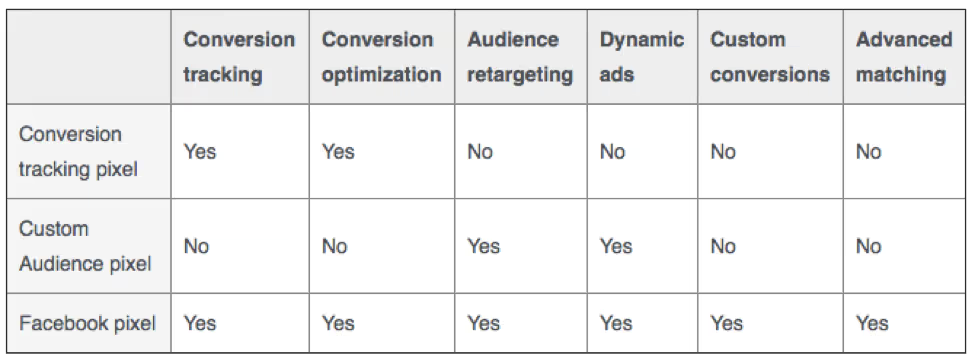
How to Migrate to the New Facebook Conversion Pixel
Wondering what’s happening to the Facebook conversion pixel? How will advertisers track conversions after February 2017?
Read on….
Retiring the Conversion Pixel
As of February 15th, 2017, Facebook is disabling the conversion tracking pixel, at which point it’ll be removed from all advertising tools. So what should Facebook advertisers do next? In a word, you’ll need to upgrade to the new Facebook pixel.
There is a whole host of features the new Facebook pixel will give you. Here’s the list in comparison to the old features.
[caption id="attachment_8874" align="alignnone" width="500"]
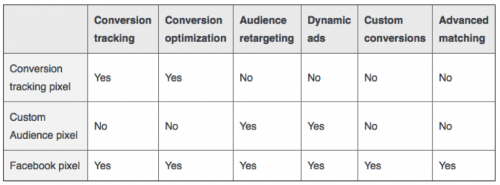
Source: facebook.com[/caption]
The new Facebook pixel will allow you to track conversions in two ways—custom conversions and standard events. Let’s take a look at how to migrate over.
- 1. Create your Facebook pixel code and install on your website
- 2. Create your standard events
- 3. Use custom conversions
- 4. Update your existing ads and campaigns
1. Create your Facebook Pixel
Navigate to the Pixels section in your business manager account:
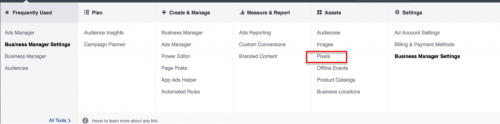
You’ll see the option to create a new pixel.
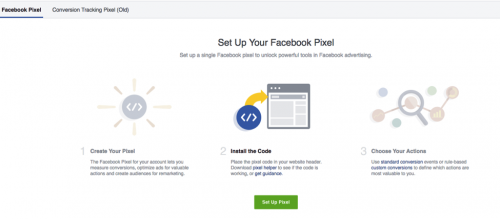
Install the pixel code on every page of your website. Validate your pixel implementation using the Facebook Pixel Helper,
available here.
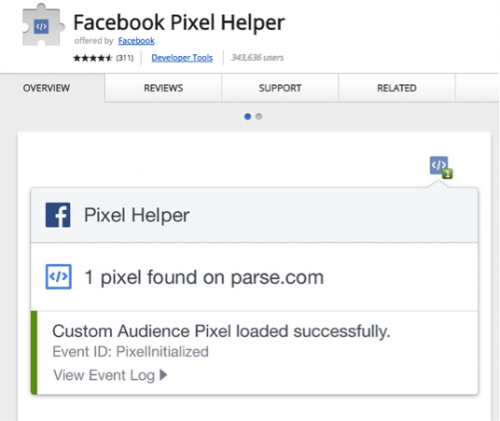
2. Create Your Standard Events
Next, identify the standard events that are relevant to you, and then create them. There are nine options:
- Search
- View content
- Add to cart
- Add to wishlist
- Initiate checkout
- Add payment info
- Purchase
- Lead
- Complete registration
Navigate to the Pixels section in your business manager, and select the Facebook Pixel tab next to the old conversion tracking pixel.

This opens the following pop-up. Select Track Conversions With Standard Events. You can then choose from the nine standard events mentioned above. (Note: Choose this option for now; we’ll explain Custom Conversions in the next section.)
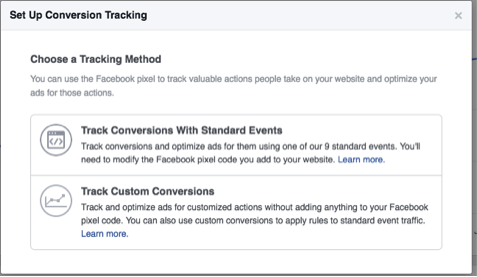
Choose the ones relevant to your business, and then have your web developer ad the code to your site on the pages you’d like to track.
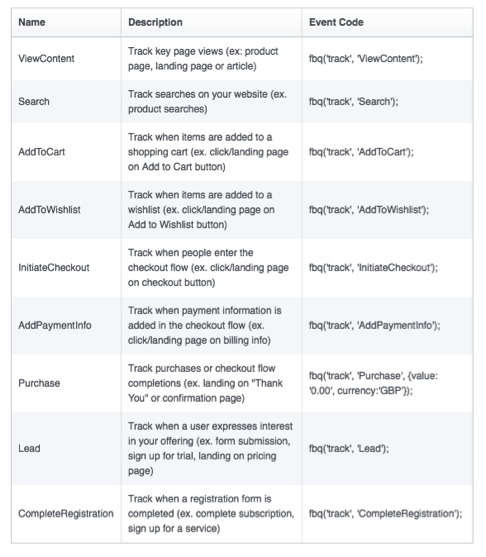
Once the events are installed, use the pixel helper to confirm your tracking’s working correctly. If you see a green checkmark, then everything’s working as it should be.
3. When to Use Custom Conversions
If you’re using the same standard event to track multiple pages, you may want to consider using custom conversions to report separately on each event.
Navigate to the pixel dashboard, and this time, choose to track custom conversions.
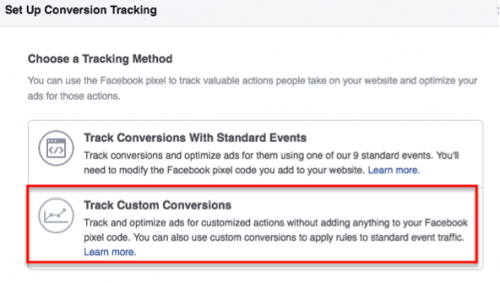
Select Event from the rule drop-down, and then choose the event you want to track, along with the category.
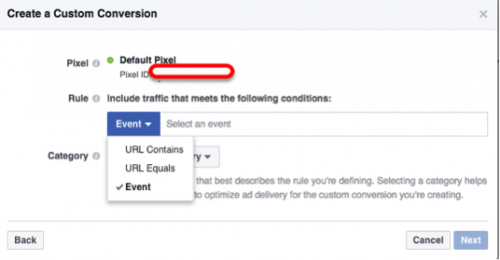
Once this is done and you refresh your dashboard, each event should have a green active status. You’ll now be able to add these individual events to your reporting dashboard and have individual metrics for each one.

4. Update Your Existing Campaigns
At this point, you’ll have the old and new pixels on your website. Once the new one’s working correctly, you’re ready to migrate over. Navigate to the campaigns you need to update, edit your ads to choose Track all conversions from my Facebook pixel, and save.

Marin's Top 10 Blog Posts of 2016
As Edgar Allan Poe once said, “There are few cases in which mere popularity should be considered a proper test of merit; but the case of [blog]-writing is, I think, one of the few.”
Okay, so he said “song-writing” instead of “blog-writing.”
It still fits, right?
Well, after tens of thousands of reader visits to Marketing Insights in 2016, the 10 articles below passed the merit test and rose to the top of our “most popular” list. Some are indicators that digital advertising continues to rapidly evolve, others point toward the importance of continual learning, and all of them contributed to a fun, fast-paced year of content creation and curation. Thanks for being part of it.
1. The Ever-Shifting World of Social
2. Google’s Expanded Text Ads–Things to Know and What to
Do Now
3. Google’s New Ad Layout: Pros, Cons, Ins, and Outs
4. Similar Audiences + Customer Match: Google Ramps up
First-Party Data Capabilities
5. 3 Facebook Advertising Trends You Need to Know About
6. Why PPC Granularity Will Be Your Best Friend
7. 5 Reach and Frequency Tips for the Modern Marketer
8. Text Versus Product Ads: Shopping Peaks, Valleys, and Plateaus
9. How to Evaluate Programmatic Buying Transparency – Types
and Tips
10. How to Optimize Impression Share to Increase Brand Awareness

Boom or Bust? Using Split Testing to Measure Your Facebook Marketing Performance
You’re beaming, proud, and ready to rake in a massive amount of leads. Why? Because—you’ve got two brilliantly designed sets of ad creative and you’re ready to set ‘em loose to the hungry, scrolling consumer masses.
How do you know if your campaign will be a boom or bust? Can you even test such a thing in an easy and straightforward way?
Time for some split testing....
Some What?
For those who haven’t yet implemented split testing to increase conversions, an explanation is in order. Simply put, split testing (also known as A/B testing) allows you to test different advertising strategies on commonly divided audiences to see what works and what doesn’t.
Want to see which bidding option, creative, or ad placements perform best? Split testing is the answer.
How Does It Work?
The Facebook split testing API does several great things:
- Automates audience segmentation
- Ensures there’s no overlap between segments
- Allows you to test variables like bidding type, ad placement, different ad creative, and more
- Takes away the hassle of manually building unique audiences and running your test campaigns independently
Where to Start and How to Run with It
First, let’s start with a simple example. Let’s go back to those two stellar ad creatives. At this point, of course, you don't know which one’s going to perform better. The first thing you should do is set up your two ad sets, with each one of your creatives in each ad set (in other words, one ad in each set for a total of two ads). Keep the copy the same for each ad.

For the purposes of this example, then, our plan is straightforward:
- Create our two ad sets
- Target the same audience
- Split test to see which one performs best
To run the split test, you’ll need to set it up in Facebook. (If you’re a Marin customer, contact your account manager for help with this.) The test can be 50/50 or 33/33/33, etc., depending on the testing variables, but note that 50/50 is the most commonly used model. So, if an audience has 10 million people, the ad sets will have 5 million people in each audience.
From here, we select the image as the variable to test. Our main KPI is conversions (downloads), and we’re allocating $5,000 per ad set. As we mentioned above, our audience is 5 million per ad set. We’ll run the campaign for two weeks to ensure we have a broad reach, high budget, and long duration.
Since we want to see positive results before we extend our campaign to other markets, we’ll start only in the UK first.
Ready, set, test, measure.
How to Scope a Test That’s Right for You
When scoping your own split test, make sure that the test will have value for you, and that you’ll see clear results that you can use to refine and improve your campaigns.
The first questions you should answer include:
- Which ad account are you planning to use?
- What are the campaign timelines, including start and end dates?
- What’s the budget, broken down by test group?
- What variables would you like to test?
- What’s the campaign objective and the main KPI?
Analyzing Results
Back to that riddle—is it a boom or a bust? To determine which test worked best, choose the variable that has the highest efficiency level based on your objective.
In our example, our objective is conversions and the main KPI is downloads. So, we can consider the ad set that has the lower CPA as the best performing.
And there you have it. Easy, right?
Best Practices and Recommendations for Maximum Success
If you’d like to dig deeper (and we recommend that you do), here are a few best practices.
Define an acceptable confidence level
Before you create a test, determine an acceptable confidence level. Test with larger reach, longer schedules, or higher budgets.
Choose one variable to test
This allows you to define the exact difference in ad creative that drove better performance.
Define main KPIs before the test
This will allow you to determine the best performing variable.
Ensure both test sizes are comparable
When testing for volume metrics such as number of conversions, scale to ensure both test sizes are comparable.
Start testing on one specific market or campaign
This will allow you to monitor and analyze the test results more efficiently, which will in turn allow you to draw better conclusions. If you find this useful, you can conduct further tests on different variables and expand to other markets.
Test based on one large audience
The audience should be big enough to be split and to allow you to gain sufficient insights.
Allocate the same budget to the test groups
If you’re running your splits at the campaign level, make sure both campaigns have the same lifetime budget. If you’re testing on the ad set level, both ad sets should have the same lifetime budget.
No changes to the test groups
Any changes could compromise the split testing and prevent you from seeing clear results.

Marin Software’s 2017 Digital Marketing Forecast
There’s no doubt that the options for advertisers are growing by the day. So, as we start 2017, what should marketers be looking at to stay relevant and competitive?
We spoke to market experts across social, search, and omnichannel to ask: what can marketers expect to see in 2017?
From location beacons to artificial intelligence—here is a comprehensive guide to what Marin predicts will be the biggest marketing trends of the year.
Beacons Likely to Disrupt Retail
Amandine Dovelos, Senior Customer Manager

Location-based, personalized data is the clincher in perhaps one of retail's most underutilized technologies to date—beacons. Using beacons in sophisticated marketing strategies will be the next step in how customers experience your brand in a bricks-and-mortar setting. For marketers, it also adds a new dimension for in-store analytics, allowing them to better understand buying patterns, create in-store engagement, redeem offers, and increase conversions.
Imagine this: A beacon in a clothing store that can located a shopper and detect exactly what sort of customer they are (for example, their gender, age, location, and whether they’ve purchased from the retailer before). Then, the retailer serves them a notification (email/SMS) with a time-limited, personalized offer.
Since the importance of customer experience dominated throughout 2016, the new year will have marketers’ efforts geared toward consistently improving this experience, as it directly correlates with positive brand differentiation.
Increase in Voice Activated and Integrated Search
Amandine Dovelos, Senior Customer Manager

As interesting enhancements continue to rock the online landscape—for example Google Shopping, carousel ads, and voice search—advertisers need to explore new ways of enticing possible buyers.
With audiences becoming more sophisticated in their online behavior, new online searching patterns have emerged. Search engines can now better analyze each word/token of a query and produce a deeper contextual meaning. Rambling voice searches will be enriched by synonyms to return search results that reflect your deeper intent. Given that many voice searches have a local intent, enriching customer intent with a local tweak will facilitate better results.
Facebook Broadening Scope
Jane Felice, Senior Product Marketing Manager

Facebook has introduced a unified conversion pixel that combines both the conversion tracking pixel and custom audience pixels that enables more solutions for advertisers. Note that the previous iteration, Facebook's conversion pixel, is going to be deprecated in February 2017, so marketers will be migrating to the new pixel to leverage the best options Facebook has to offer.
Facebook Audience Network (FAN) will develop new formats, metrics, and channels such as purchases and installs via FAN, so as FAN grows, more metrics and objectives are likely.
Facebook is also likely to invest in publisher partners, focusing on header bidding for greater control. These moves are likely to pivot the focus of programmatic display.
Omnichannel Will Continue to Influence Purchasing Decisions
Brian Lee, Market Research Manager

A variety of quality touchpoints continue to influence consumer behaviors. WBR recently found that 75% of retailers consider omnichannel essential to their business, and with good reason. Over 50% of current search conversions have a conversion path with two or more channels, and this is likely to continue as consumers have access to an increasing amount of data—and options—online.
Augmented Reality Ignites the Customer Experience
Brionna Lewis, Kiip guest author

The Pokémon Go frenzy this year brought augmented reality on mobile to the forefront for businesses. Augmented reality unleashes unlimited creative possibilities when it comes to delivering more captivating content. With this technology, the viewer becomes an integral part of the brand experience as opposed to a mere observer. Instead of a call to action, they are the action.
Highly engaged users are highly engaged consumers, and with the virality of Pokémon Go and the consequential sharp fall in its users, marketers will be looking into this area with great excitement, but also caution. Because AR and VR technologies remain largely uncharted territory with literally endless creative possibilities, we expect advertisers outside of the gaming realm to dive deep into this space in 2017.
Artificial Intelligence: Virtual Assistants and Chatbots Lead the Direct Marketing Charge
Brionna Lewis, Kiip Guest author
Companies like Amazon and Google are already tapping into this in a big way with virtual assistants like Echo and Google Home. These high-touch devices allow brands to reach consumers in an authentic and useful way. They also serve direct communication to consumers, and in doing so, they encourage purchase and brand preference.
Similarly, powered through messaging apps like Facebook Messenger, Snapchat, Kik, WhatsApp, and WeChat, brands can chat directly with consumers and inspire them to make purchases via chatbots. From Sephora offering makeup tricks, to American Express letting you know about new promotional offers you might qualify for, the opportunities for brands to reach consumers through messenger bots is gaining momentum. They’re likely to be a large focus for marketers in 2017.

Boost Media’s Digital Marketing Trends to Watch for in 2017
This is a guest post from Suzie Kronberger, VP of Marketing and Revenue Operations at Boost Media.
By the end of this year, digital will overtake TV ad spending in the U.S. for the first time—digital ad spend will reach $72B and TV will grow to $71B. Strategies that worked one year aren’t guaranteed to yield the same results the next, which means marketers must be on the lookout for change and innovation.
So, how far did we come in 2016, and what does 2017 have in store for digital marketers?
2016: Here’s What We Learned
Video is the future of advertising: Mark Zuckerberg said it during the spring ‘16 Facebook earnings call. We’re seeing it in the data. Customers are ordering loads of video ad creative.
Vertical video is much more engaging than 16:9 landscape videos: Snapchat’s insight that watching landscape videos on our phones is awkward was a game-changer. They have 10-12B vertical video views per day. Facebook has vertical video ads now. Watch for this format to proliferate.
- Insider tip: Don’t shove your 16:9 into a vertical video! There’s a reason portrait mode is called that—your footage needs to focus on people/characters large, front, and center. Best to cut unnecessary scenery.
Mobile is where it’s at, but remember: 60% of Americans watched traditional TV programming on their mobile devices. If you’re in a vertical where there are certain aspects of the funnel where mobile isn’t the preferred device, then target accordingly. For U.S. retail, many purchases are still completed on desktop. Add-to-cart is significantly lower on smartphone (6.2%) compared to desktop (10.4%).
2017: Predictions
Major innovation in ad formats: 50% of clicks on mobile ads are accidental. With delivery platforms innovating rapidly, so will ad formats. Expect there to be new mobile ad formats that will help you drive much stronger engagement than you’ve achieved in the past.
Ad formats that provide user value: Ads that are highly engaging offer users something of value. Value can come in literal forms like offers and promos, but also in the form of humor or entertainment. An ad that people thoroughly enjoy can create deeper connections between the brand and the user.
Be ready to take creative to the next level: With the innovation in ad formats, there’ll be more opportunity to tell stories in compelling, interactive ways that you never could do before. Think big on the possibilities here, and get the help you need on developing new, cutting-edge concepts, mediums, and designs.
Creative makes a difference in capturing and maintaining user and consumer attention. But high-quality, cutting-edge creative doesn’t have to be expensive. Prioritize creative in next year’s budget so you’re prepared to take advantage of opportunities quickly.
Happy holidays and here’s to a successful 2017!

Product Listing Ads for the Uninitiated
This is a guest post from Dionte Pounds, Account Manager at
3Q Digital.
Product listing ads, or PLAs, are an incredibly successful strategy for e-commerce companies to promote available product inventory on Google and Bing. Unlike standard search ads, PLAs incorporate a visual image over a text description to show the user the product they’re searching for.
There are plenty of reasons why you should be adding a PLA strategy into your advertising mix. Cost-per-click (CPC) will generally be below what you’ll see across search ads. As a result of showing the user an image of the product they’re searching for, click-through-rate will usually be pretty strong. Once the user clicks the ad, they’re taken directly to the product page, making the user journey simple and leading to a higher conversion rate.
Additionally, it’s quite easy to set up and manage campaigns. Both Google and Bing provide product level reporting, so you can also see how each product is doing individually.
With the holiday season in full swing, let’s take a look at some tips to drive great results from your PLA campaigns.
Segment
The first and most important step in improving PLA performance is to have the proper product group segmentation. Product group segmentation is vital to drive traffic efficiently. If all of your products are lumped together in a single product group sharing the same bid, you’re not maximizing your PLA campaign potential. In this case, you’re bidding the same amount for your best performing product group as your worst. This will lead to wasted spend and a poor return on ad spend over time.
A well-managed PLA campaign should have a structure that allows for isolation of product groups. Look to each product’s category, type, or brand to figure out what level of segmentation works best. In some cases, it may be best to separate each product entirely.

Bidding
After viewing your product category report, you’ll have a good idea of what type of product group segmentation will work best for your campaign. In order to optimize the new structure, look at the average CPC for each product group and the ROAS. If the ROAS is below account target, you should start bidding with a CPC below the average. Likewise, if you have a ROAS that’s well above target, you can start that product group with a bid above the CPC to maximize returns.
Try to make use of your conversion rate, ROAS target, acceptable CPA, and average order value to back your way into a starting bid. Let’s imagine the AOV for an account is $50, conversion rate is 1%, and ROAS target is 200%. For this imaginary product group, a $0.25 bid is suitable.
Device Performance
PLA campaigns are very likely to drive more traffic from mobile devices than desktop or tablet devices. Generally speaking, this increase in traffic comes at a price, meaning lower conversion rates and ROAS. Look at how your campaigns are performing across devices, and be sure to use negative mobile modifiers for mobile devices and tablets if it makes sense.

If you’re already bidding down on mobile devices, be sure to take a look at your desktop CPCs when placing starting bids on your new product group structure. It may be possible that the cheap mobile clicks are driving down your average CPCs. If that’s the case, then base your new bids on the desktop CPC to avoid a loss in traffic.
Negative Scrubs
An often-overlooked aspect of PLA campaign management is mining for negatives. Just like a search campaign, PLA campaigns need to be scrubbed regularly for negative terms to prevent wasted spend.

There’s still time this holiday season to maximize your PLA performance across Google and Bing! See if you can utilize some of these tips to drive great results.
I Can See Clearly Now: a Nod to Transparent Data
This is the final post in a series on transparency. In today’s article, we look at data transparency, why it’s important, and the elements of a transparent data model.
We’ve reached the last article in our series on transparency in programmatic display advertising. For those of you just tuning in, let’s quickly recap:
- In How to Evaluate Programmatic Buying Transparency—Types and Tips, we covered the three types of programmatic transparency—intermediary, environmental, and data.
- Tips to Determine the True Cost of Your Programmatic Supply Chain took a deeper dive into intermediaries, and ways to calculate what you’re spending with each one.
- In The Good, the Bad, and the Unviewable—The State of Ad Viewability, we examined why it’s important to uncover ad fraud, brand safety, and ad viewability.
To wrap things up, this article looks at the importance of having access to all of your data—not just the numbers a publisher wants you to see. Let freedom—and transparency—ring.
The Trouble with Too Little Data
When it comes to data visibility needs and desires, advertisers and agencies run the gamut—some are happy to pay on a CPC basis without knowing what CPM the vendor paid. Others are okay tracking to just a few KPIs. Still others want it all. What’s the best way to go?
The key to transparency is precision—whether you’re running a direct response or a brand campaign, having the right data measures the impact of either type of campaign, and allows you access to what you need to measure ROI.
So what do advertisers most often expect from their ad tech vendors and publishers? Our take is that list is long, but we’ll focus on the essential data you need to transform “unaware” to “X-ray vision.”
To gain greater intelligence about the effectiveness of your display campaigns and to better understand the customer journey and attribution, at minimum, you need access to:
- Effective cost per thousand impressions (eCPM): the effectiveness of a CPM campaign that takes earnings into account and gives you a comparable metric across buys
- Assisted conversions and view-through metrics: measures the extent to which display ads influence subsequent site visits and sales—without a click—and avoids allocating value to ads that didn’t influence a visit or sale
- Site-level reporting and performance by domain: whitelisting and blacklisting promotes better targeting and provides a way to measure site-level effectiveness
- Bids: know what your partner’s bidding for each impression (win vs. bid rate), and the logic, math, and algorithms behind a bidding process
- The lookback window used to calculate conversion credit: lets you understand the relationship of a consumer’s engagement during upper-funnel tactics to drive awareness and consideration (e.g., 30-day+ window) or lower-funnel tactics (e.g., a two-day window) to give proper attribution to the campaign that lead to the conversion
This level of transparency allows you to understand true ROI. It also lets you keep an eye on how your bids are managed, unlike black box vendors who don’t reveal a history of bid calculations or otherwise provide any idea of what—and how—you’re actually doing. With the black box model, it’s much harder/impossible for you to look into the data and understand what’s driving conversions or an algorithm. Conversely, being able to do this provides you with a high level of visibility into the effectiveness of your campaign.
Why All the Secrecy?
Despite industry calls for greater data transparencyon many levels, mum’s still the word from most vendors and publishers. Some players have their reasons—the main one being to maintain a competitive edge. Understandable. However, as more and more brands pound at the locked doors of black box vendors, it’ll become less to those vendors’ advantage to keep the secret sauce secret.
If a vendor is transparent about not being transparent, is that “transparent”? We say “no.” As vendors realize this, perhaps there’ll be some level of agreement that to survive in an increasingly tug-of-war environment, neutrality and openness are key.
That is, companies must heed the call to “show me the data.”
Transparency for Optimal Performance
In sum—the best way you can improve campaign performance is to know exactly how bidding, reporting, and attribution are all working independently and in concert. Once you have this level of data and insight, you’ll know exactly how your budgets are working for you (or not), and you can take active steps to enhance effectiveness. At that point, you’ll have a crystal-clear view of your marketing efforts—and your ROI—to give you the confidence, control, and independence you need to execute measurable marketing initiatives.

All You Need to Know to Win Big with Lead Gen Ads
Lead generation ads have many benefits, and are a great way of connecting with the people most likely to want your products. Looking to get even more qualified leads? Then lead gen ads are for you. Here a few things to keep in mind to get the best results and yes, “win big.”
Best Practices
A good way to maximize the effectiveness of your lead gen ads is to drive users to helpful content, such as....
A blog article. In the lead gen ad, provide a teaser to the content. Then, redirect the user to the actual article to continue reading and dive into the details.
A PDF: Have a piece of content you know your audience will love? Give them this gift by way of a lead gen ad. For example, if you run an online casino, provide them with a PDF guide on online gambling that includes useful advice to make them more confident in using your site.
A specific offer: Your existing clients might just love something tailored specifically to them. Think retention. Are you an
e-commerce site with promo codes for customers? A lead gen ad could be the solution, as it has the sense of ‘unfolding’ something that’s just for the individual consumer.
Continued Flow from Ad to Website
It may take you some time to put continued flow into action on your website, but once you do this—and once you’re whitelisted by Facebook—then users will be able to simply fill in their details into the lead gen ad on Facebook and won’t need to complete them again when they’re redirected to your site. This greatly improves the user experience.
Some of the details, such as the user’s name, are pre-populated in the lead gen form. After the user fills in the form, they’ll be redirected to your website, where not only will their name already be filled in, but any other required fields will also be pre-filled to avoid any redundancies between Facebook and website forms.
This all works seamlessly because of Facebook’s Continued Flow. Note that you’ll need to implement the Continued Flow API to make sure the flow works, and to ensure a smooth user experience with no need for the user to repeat actions. (It’s kind of like being transferred during a phone call and not having to explain things all over again.)
Mobile Versus Desktop
Like most online channels these days, mobile’s winning. Lead gen ads are no exception, and mobile placement tends to have better delivery and results.
For desktop ads, be sure to keep in mind that most browsers have pop-up blockers, so desktop users may not be redirected to your website. In this case, there goes your lead. And, due to security upgrades in modern browsers on desktop, it’s hard to bypass these blockers.
Since Facebook must currently live with these blockers, Continued Flow won’t work on desktop. For best results for your lead gen ads, focus on mobile.
Retargeting Campaigns
Make sure you’re taking the fullest advantage of your engaged lead ad audiences. Depending on traffic and results, run a retargeting campaign simultaneously.
Note that when you’re analyzing performance, look at blended CPAs to understand the real costs of your campaign.
Supporting Lead Ads
There are several complementary efforts you can launch to amplify the effectiveness of your lead gen ads.
Link the lead form data directly to your CRM system. Facebook integrates with several great providers, giving you the ability to send user data directly to your CRM system. From there, you can support your lead gen initiative with email or SMS campaigns. And, even if you decide not to launch a side campaign, you can still more easily download your new leads with a CRM integration.
Use email marketing. It’s a common practice for gambling companies to decrease their CPA by running email marketing campaigns to retarget users gained on Facebook. Why is this? These companies have a particular user funnel that involves a couple of conversions until they achieve the result of ‘getting the player’.
Other markets can greatly benefit from this, too. Consider running email marketing campaigns to support your lead gen ad efforts. Again, look at blended CPAs and the particular value this would have for you.
Take the Lead
All in all, there are plenty of opportunities to implement lead gen ads for your business and make your campaigns more successful. To find out how Marin can help you put lead gen ads into action, contact us today.
The AdWords Performance Pizza: 8 Ways To Dominate Your Competition
This marketing infographic is part of KlientBoost’s 25-part series. We’re super excited to partner with them so you can enjoy a new gifographic once a day in your inbox. You should subscribe here.
If you’re already using Google AdWords to your advantage, there’s a good chance you’re using pizza to your advantage, too.
Not when it comes to PPC, but when it comes to being happy.
Pizza is part of a well-balanced marketer. And while you need balance in your diet, you also need balance in your AdWords account.
That’s why we here at KlientBoost, in partnership with Marin, have created the AdWords Performance Pizza—eight parts that'll help you take your AdWords account to the next level.
Perfectly sliced for easy (and delicious) consumption.


An Interview with Rob Emery, Product Manager
The people at Marin are as unique as the work we do. Our Life at Marin series highlights the expertise, passions, and backgrounds of our fellow Marinites.
What do you currently do at Marin Software? Were there other roles that you previously held here?
I’m a Senior Product Manager on Marin Search. When I joined Marin, my work focused on search publishers—specifically, features for Bing. I still work with Bing, but my work has grown into other, fundamental parts of our application and features for other publishers like Google and Baidu.
What motivated you to join Marin Software?
Marin Software has a great reputation as a performance advertising platform, which really excited me. There are polished features that many leading digital marketers across the world use. I wanted the opportunity to work on next-generation features they'd use on a daily basis to save time and deliver stronger advertising results.
What is it about your team that you’re most proud of?
Commitment and flexibility. Not just among our product managers, but across our organization. No matter what challenges arise from the ever-changing digital marketing landscape, the team is great at finding solutions to solve them.
Is there one thing you can share that you’ve done and are most proud of?
We released some new shopping features this summer, which was a lot of fun. After identifying an opportunity, we came together and put a plan in place to get the functionality out. In fact, just today someone from our Customer Success team passed along a note about a client optimizing his business based on this feature.
What was your former professional life?
My background is actually in digital marketing—starting with interning at an agency many years ago. As my career has serpentined through a few roles, I ended up working on the technology side, which led me to my current position.
What are your interests / hobbies?
Traveling and exploring are at the top of my list. Either around California or across the US and across the world when I can swing it! I also enjoy games and trivia, as well as movies and great TV—I’m working my way through some documentaries and classic horror movies at the moment.
What are you reading now?
But What If We're Wrong? by Chuck Klosterman.
Which person or organization do you admire most? Why?
This is a tough question! I’ve always admired risk takers, because I tend to be reluctant to take big jumps. That said, I might select Ed Catmull, from Pixar. A lot of people don’t realize that Pixar started as a technology company that at one point was selling hardware.
Catmull knew that he wanted to bring innovation to the industry and took a few different approaches to get there. Pixar pivoted to capitalize on its product and eventually became a leader in entertainment. Not exactly the path that he started on, but it still allowed him and his company to take advantage of their technical advantages and change the industry!

Healthcare Advertising is in Good Condition and Growing Stronger
According to Charles Schwab, demand for healthcare products and services is on the rise. And, despite the uncertain regulatory outlook heading into the new year, if spending and clicks are any indication, then consumers and healthcare advertisers can boast of a clean bill of health.
We took a look at the Marin Advertising Index to see where the industry’s at and where it’s headed. Here are a few highlights.


Your Content Knows Best: the Case for Dynamic Search Ads
This is a guest post from Jacob Ehrnstein, Search Account Manager at 3Q Digital.
One of the search marketer’s best weapons is a Dynamic Search campaign. As you may or may not know, Dynamic Search campaigns rely not on keywords for targeting, but instead use your site’s content to create and target your ads based on a user’s search behavior.
There are many great things about Dynamic Search campaigns. First off, you can be precise about the scope of the pages that you target from your site. And, even more interesting and useful, there’s the Dynamic Search Ad (DSA).
A Powerful, Automated Tool for Ad Creation
With Dynamic Search campaigns, Google dynamically generates a portion of the ad. For DSAs, you don’t provide a static headline—rather, Google dynamically generates it for you. As Google states, “The headline is dynamically created from each matching phrase entered in Google Search, and from the title of the most relevant landing page used for the ad.”

Additionally, Google states that “Dynamic Search Ads can have longer headlines than other search ads, which improves their visibility.”
A Nitty-Gritty Test of Dynamic Headlines
That all sounds great. But, what does a search marketer need to know to make best use of DSAs? For instance, how long are dynamic headlines? And, how often does a user’s search match the headline, or the headline match a user’s search or the title tag?
To answer the question of DSA headline length, I looked at the results of DSA campaigns targeting nearly 20,000 unique pages, with unique content that generated nearly 400,000 queries.
I broke the results into three areas:
- Headline length
- CTR analysis based on headline length
- Source of dynamic headline
Let’s dive in.
Headline Length of Dynamic Search Ads
When looking at the headline length, I broke out the analysis into three categories, and here’s what surfaced for each category:
- Shorter than standard text ads: 8% of the headlines generated
- Longer than standard text ads, but shorter than the combined length of expanded text ad headlines: 60% of the headlines
- Longer then expanded text ads combined headlines: 32% of the headlines
The lengthiest headline I found was 90 characters long. This appears to be the longest that a dynamic search ad headline can be.
Number of ImpressionsHeadline LengthPercent of Impressions12,448,010Total Number of DSA Impressions100%1,009,327Headline Length < 25 Characters8%7,504,566Headline Length > 25 Characters and < 61 Characters60%3,934,117Headline Length > 60 Characters32%
CTR Analysis
Next, I looked at the click-through rate (CTR) by headline length to see if there was a correlation between the length of the dynamic headline and the CTR.
Headline LengthCTRTotal Number of DSA Impressions11.44%Headline Length < 25 Characters12.12%Headline Length > 25 Characters and < 61 Characters11.21%Headline Length > 61 Characters11.70%
While it doesn’t appear that having longer headlines necessarily yields you the highest CTR, one segment that outperformed the rest was when the character length exceeded 70 characters.
Headline LengthPercent of ImpressionsCTRHeadline Length > 70 Characters11%18.81%
So, the true efficiencies appear to happen when you’ve far exceeded the normal ad headline length. Even Google’s Expanded Text Ads, with its new combined headlines, would max out at 60 characters.
The data here shows that as the headline moves into this longer territory, the CTR shoots up. This may be because when an ad gets this long, it blends in more with organic results (which have a character limit of around 77 characters).
Dynamic Headline Source
Last, I looked at the source of the headline for the Dynamic Search Ad. Google documentation states that the headline will either come from the headline of the page or the keyword, but I wanted to know what percentage of the time either situation happens. Here’s what I found:
Percent of Headlines that Match Title Tag60%Percent of Headlines that Are Variations of Keyword Searched40%
Here, 60% of the time the dynamic headlines exactly matched the title tag. What this means—if you’re going to be a heavy user of Dynamic Search Ads, it’s best to pay close attention to the pages being targeted and ensure the title tags on those pages are high-quality. Keep in mind that other variables—such as description lines and the pages being targeted—play into the performance of the ads I’ve analyzed.
Hopefully, this information helps you better understand your Dynamic Search Ads and how to improve their performance. Here’s to successful campaigns.

5 Tips for Your Holiday Display Campaigns
This is a guest post from Sarah Burns, Content Manager
at Boost Media.
The holiday season is here! To launch successful holiday display ad campaigns, marketers need to be thoughtful about the creative, the offer, and the timing. Here at five tips to catalyze your holiday display ads through the New Year.
1. Use holiday-specific imagery and creative
Spruce up your ad creative, landing page, and site navigation for the holidays to demonstrate to consumers that you’re excited about the gift-giving season. Incorporate reasonably agnostic holiday symbols such as wreaths, snowflakes, evergreen trees and candles into creative.
2. Get the timing right
40% of consumers begin their holiday shopping by Halloween, according to an NRD study. You likely already know this, but campaigns should launch as early as mid-October. So, if you haven’t launched yet, better late than never—now’s the time! Promoting your holiday campaigns early allows you to take advantage of the Thanksgiving rush, and spread awareness of your brand for Cyber Monday through Christmas and New Year.
3. Avoid creative fatigue
To keep your ads looking distinct and fresh, update your creative once or twice a month. Changes can be low effort, like tweaking old concepts with new colors, buttons, borders, or images.
4. Use last year’s data
According to a McKinsey study, campaigns that rely on data improve marketing ROI 15-20%. Look at last year’s holiday campaign and sales figures to determine what products were the most popular. What channels were display campaigns most successful on? The results will help you focus your efforts on the highest-performing channels and highest-converting customer bases.
5. Be clear with discounts
Create urgency with shoppers by stressing the importance of short-term sales during the holidays. Be clear about the expiration date for discount deals, coupons, and promotions.
Follow these tips and get ready for your most successful year yet. Have a joyous holiday season.
About the Author

Sarah manages Content Marketing at Boost Media and leads a team of marketing professionals to drive revenue through complex B2B marketing campaigns in the ad tech industry. Prior to joining Boost, Sarah developed marketing and sales strategy at BNY Mellon, a top 10 private wealth management firm. In a former life, Sarah worked in journalism writing for magazines including Boston Magazine, The Improper Bostonian, and Luxury Travel. When she’s not writing engaging content, Sarah enjoys cooking, running, and yoga.
About Boost Media
Boost Media increases advertiser profitability by using a combination of humans and a proprietary software platform to drive increased ad relevance at scale. The Boost marketplace comprises over 1,000 expert copywriters and image optimizers who compete to provide a diverse array of perspectives. Boost’s proprietary software identifies opportunities for creative optimization and drives performance using a combination of workflow tools and algorithms. Headquartered in San Francisco, the Boost Media optimization platform provides fresh, performance-driven creative in 12 localized languages worldwide.

Holiday Retargeting Techniques for Marketers and Brands
Holiday shopping’s in full swing. If you’re running retargeting campaigns, make sure they’re as prepared for the season as you are. Online sales are forecast to increase between seven and 10 percent over last year to as much as $117 billion.
We made your list, so check it twice, and take these steps to boost campaign performance during the holiday season.
Increase your budgets to win more impressions
You’re likely going to see a boost in site traffic (especially if you sell anything that can be given as a gift), which means you’ll see a boost in impressions served and in advertising funds spent. Make sure your campaigns have a proper budget set to guarantee you have enough ad money available for the day, so that you don’t miss out on these potential new customers.
We recommend a 25 to 50% budget increase for the holidays, but you know your site traffic best. Whatever percentage of traffic increase you’re expecting, boost your budget about that same percentage.
Raise your campaign bids
Almost all advertisers will increase their spend for the holidays, so you’re going to have serious competition.
With so many advertisers fighting for ad space, it’s not uncommon to see your CPM costs rise during this time of year. To prepare for this surge, make sure you increase your CPM bids across your campaigns. Bidding higher will make your campaigns more competitive and will give you a better chance of serving more ads by winning more impressions. We suggest increasing your CPM bid by 50-100% of the current average CPM cost for the campaign.
Use holiday-themed ads and landing pages
Holiday-themed advertising only gets people’s attention during one time of the year, and you should join the conversation your customers are having. Using ads that mention specific events like Black Friday, Cyber Monday, or any of the major holidays can grab a visitor’s attention.
Send a happy holiday message, mention that there are only X number of shopping days left, and give them a reason to click your ads. Use the holidays as a chance to create urgency and you could see a boost in clicks and conversions.
Two Quick Steps You Can Take Right Now
- Create landing pages and content on your site for these holiday events, then create audiences that capture visitors of these pages.
- Run campaigns to serve your holiday ads to your holiday page visitors. If they’re coming to your site looking for seasonal deals, they’re more likely to respond to holiday-themed ads.
We hope these suggestions are helpful and lead to a profitable holiday season for you and your business. As always, please feel free to contact us with any questions or comments.
From our team to yours—happy holidays!

What Marketers Should Do Every Day Through Peak Shopping Season
We’re headed into another peak retail season, which runs from now through Christmas Day. Considering not-so-recent trends in Shopping and mobile, many marketers are hedging their bets on this being the biggest online retail season yet. Preparation is key, and understanding what went well and what didn’t last year—and when it did and didn’t—will help guide decision-making in the coming weeks.
When the volume is so high, each day could make or break the quarter. Here are three things you should be doing on a day-to-day basis to increase the likelihood of favorable outcomes.
1. Monitor Top SKUs
Your buyers should have a list of products they expect will be major sellers this season. These could be products where inventory is so deep no one can compete, or buyers purchased at a bulk rate and can offer the best pricing.
Work with your buyers to understand what these products are, and optimize them on a per-item basis with SKU-level product groups in a High Priority campaign. Monitor these daily and keep an eye on inventory—when they start to sell out, pull back so that you don’t end up aggressively pushing nearly sold-out products.
2. Segmentation
In addition to the proactive management of products you’re bullish about, the high volume is going to yield insights of its own. Monitor your broader product groups—defined by Category, Brand, Custom Labels, etc.—for segmentation opportunities.
You’ll start the season with a single bid for a Brand product group. But, as volume dictates, some products or sets of products within the group will warrant segmenting and assigning a new bid based on how they’ve performed to date. This is a crucial step to optimizing and hitting performance goals on an ongoing basis.
3. Bidding
As you structured your campaigns, you established the levers and switches you’re going to use to effectively manage your product mix and hit performance goals.
The most important pieces of all this will be to understand how you want to bid these levers and how to stay on top of everything. Be considerate of sales, key dates, top products, and inventory / stock levels. A combination of proactive strategies (e.g., Brand X is 20% off next week) and reactive strategies (e.g., Brand Y is selling amazingly well over the past week) will be necessary to generate the best results.
Be aggressive where you expect the best returns and don’t hesitate to pull back on things that aren’t producing. Good luck!

Advanced PPC with Transparent Automated Bidding
In PPC, there are two main approaches when it comes to bidding workflow—manual and automated. Over the years, there’s been debate among search marketers on the pros and cons of each approach. Search marketers have differing opinions on which yields the best outcomes.
The Great Manual Versus Automated Debate
One of the main arguments in favor of manual bidding focuses on the control that it affords the search marketer, in contrast to the hands-off nature of automated bidding inherent with publisher bidding—like AdWords “Smart” bidding and most (but not all) 3rd party proprietary bidding algorithms.
In nearly all automated bidding approaches, the search marketer sets a goal and the bidding algorithm reviews historical performance, and then calculates a bid with limited transparency from start to finish.
The apprehension some search marketers feel towards automated bidding derives from the opaque nature inherent in most approaches. This fear is realized when a campaign is underperforming, and the search marketer becomes at a loss for what’s amiss, or how to improve it.
Putting that fear aside, let’s reflect on the many benefits of automated bidding, which is the reason for its proliferation.
Here are just a few.
Efficiency
Automated bid management is a huge time saver. Think about it—how long would it take you to manually change a million keyword bids? How confident would you be that each bid is optimized to maximize your return?
If you’re being honest with yourself, the answers to those questions should naturally steer you towards automation as the optimal solution. Automation augments the search marketer by executing repetitive tasks, serving as an ‘enabler’ for the search marketer to focus on growth opportunities or account strategy while keeping tabs on daily performance.
Accuracy
Automated bid management platforms produce accurate bids through regression modeling that looks backwards to predict future outcomes. With millions of dollars at stake, these algorithms are typically built with risk aversion at their core to produce low error rates. By their very nature, they make changes at scale that’s quite literally impossible for any individual, or even team, to compete with.
The reality is, sophisticated marketers with material budget use an algorithm to bid on their media today. If you aren’t, you’re putting yourself at a disadvantage.
Flexibility
Automated bid management platforms allow advertisers to define the goals and milestones for the algorithm to work towards. The marketer remains the operator and the brains of the operation, with the bidding algorithm working as his proxy.
Machine Learning
Learning from massive datasets to create better future outcomes is at the heart of bidding algorithms. Today, this type of mathematical analysis is popularly called “machine learning” and “artificial intelligence.” Most ad tech companies have years of experience with these techniques, but largely fly under the radar in popular press, with newfangled applications like self-driving cars getting the headline coverage.
So, how do you get the best of both worlds? Simple—employ automated bidding with full transparency. That’s not an oxymoron. That’s a real thing offered by a few leading independent marketing partners (not to toot our own horn, but Marin Software is one such example).
What’s in a Fully Transparent Bidding Solution?
Fully transparent bidding solutions (i.e., the bidding system shows you the step-by-step logic of the bidding algorithm) allow users to see all the details behind their bid calculations for each keyword. This includes the bidding model(s) employed, the details of the dataset used, performance bumpers activated, and any other pertinent details behind the decision-making. If automated bidding is fully transparent, many of the arguments opposed to automated bidding lose their heft.
Information Available in a “Fully Transparent” Bidding Solution
The level of information available for each keyword in a “fully transparent” bidding solution varies. That said, at Marin Software, we show the logic of our algorithms “line by line,” which allows users to see a full breakdown of bidding decisions, including:
- Date ranges and data sets used
- Metrics used
- Predicted metrics
- Auction and volume models
- Data blending
- Bid headroom
- Learning models
- How the optimized bids are calculated
- External rules applied
- Excluded dates and thresholds
- Existing bid
- Final calculated bid
- Constraints on the algorithm
Contrast this to the information displayed in a “black box” bidding solution:
- Existing bid
- Final calculated bid (sometimes this is obscured, too)
- User-defined bid rules
Clarity and Confidence in Transparent Automated Bidding
Fully transparent bidding solutions allow PPC managers to review the logic used to reach a bidding conclusion. In addition, the search manager has the option to overlay bidding rules to ensure the algorithm behavior is consistent with their risk tolerance and strategy to hit certain goals and milestones.
The best fully transparent bidding solutions also allow you to preview bidding calculations before they’re pushed to publishers, and manually override bids on specific keywords if needed. This gives PPC managers the full control of manual bidding with all the time saving, efficiency, and data processing power of automated algorithms.
If automated bidding isn’t currently part of your strategy, we hope this post helps break down the nuances of different approaches. Although it also explains the pros and cons, it advances the argument that if you aren’t using a transparent bidding algorithm in today’s environment, you’re hamstringing yourself, because it’s near-certain that your competitors are employing an automated method of bidding to try and out-compete you. If you’d like to learn more about Marin Software’s approach to bidding, click here.

An Interview with Claire Choe, Software Engineer
The people at Marin are as unique as the work we do. Our Life at Marin series highlights the expertise, passions, and backgrounds of our fellow Marinites.
What do you currently do at Marin Software? Were there other roles that you previously held here?
I’m a software engineer in the Publisher Framework team. I usually work on projects related to ad URLs, and also on projects responsible for syncing data between Marin and publisher databases such as AdWords.
A few years ago, I was an engineering intern on Marin’s Solution Engineering team, implementing custom revenue solutions for large clients.
What motivated you to join Marin Software?
When I first joined Marin, it was through my school’s yearlong internship program. I think Marin was the only California-based company that year (although they have many more now). I was interested in working abroad, although I had no intention of working abroad after graduation at the time.
The information session gave me a brief overview of the ad tech industry, which I found intriguing. I had such a great year, I decided to come back full-time after graduation. My coworkers were (and still are) professional, smart, and fun, and I was already missing them when I went back to school. It’s great to be back.
What is it about your team that you are most proud of?
I love that my team is very helpful with each other. Being on a large team with many projects, things can get quite overwhelming. However, whenever such things happen, people are willing to jump in and help out. It can be as simple as walking through projects with a demonstration of how it works, but this speeds up the overall work tremendously.
What was your former professional life?
If internship counts as professional life, I did a co-op in a children’s hospital research center in Toronto during college. I helped analyze DNA sequences and protein binding sites.
What are your interests/hobbies?
I’ve been running a lot lately. Marin’s San Francisco office is located near the Ferry Building, and running south along Embarcadero towards AT&T Park is amazing. I sometimes stop in the middle of the run to take a picture of the sunset, or simply the great view of the water and the Bay Bridge. I also do a lot of crochet.
What are you reading now?
Les Misérables by Victor Hugo, which I’ve been reading for a while. I don’t think I’ll finish any time soon since it’s so long and descriptive. I already know the whole plot since I read a shorter version as a child and watched the movie, but I think it’s still worth the time to read a great classic. I’ve also been listening to the audiobook version of The Art of Racing in the Rain by Garth Stein.
If you could invent or improve on one thing, what would that be? Why?
One thing that comes to mind is an iPhone 7 with an earphone jack. I often charge my phone and listen to music on it at the same time, so its absence was definitely a deal-breaker. I actually don’t need a new phone at the moment, so I wasn’t that disappointed with the announcement, but it seems that a lot of people would appreciate one with an earphone jack.

Working with Marin Search: How to Optimize Sub-Categories Within Bidding Folders
If you’re an enterprise search marketer, you’re likely managing thousands to millions of keywords. To automatically improve performance, increase brand awareness, get back valuable time, and attain those magic revenue numbers, Marin Search and its bidding folders can help.
If you’re already using Marin Search, follow these tips to make sure you’re maximizing value. Or, if you’re looking for a search platform that makes keyword and account management easier, these tips provide a glimpse of what our leading advertising solution can do.
Automated Bidding
Marin Search uses a patent-pending algorithm to automatically adjust keyword bids to meet target KPIs. This automated bidding feature optimizes keyword bids within folders. For accounts following PPC best practice structure (organizing groups into targeted themes), bidding folders should fall in line with account structure.

If you’re unsure of which ad groups should go into what folder, think about the KPI you’re trying to achieve. All keywords within a folder should have the same target KPI.
Tagging Sub-Categories with Dimensions
The above bidding strategy will optimize all ad groups and category keywords to one KPI. However, each category could contain sub-categories that might not preform the same.
With dimensions, you can pull reports at the sub-category level. Not only can you use this to create granular reports, but it can also help you improve optimization.
For example, the folder ‘Dining Tables’ is set to achieve a CPL of £75—however, a dimension report reveals the actual category-level performance.

‘Wooden tables’ is performing 20% below the folder CPL, while the ‘folding tables’ CPL is 20% above. Use the percentage difference as bid boosts for keywords in each category, reallocating spend to the better-performing category. The average folder spend and CPL will remain the same, but the conversion volume will increase.
Dynamic Actions
Once you apply dimensions, Marin can analyze the data to calculate bid adjustments for each sub-category dimension.
To automate dimension bid boosts, use Dynamic Actions. With this feature, bid modifiers simply sit on top of bidding folder calculated bids, and folder settings remain unchanged.
Using dimensions to optimize bidding cross sub-categories, our customers have seen some amazing results:
- CVR increases up to 80%
- Revenue increase by 30%
- A reduction in CPA by 38%
If you’re a Marin customer and would like more information on how to optimize sub-categories within bidding folders, contact our CoE team for a bidding consultation. Or, to see it in action, sign up for a free trial.

The Post-Christmas Buying Rush: Are Your Social Campaigns Prepared?
Shopping doesn’t end after the holidays—according to a National Retail Federation survey, 65% of shoppers plan to keep shopping after Christmas. Use this time of year to convert them to loyal customers with new demand generation and cross-sell opportunities.
Demand Generation and Cross-Sell
Don’t let your holiday campaigns go to waste—keep aiming for more purchases. Post-holidays is a great time to re-engage to drive demand.
- Audience: Identify recent purchasers to showcase new collections to them. You can achieve this by using Website Custom Audiences (or Tailored Audiences on Twitter) with an appropriate retention window.
- Ad formats: Use Dynamic Ads to automatically cross-sell complementary products or upsell higher value products from your catalog.
- Creative: Focus on creative that defines your brand beyond the holidays to avoid ad fatigue and expand into the New Year. Your brand message should seamlessly transition from the holidays to the post-holiday period to maintain interest and create new opportunities, such as additional gear and add-ons for holiday presents (video games, DSLR bag, etc.), post-holiday flash promotions, etc.
- Optimization: Optimize for product sales or conversions to maximize the delivery of your ad campaigns to people likely to convert, once again making sure that your pixel is capturing enough conversions per week.
For more tips on winning the holiday shopping game, download our Social Advertiser’s Holiday Guide.

Riding the Black Friday and Cyber Monday Wave
Here we go again. The shopping period is already here, and season-crazy advertisers are going where every ad campaign has gone before, but now even more so—online and mobile.
This year’s expected to be even more frenzied—and lucrative—than the last. To help you maneuver through the upcoming spending sprees and plan for a successful holiday season, we dug into the Marin Advertising Index to assess last year’s digital advertising performance and provide tips for Q4 2016. Check out a few of our industry highlights.


SPEND AND CONVERSIONS
In 2015, retailers spent 200% of their average daily spend on Black Friday, and received 210% more conversions.

PHONES AND DESKTOPS
Smartphone clicks grew by 87% year over year (YoY), almost equaling desktop clicks in 2015. Compared to 2014, 54% of clicks were on desktops and only 28% were on smartphones.

In 2015, retailers spent 200% of their average daily spend on Black Friday, and received 210% more conversions.

STAT #1
Cyber Monday had a bigger online presence than Black Friday in 2015. We may see this behavior again this year.
STAT #2
In 2015, Cyber Monday saw 280% higher spend than the daily average, and 270% of conversions.

For online advertisers, Cyber Monday should be even bigger than Black Friday. Advertisers should be ready for up to 3x more clicks and conversions. Begin preparing at least a week ahead for both Black Friday and Cyber Monday.
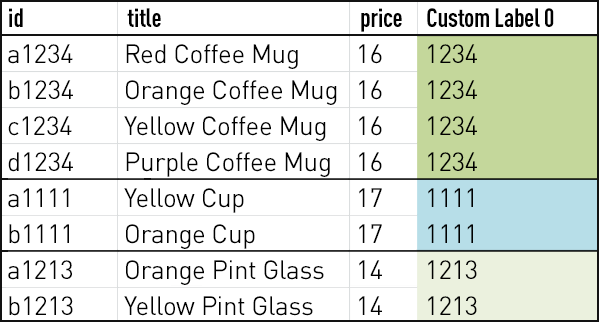
How to Put Custom Labels to the Best Use in Your Product Feed
You’ve got your product feed set and sending to Merchant Center. You’ve created campaigns mapped from the attributes that make the most sense for your style of management. And, you’re pretty familiar with the set attributes you can use to define product groups:
Item IDBrandCategoryProduct TypeConditionChannelChannel ExclusivityCustom Labels
What about those custom labels, though?
Google allows for up to five custom labels per feed. Here are some effective and creative ways you can use them.
SKU Grouping
One clever way to use a custom label is to group SKUs together under a Parent ID. Think of this as a “Parent” and “Child” relationship where we group the Child SKUs under a Parent label.
For example, suppose you offer a coffee mug in different colors. Each variety has its own unique Item ID. You could assign the same “Parent” identification number to each of the variations, and then set a product group to define the set of the products—as opposed to having to map these individually by Item ID.
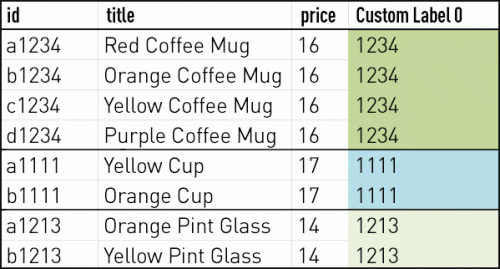
Product groups:
Custom_Label 0: 1234
Custom_Label 0: 1111
Custom_Label 0: 1213
Average Order Value
Another interesting way to apply a custom label is to group products by their price point, or average order value. For example, you could apply values of “High,” “Medium,” or “Low” to products based on where they belong in the overall product mix. In your campaign, you could then segment out Product Groups based on these values, and utilize these levers to bid more or less aggressively on products based on their anticipated return and volume.
Seasonality
Categorizing products by how (or whether or not) they sell according to time of year can be a wise consideration depending on the nature of your business. Indicating these designations in the product feed allows you to increase or decrease bids across a range of products classified by time of year.
So, in the final days of summer, you could increase bids across all seasonal products and then, right after, immediately bid down on those after the heat breaks.
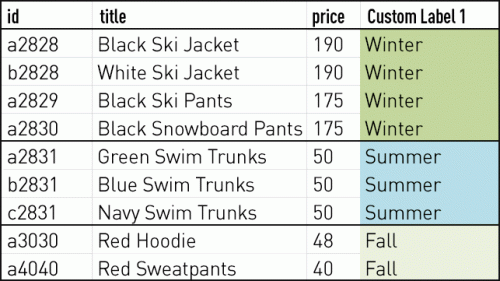
Product groups:
Custom_Label 1: Winter
Custom_Label 1: Summer
Custom_Label 1: Fall
These are just a few ways to apply custom labels—and give your campaigns levers to bid and segment on—that are completely specific to your account. The main takeaway is to use them.
Brainstorm what makes sense to be able to dictate volume by (whether or not a product is in peak season, whether or not it brings a high yield per order, etc.), then apply the values in the feed and create the defined product group in AdWords. Custom labels are the most flexible of the attributes available, so test them out and see what helps shift the needle in your overall Shopping performance.

How to Build an Effective Retargeting Program with Dynamic Ads
Dynamic Ads enable you to automatically promote your entire catalog across devices. With Dynamic Ads, you have full control over the products you advertise, ensuring you’re reaching audiences who’ve expressed high intent to purchase with the most relevant products. Advanced tactics are also available—cross-sell, upsell, and even prospecting.
- Audience: Segment audiences based on past browsing behavior. For example, you can create audiences of people who viewed or added products to their cart but didn’t purchase, then retarget them with the same products to increase their purchase intent.
- Targeting: Upload your product catalog to Facebook and make sure it’s regularly updated. Build product sets by category, best sellers, or high-margin products.
- Ad formats: It’s best practice to use Carousel Ads rather than static image link ads.
- Creative: Test different variations with macros such as price, brand, and description in your ad text and Carousel titles.
- Optimization: Always bid your maximum value for one-day post-click conversions, and make sure bid values match with audience behavior. For instance, “add to cart” is a higher intent than a simple “product view” and may justify a higher bid. Make sure your audience pools are broad enough to get sufficient delivery.
For more tips to make the most of your holiday ad campaigns across social media, download our Social Advertiser’s Holiday Guide.

7 Tips for a Killer Facebook Video Advertising Strategy
This piece was recently featured in PerformanceIN, the leading global performance marketing publication.
Does your Facebook advertising strategy include video? Should you include video as part of your overall Facebook advertising strategy?
If you find yourself asking these questions, this article is for you. In this post you’ll discover essential tips for killer Facebook video campaigns and how you can improve on your existing strategy.
Facebook has seen phenomenal growth in video usage over the past year—it’s now serving a staggering 8 billion video views a day. Video usage has exploded astronomically, with no signs of slowing down. On average US adults spend 1 hour and 16 minutes each day watching videos on digital devices. In a split second, they’ll make a decision as to whether or not your post is worth engaging with.
If you have no idea where to start, you’re in luck. We’re here to help you create a powerful campaign that gets you noticed and achieve positive results.
1. Define your goal.
Before you start your campaign, it’s essential to understand what you want to achieve. Are you looking for brand awareness or to drive action? First and foremost, getting eyeballs on your videos should be your initial goal, but don’t stop there. You have a wealth of customer data itching to be used. Take these video viewers and turn them into actual customers (which we’ll chat about in a moment).
- Drive brand awareness: Tracking video views and unique reach is important to you. Remember that Facebook considers a “view” someone who’s watched three or more seconds of your video.
- Drive action: Clicks to your website or conversions are important to you. Be sure to add a clear call to action to your ad.
2. Decide on your target audience.
In general, Facebook recommends defining an audience of over 10,000 people for the best ad performance. You need to make people stop to view your video ad instead of scrolling past, so choose carefully. The more relevant your audience is the more video views you’re likely to get. We recommend creating buyer personas to identify who your ideal customers are, and then using these to define your campaign’s target audiences.
Be sure to tailor your creative for each respective persona. This also goes for separate target audiences and brand awareness versus re-engagement campaigns. Be creative and experiment with different targeting options to find the one that suits you best.
3. Go mobile.
Video ads are available across desktop/mobile news feeds and Instagram. Mobile drives the most effective video views, with 65% of Facebook users watching videos on their mobile device. With mobile effectively becoming the core of Facebook’s business—having grown 82% year-over-year and accounting for 80% of its total ad revenue—it continues to attract more and more people on mobile devices. This is only set to increase with its Instagram offering.
4. Don’t over-rely on autoplay.
Create engaging videos that make people want to hit that “play” button. If your ad receives high negative feedback, your video is less likely to autoplay. Have visually engaging content in the first few seconds of your video to catch a user’s attention. Sell without sound—85% of videos on Facebook are watched on silent mode, so use text overlays and a clear CTA to get your message across. Get creative with your content and cater for silent autoplay.
5. Optimize for video views for maximum reach.
Allow Facebook to identify users who are more likely to watch your video, which in turn will help increase the reach of your campaign. By choosing video views as your objective, Facebook will look for people who are more likely to watch your video in full. This will then let you generate much more effective custom audiences for your retargeting campaigns.

6. Re-engage users and drive conversions.
Video is the perfect mode for prospecting, but don’t let your strategy stop there. Take your viewers on a journey through your funnel and convert them into actual, paying customers. How, you ask? Create a list of people who’ve engaged with your video on Facebook and choose from several options:
- People who viewed at least 3 seconds of your video
- People who viewed at least 10 seconds of your video
- People who viewed at least 25% of your video
- People who viewed at least 50% of your video
- People who viewed at least 75% of your video
- People who viewed at least 95% of your video

Use these audiences to retarget highly engaged users of your brand. People who’ve completed your video will represent a more engaged audience and will be more likely to take your desired action. Get your messaging right, and as we mentioned above, take your viewers on a journey through the funnel.
If you’ve shown them generic messaging in your first touch point, be sure to follow up with specific product messaging followed by an incentive to purchase if they haven’t already done so. The goal of retargeting is to place your brand at top of mind while customers are still deep in their decision-making process.
Marin launched exactly this strategy with a leading technology brand and achieved a 30% lower CPA and 11% higher CTR, plus generated the highest number of sales for the campaign overall.
7. Monitor, adjust, and optimize.
You’ve followed all of the above steps and now you want to actually figure out what’s working for you. Test, test, and test some more! Ensure to test all the creative elements of your ads, including different video variations and text overlays. The number of ad variations will add up quite quickly, so it’s best to create these in bulk to save you time.
Narrow your targets based on your key objectives and buyer personas. You can break down your audiences by location, demographics, interests, and behavior specifics.
For example, if your audience size is large enough and you want to target multiple locations, run them in separate campaigns—making it easier to optimize—and see what’s working best for you. Are you targeting fans versus non-fans? Consider using different creative for each. You should always have different messaging for people who are already familiar with your brand, versus people who may have never come across you prior to your campaign.
Along with the above be sure to:
- Include a clear CTA.
- Use high-quality video content.
- Include your branding and main messaging in the first few seconds of your video to take advantage of the autoplay feature (remember to use text overlay to cater for silent autoplay).
- Combat ad fatigue by refreshing your creative every one to two weeks for best performance. When people have seen your ad multiple times, it can become more expensive to achieve your desired results.
Navigate to the reporting section and monitor key metrics such as clicks, impressions, reach, CTR, and conversions. Be sure to track follow-on activity in your Google Analytics account, and measure the lift of your campaigns based on key website stats such as bounce rate, average session duration, pages per session, and goal completion. Use the results of your testing to create a powerful, results-driven campaign.
With the continued growth of video across the platform, Facebook video ads are more likely to generate increased engagement for brands. By implementing the above, you’re sure to generate conversions from your efforts.
How To Create Vertical Video Ads That Work
This is a guest post from Sarah Burns, Content Manager
at Boost Media.
Vertical video has become ubiquitous in the world of apps and social media, and the shift to vertical is changing the consumer experience. Vertical videos take up more space on the screen then horizontal, and smartphone users don’t have to rotate their phones first to watch. This creates a fully immersive and powerful experience every time a video is played.
Here are three creative tips to consider while adopting your vertical video strategy.
1. Rethink concepts
Find new techniques to film scenes and subjects that are optimized for vertical orientation. For example, close-ups of people, landscapes, and buildings work well vertically. Concentrate on one object to make the most impact visually. Consider how you might fill the space that appears if you tilt the camera up or down. Remember that creative should match the platform, the environment, and the context in which it’s being viewed, and be mobile-first.
2. Experiment with text overlays
Text overlays help tell a story quicker, which is important with video moving to shorter and shorter pieces. Consider using text for subtitles, which come in handy when translating videos to a foreign language, for example.
3. Revisit metrics
Due to the large size of vertical ads and the fully immersive video experience, vertical video ads are a great way to build awareness and drive increased site traffic. It’s not so much about completion of an ad as much as engagement time after the video. Test a variety of metrics to determine what works best for your organization.
About the Author
Sarah manages Content Marketing at Boost Media and leads a team of marketing professionals to drive revenue through complex B2B marketing campaigns in the ad tech industry. Prior to joining Boost, Sarah developed marketing and sales strategy at BNY Mellon, a top 10 private wealth management firm. In a former life, Sarah worked in journalism writing for magazines including Boston Magazine, The Improper Bostonian, and Luxury Travel. When she’s not writing engaging content, Sarah enjoys cooking, running, and yoga.
About Boost Media
Boost Media increases advertiser profitability by using a combination of humans and a proprietary software platform to drive increased ad relevance at scale. The Boost marketplace comprises over 1,000 expert copywriters and image optimizers who compete to provide a diverse array of perspectives. Boost’s proprietary software identifies opportunities for creative optimization and drives performance using a combination of workflow tools and algorithms. Headquartered in San Francisco, the Boost Media optimization platform provides fresh, performance-driven creative in 12 localized languages worldwide.

Marin Now Has Full Support for Bing Expanded Text Ads
We’re proud to announce immediate support for Bing Expanded Text Ads. Bing “Upgraded URLs” is a prerequisite to leveraging Bing’s Expanded Text Ads, and we’re offering full support for that, too.
Last, but not least, we’ve enhanced SmartSync to be compatible with both Bing and Google Expanded Text Ads. All Marin Search customers have access to SmartSync, which provides a 1-click migration to Bing Expanded Text Ads. We think this is the easiest (and fastest) method for savvy marketers to explore this opportunity.
What’s Changing?
“Bigger is better” is the key mantra behind the move to Expanded Text Ads, a move expressly designed to help advertisers succeed in a mobile-first world. Our empirical observations tend to refute the argument that Expanded Text Ads is a smart investment of resources, with well-constructed and thought-out ads yielding better increases in both click-through and conversion rates.
Before and After

How Marin Software Customers Can Get Started
With the deadline to migrate comfortably in the future, it may be tempting to put this task off. We encourage our advertisers to resist the temptation and try out Bing Expanded Text Ads now. Our recommendation is based on our observations, as described above.
The following is a brief list of the methods available for Marin customers to quickly get their ads launched:
Activate SmartSync: Execute your migration to Bing Expanded Text Ads with just one click. SmartSync takes care of the heavy lifting by automatically porting your Google Expanded Text Ads to Bing. And, best of all, your Google Expanded Text Ads can remain permanently synced to Bing Expanded Text Ads as long as you like, which means you can make a single ad change within Marin and have it applied to both of your key search engine partners.
Follow the Marin Guide to Expanded Text Ads: Avoid confusion by following our migration guides for Bing Upgraded URLs and Bing Expanded Text Ads. We walk you through the nuanced details of what’s changed, how to take advantage of these changes, and how to get up and running quickly.
Hire Boost Media to rewrite your Bing Expanded Text Ads: Tap into Boost Media’s network of professional copywriters to build brand new text ads from scratch. Marin Software has negotiated preferred pricing on behalf of our customers. To get started just contact your client services team.

5 Strong DR-Focused Facebook Features for Q4
SEM has long been considered bottom-funnel advertising, but Facebook's new and improved direct-response features mean you can turn the platform into a revenue machine over the coming weeks. Here are five essential direct response (DR) features available on Facebook—and how to use them to your advantage.
Carousel Ads
With Q4 bringing a high saturation of ad demand—especially ecommerce and retail for the holiday season—carousel ads are a great way to stand out. With these ads, you have the ability to tell a story about your brand or product. You can also showcase the different benefits of a signature product, or a range of products or product lines. More real estate means more opportunity to grab attention and gain potential new customers.

Lead Gen Ads
If your focus is on lead gen, you should be using lead gen ads. The benefit here is that the user doesn’t need to leave Facebook to fill out your form. There are tons of fields to choose from—Facebook will try to fill them in automatically based on information from the user’s Facebook profile (which makes it a lot easier for someone to complete the form). You also have the option of putting up to three custom questions on the form that are specific to your company.
Wondering what creative works well? You can use carousel ads with this campaign objective to help tell your company’s story, list different benefits or services, etc. (Yes, we’re fond of carousel ads.)

If you’re worried about spending a ton during a highly competitive season (remember, with Facebook ads, you’re competing for space, not keywords), we recommend establishing a test budget to figure out which messaging works, then open the budget spigot in Q1.
App Install Ads
If your focus is on app installs, Facebook now has a great new type of bidding to use for app install ads. You can now bid on in-app events such as a registration or purchase. Your cost per install may rise with this, but you’ll be targeting people who are more likely to complete the in-app event that’s most important to you.

Lookalike Audiences
Trying to figure out who to target this season? Lookalike audiences should definitely be in the plan. With lookalike audiences, you can target from a 1% lookalike all the way to a 10% lookalike. A 1% lookalike will be the percentage most closely like your original seed audience, but once you find a seed audience that works, you can expand the percentage in order to scale more. Fee seed lists we see work well on Facebook are:
- Top LTV users
- Converters from Facebook
- Most recent converters

To go even deeper into lookalike audiences, make sure you caught Marin’s detailed article.
Pixel Implementation
Last but not least, make sure you’re confident in your pixel implementation! Once the pixel is placed, make sure you go through the user flow on your site a few times and test the pixel. You can use the Facebook Pixel Helper Tool extension on Google Chrome. With this tool, you’re able to see if the right event is firing on the page you want it to. Since you’re likely bidding oCPM for conversions (in order to maximize the number of conversions you can get), you want to ensure you’re optimizing on a conversion that’s firing correctly.

Make sure you use all of the above features throughout the year, not just in Q4. But, to compete on Facebook and show some return for your dollar from now through mid-December, it’s imperative to use what’s available to you. These five features are a great start.

It’s a Blog! The Marin Engineering Tech Journal Is Born
We’re delighted to announce that our Marin Engineering tech blog is officially live. We hope that the wider Marin Software and developer communities will connect and learn from this forum.
The blog’s editor-in-chief is Kumar Palaniappan, Technical Director - Platform Engineering - Data, Analytics Services and his team of contributing writers are software engineers Filip Jaros and Julian Jaffe.
The blog already has several great content pieces, covering topics such as:
- Digital advertising storage on Apache HBase and Apache Phoenix
- Spark streaming, including analytics store updates and elastic scaling
- Optimizing Apache Phoenix query patterns
If you have any questions or want to talk shop, contact Kumar directly.

Marin Live Turns One!
Earlier this month, Marin Live celebrated its first birthday, and what a year it’s been!
In the last year, we’ve held 132 live training webinars covering eight different topics in two languages, reaching 40 countries on
5 different continents—and that’s only counting live participants! We think it’s safe to assume that recordings of Marin Live are being viewed from many, many more countries around the globe.
On top of that, our participants have logged more than 7,000 training hours via live webinars, post-webinar recordings, and permanent recordings housed in our Support Center. We’re currently averaging 11 live webinars a month and we’re on track to present many more in the future.
So what’s next?
- We’re refreshing our existing content. We’ve updated all of our intro search webinars to make sure we continue to offer our customers fresh, up-to-date information that aligns with publisher best practices, even as those best practices change.
- We’re tiering our content and offering advanced webinars. The four intro-level webinars we introduced last year continue to form the core of our program, but in August we launched our brand new Revenue Tracking & Troubleshooting. We’re working on offering more intermediate and advanced content in the future.
- We’re adding more languages. Our English and Spanish content has been so popular, we’re working on localizing our webinars into even more languages, so that we can continue to bring our amazing content to new users the world over.
- We’re creating new content. We're adding new webinars on troubleshooting activity log errors, Google Expanded Text Ads, and much more.
We're ready to celebrate. If you'd like to join the party and learn more about how we can help you quickly grow audiences and revenue, contact us today.

An Interview with Khaldoun Tayyeb, Principal Network and Security Engineer
The people at Marin are as unique as the work we do. Our Life at Marin series highlights the expertise, passions, and backgrounds of our fellow Marinites.
What do you currently do at Marin Software?
I joined Marin Software in June 2016 as a Senior Network and Security Engineer. As a member of the Site Reliability Engineering (SRE) team in the San Francisco office, my main responsibility is the design, support, and operations of Marin’s enterprise network and IT security systems. One of my primary responsibilities is ensuring that Marin’s software network has the highest network availability and most secure access to our applications.
What motivated you to join Marin Software?
The HR personnel and the staff that I interviewed with, and the Site Reliability Engineering team members I met, left me with a good impression of the company and the culture. I enjoy being able to be part of a great team here, where I can contribute my expertise and experience, and apply my skills and knowledge to provide excellent support for our clients.
What is it about your team that you’re most proud of?
It was clear right off the bat that my Site Reliability Engineering team is hard-working, capable of balancing many plates in the air at once, and working long hours without complaining. They’re great team members and good people. They’re a professional group who believes in providing good support and services to our clients. I admire their dedication, commitment, and hard work. Basically, they’re cool dudes.
They manage to keep the systems up, and work behind the scenes on application deployments, keeping up with daily requests, answering questions from other team members, and participating in daily stand ups. They’re the ones on call after hours.
Is there one thing you can share that you’ve done that you’re most proud of?
I like to lead by example and enjoy helping people who need help. It’s something I like to encourage everyone to do. This is especially something I continue to strive to do for my kids. We have to show our humanity and empathy. I believe that the presence of empathy leads to healing and resolution. Helping people can be shown and achieved in many ways.
What was your former professional life?
I’ve been working in IT for over 20 years. I was a principal network and security engineer for over 10 years with a large enterprise company in Oakland, California. When my daughter turned 16, I decided to become an IT contractor to spend more time with her before she went to college. I contracted with another large company in San Francisco before I joined Marin in June 2016. It was very special to spend time with my daughter before she started college.
I’m like every other IT engineer—we love new technology and working with it, especially networking and security technology.
What are your interests and hobbies?
I think my hobbies have changed over the years. In the past seven-plus years I started to skydive and I love the freedom I feel while doing it. I like to stay fit and healthy, and I enjoy running almost seven days a week. In the past, I completed the San Francisco Marathon and half marathon. I also enjoy traveling and have visited many countries, with hopefully many more to come. This year we went twice to Sydney, Australia, and visited Brisbane. While there, I got to see and feed kangaroos at the Australia Zoo.
What are you reading now?
John Grisham is one of my favorite authors. The Street Lawyer was the last book I completed. I’m still in the middle of The Rainmaker and The Broker. I like to read mysteries, too.
Which person or organization do you admire most? Why?
I’ve been with Marin for over 90 days. I believe everyone is working hard for the common good including Operations, Development, Engineering, Marketing, HR, and other groups. Everyone is doing a great job. I interact most with my team and Operations. They both have my admiration.

Far Away, So Close: Current Insights into Travel Search Advertising
With school out and warm weather in, we traditionally think of the summer months as the best time to take a vacation. However, is it actually prime time for search advertisers to ramp up their ad campaigns?
To answer this question and others, we took a look at travel advertisers on Google and Bing. We examined 2014 and 2015 to locate any trends in advertiser spend and performance for the travel vertical across quarters, and to assess the state of consumer behavior. Google and Bing dominate the global search market, which made them ideal for our study—other search publishers have regional presence at best, so they were excluded.
We found a few interesting things:
- Summer searches, but fall clicks. Although, on average, consumers searched for travel terms (flights, lodging, auto rentals, etc.) almost 20% more during summer than winter, clicks on travel-related searches didn’t peak in summer as expected. Instead, their highest point was in autumn, right after the summer months.
- The great smartphone migration. Over the past two years, travel advertisers have steadily shifted spend away from desktop and tablet towards smartphone. While smartphone made up under 10% of search spend in early 2014, by end of 2015, that number grew to almost 30% of all search budgets.
- Native is restless. The travel ad format that’s seen significant growth is native advertising via channels such as Yahoo! Gemini. Starting in late 2014, investment growth in native ads by travel companies grew almost 5x by mid to late 2015. While this format is one of the newer ones, it’s been growing consistently in both advertiser and consumer adoption over the past year.
For more great information on search advertising in the travel industry—including cross-device performance data and campaign recommendations—download The State of Travel Search Advertising: Trends, Formats, and Paths to Success.

Dynamic Ads for Travel: a New Solution for Hotel, Flight, and Airline Companies
Introducing Dynamic Ads for Travel
About a year ago, Facebook launched Dynamic Product Ads to attract mostly e-commerce advertisers looking for a more efficient way to launch remarketing campaigns, without having to manually create hundreds of link ads and custom audiences per SKU. Facebook now just refers to this solution as Dynamic Ads, with a unique offering available to travel advertisers called Dynamic Ads for Travel (DAT). With DAT, you can automatically deliver ads at a product level from your hotel and destination catalogs with unique creative based on a person's click events on your website.
For example, you could dynamically deliver ads across all hotel destinations with imagery specific to the location that people are searching for. People who searched for hotels in Maui on your website and didn’t convert would be delivered a very unique offer, compared to those who searched for, say, hotels in Minneapolis.

Dynamic Ads for Travel - Thousands of Relevant Ads in Seconds
As you can imagine, it’d be near-impossible to create all of the possible permutations of audience segments paired with unique creatives for each destination or hotel that people are searching for manually. Dynamic Ads for Travel improves campaign performance in several ways:
- Relevancy: More intelligent ads that capture details such as price, check-in date, and destination relevant to what people are searching for and where they want to go. You can personalize landing pages with redirect URLs specific to these details.
- Automated delivery: Ad creative is deployed automatically from your catalog feed, meaning you don’t have to manually create each individual ad.
- Improved targeting for optimal ROI: Target people who are searching for a hotel in a certain place or flight on a specific date. Cross-sell people who’ve booked a flight with a complementary offer on a hotel.
- Scale: Remarket to people across all placements including mobile news feed, the Audience Network, and Instagram.
So How Does Dynamic Ads for Travel Work?

There are two key components that enable Dynamic Ads for Travel to work:
- The Facebook Pixel to enable “Website Custom Audiences” and track click events on your website
- A feed that includes details on all items you sell, as well as creative (description, price, availability, etc.)
The click events that the Facebook Pixel captures allow travel advertisers to deliver more personalized ads to audiences based on a variety of user signals such as search activity, browsing history, and purchase behavior on your website. You can further enhance these audiences with a few parameters in both your exclusion and inclusion targeting:
Pixel Parameters For Travel Companies
HotelsFlightsDestinationsContent TypeContent TypeContent TypeDestinationOrigin and Destination AirportSuggested DestinationsCheck In and Out DateDeparture and Return DateTravel Start and End DateCurrencyCurrencyRegion, City, and Country
To determine which ad creative to trigger when a pixel event is fired, you need a travel feed with information from a catalog. You can either upload the catalog manually with a .CSV file or have the data retrieved programmatically from a feed in .XML format.
The good news is that many travel advertisers already have a feed that they use to deploy campaigns on Google, where the practice of retrieving this information for Facebook is very similar. Facebook currently supports the following catalogs with plans to roll out a flight specific-solution in the near future.
- Hotel: A list of details specific to each hotel such as room availability, pricing, star rating, guest rating, and image URL with support for up to 20 images
- Destination: A list of details specific to each destination such as longitude location, neighborhood, price, price change, and image URL with support for up to 20 images
If it seems a little hairy, not to worry—Dynamic Ads for Travel is one of the most advanced Facebook advertising features available on the platform today, so mastering it takes a bit of practice. The opportunities are truly endless, however, with all of the possible configurations that are available with this ad type.
Just note that some of these variables such as price and availability need to be updated in real-time, meaning to get your campaigns ahead of the curve, you should use a Facebook Marketing Partner platform—such as Marin Social—that’s developed this capability into its offering.

5 Tips to Fine-Tune Your Holiday Advertising Strategy
We recently published our 2016 Cross-Channel Marketing Report, which looked at the current state of shopping ads, and examined advertiser and consumer behavior over the past year. Now, with the shopping season even closer, advertisers are quickly making sure their budgets and ad campaigns are ready and flawless.
Based on the data, what are our top tips for retailers looking to get the most value out of their digital advertising campaigns this holiday season? Read on.
1. Plan and time large increases in budget to account for holiday spikes.
We predict that 40% of all shopping ad dollars will be on a mobile device. Similarly, around 37% of search clicks will be on a shopping ad on either Bing or Google. Be sure to budget ad campaigns accordingly to match up with consumer attention during critical holiday spikes.
Research shows that spend peaks in November, with overall ad spend reaching almost 90% above what it was in January. Smartphone behavior was the most pronounced—smartphone ad spend spiked to almost 400% above baseline in November when compared to the year’s beginning.
2. Account for mobile-desktop differences for shoppers.
Smartphones now make up the majority of clicks and spend for all shopping ads. With 55% of all shopping ad clicks originating on a smartphone, the importance of properly optimizing ad spend can’t be overstated.
Research shows that shoppers are utilizing mobile devices in-store more than ever, to conduct product research and price-shop. Being able to capture this audience while they’re in the middle of a purchase decision may be crucial this holiday season to ensure an offline conversion.
3. Spread shopping ad budget across publishers.
While Google remains the largest search publisher for shopping campaigns, Bing is no slouch, either. Adoption of Bing Shopping Campaigns (BSC) has been accelerating and Marin has seen over 20% of clients on Google Shopping already using BSC. While Google Shopping has more viewership and use, BSCs are competitive in price and performance, and may be a good option for some retailers.
4. Go beyond shopping ads.
Shopping ad spend has been taking up a larger portion of retailer ad spend every year, reaching almost 30% of all search ad dollars this year. However, this doesn’t mean this is the only ad format retailers should consider.
Expanded Text Ads (ETAs) are a relatively new ad format that have seen strong early returns for many advertisers. Early data has shown an almost 300% ROAS for ETAs, meaning they’re highly competitive with both conventional search ads and shopping ads.
5. Social shopping is great for mobile retailers.
While social networks have always been a highly mobile device oriented channel, this is especially true for retail. Almost 95% of clicks on retail ads on social are on a mobile device, and mobile also accounts for 90% of all social spend for retail advertisers. Research shows that consumers interact differently with social ads than they do with search. Rather than research, social ads are better used for awareness and to start conversations with target audiences.
Each holiday season has been bigger than the last, and the trend is positioned to continue this year. Retailers have more choices than ever when it comes to ad campaigns. However, with this increased choice comes increased difficulty, as effectively managing spend across multiple devices and channels isn’t easy. A little planning, knowledge, and foresight will go a long way.